
By Willis Jarvis June 3, 2026
For many Pittsburgh business owners, payment processing feels like a mix of familiar daily routines and behind-the-scenes systems that only become visible when something goes wrong.
A customer taps a card at a restaurant in Lawrenceville, an ecommerce shopper checks out online, a contractor keys in a deposit for a project, or a nonprofit accepts donations after an event.
The transaction may look simple on the surface, but several systems work together to approve the payment, route it, settle the funds, and connect it to the right business account.
One of the most important identifiers in that process is the merchant ID. If you have ever reviewed a merchant statement, called payment support, configured a point-of-sale system, set up an ecommerce checkout, or investigated a settlement deposit, you may have been asked for your merchant ID number, merchant account ID, merchant services ID, or merchant number. These terms are often related, though not always identical.
For Pittsburgh merchants, understanding merchant IDs is not just a technical detail. It can help you communicate clearly with your payment processor, track deposits, review chargebacks, troubleshoot reporting issues, and manage payment systems across locations, sales channels, or departments.
Whether you run a retail store in Shadyside, a restaurant in the Strip District, a professional office downtown, a mobile service business, or an online shop serving customers beyond the region, your merchant ID connects your business identity to payment activity.
This guide explains what a merchant ID is, why it matters, where to find it, how it works in payment processing, and how Pittsburgh businesses can organize merchant account details more effectively. It is for general educational purposes.
Merchant ID naming, formatting, account hierarchy, and reporting structure can vary by payment processor, acquiring bank, gateway, POS provider, and business profile.
What Is a Merchant ID?
A merchant ID is commonly used to identify a merchant account within payment processing systems. It helps payment processors, acquiring banks, gateways, and support teams recognize which business account is connected to specific payment activity.
In many systems, it functions like an internal account identifier for credit card processing, debit card payments, online payments, ACH payments, settlement deposits, chargebacks, refunds, and reporting.
The term can appear in several forms. You may see “merchant identification number,” “merchant ID number,” “merchant account ID,” “merchant services account number,” “payment processor merchant ID,” “credit card processing merchant ID,” or “MID payment processing.”
Some providers use these terms interchangeably, while others assign different meanings depending on the platform, sales channel, or account structure.
A merchant ID Pittsburgh business owners use may be tied to one physical location, one online store, one business entity, one processing relationship, or a specific merchant account. In some cases, a business may have one merchant identification number for card-present transactions and another for ecommerce checkout.
A restaurant may have a merchant ID for its POS system and a separate gateway ID for online ordering. A professional office may process card-not-present transactions through a virtual terminal that references a different payment processing ID.
At its core, a merchant ID is about merchant identification. It tells the payment ecosystem, “This transaction belongs to this approved merchant account.” That identification matters because payment processing involves risk review, authorization routing, settlement, funding, compliance, reporting, and dispute handling.
A merchant ID is usually created during account setup after the business goes through verification and underwriting.
The provider may review legal business information, ownership details, business bank account data, industry type, expected transaction volume, sales channels, refund policies, and risk factors. Once the account is approved and configured, the merchant ID becomes part of the business’s payment processing profile.
Merchant identification number
A merchant identification number is one of the most common ways providers describe the merchant ID. It may appear as a string of numbers, letters, or a combination of both. The format depends on the processor or acquiring bank, so Pittsburgh merchants should avoid assuming that every provider uses the same structure.
This number helps connect transactions to your merchant account. When a customer pays by card, the payment request includes data that helps the processor identify the merchant, the transaction environment, and the account that should receive settlement.
The merchant identification number may also appear on merchant statements, processor portals, support tickets, onboarding documents, or account approval emails.
For day-to-day operations, you may not need to type the merchant identification number manually. Your POS system, payment gateway, or virtual terminal may already store the required credentials. However, you should still know where to find it because support teams often use it to locate your account quickly.
Merchant account ID
A merchant account ID is another term you may encounter when reviewing payment processor documents or dashboards. In some systems, this may be the same as your merchant ID. In others, it may refer to a broader merchant account record, while the merchant ID number refers to a specific processing identifier.
This distinction matters when a business has multiple locations, multiple terminals, or multiple sales channels. A Pittsburgh retailer may have one merchant account ID associated with the overall business relationship but separate location IDs, terminal IDs, or gateway IDs for different transaction points.
When you contact support, avoid guessing which identifier is needed. Say something like, “I have my merchant account ID, gateway ID, and terminal ID available. Which one do you need to review this deposit?” That simple question can prevent confusion and reduce back-and-forth.
Why Merchant IDs Matter for Pittsburgh Merchants
Merchant IDs matter because they connect payment activity to the correct business account. For Pittsburgh merchants, that connection affects how transactions are authorized, where funds are deposited, how fees are reported, how chargebacks are tracked, and how support teams investigate issues. A merchant ID is not just an account label. It is part of the operational foundation of payment processing.
Consider a busy restaurant handling dine-in payments, online orders, catering deposits, and gift card sales. If the business uses multiple systems, each payment channel may need to route correctly to the right merchant account.
If a transaction is tied to the wrong merchant ID or configured under the wrong account, reporting can become confusing and deposits may not match expectations.
The same issue can affect retailers, contractors, service providers, and professional firms. A medical office may need clear reporting by department. A contractor may accept deposits in the field and final payments through emailed invoices.
A nonprofit may process event donations, recurring contributions, and online payments. In each case, merchant account identification helps create a reliable payment trail.
Merchant IDs also matter for support. When you call about a missing settlement deposit, a rejected refund, a chargeback notice, or a PCI compliance question, the support representative needs to locate the right account. Providing the correct merchant services ID or merchant account number helps them narrow the issue faster.
For local businesses, cash flow is often tightly connected to payment reliability. A delayed deposit after a weekend rush, a mismatch between POS reports and bank funding, or a chargeback assigned to the wrong location can create accounting headaches.
Understanding your merchant ID Pittsburgh payment setup gives you a better chance of resolving those issues quickly.
Merchant IDs are also useful when switching processors, adding a payment gateway, integrating a new POS system, or expanding to another location. If your business has clean records of its merchant number, payment gateway merchant ID, terminal IDs, and store location IDs, the transition is usually easier to manage.
For a broader background on payment tools used by local businesses, this guide to Pittsburgh merchant services and payment processing explains how merchant accounts, POS systems, gateways, and secure payments fit together.
How a Merchant ID Works in Payment Processing
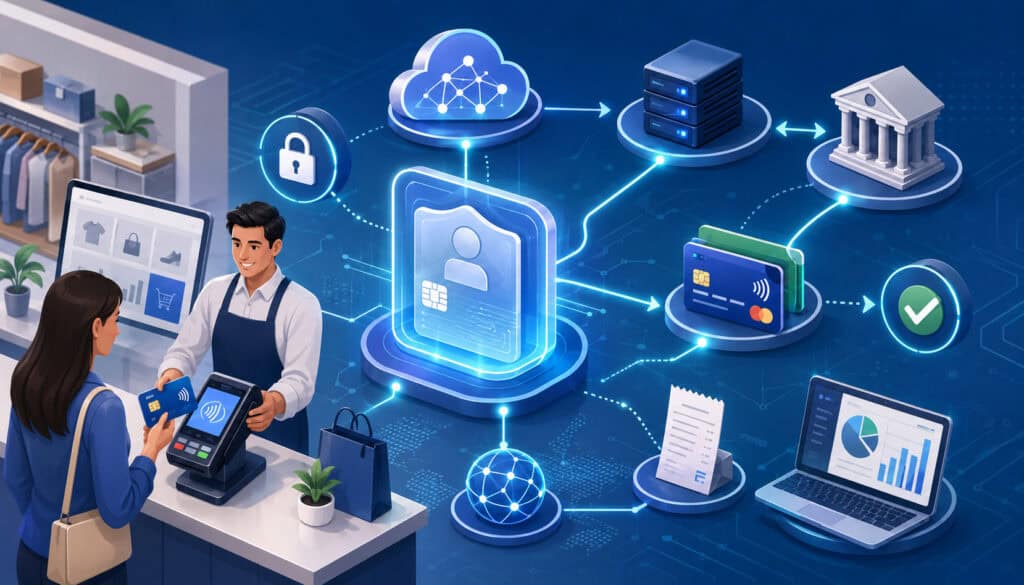
A merchant ID works as part of the data path that moves a payment from the customer’s card or bank account to the merchant’s business bank account. It helps payment systems identify the merchant account connected to the transaction.
While the exact technical flow can vary, most card payments follow a recognizable sequence: transaction capture, authorization, batching, settlement, funding, and reporting.
When a customer pays at a Pittsburgh business, the POS system, payment terminal, ecommerce checkout, invoice link, or virtual terminal collects payment details. The transaction request is sent through a payment processor or payment gateway.
The request includes information about the merchant, the transaction amount, the payment method, and the environment where the payment occurred.
The merchant ID helps the processor understand which merchant account is requesting authorization. The payment then moves through the card network and issuing bank for approval or decline.
If approved, the transaction is captured and later included in a batch for settlement. Settlement is the process that moves funds through the payment system so the merchant can receive a deposit.
For card-present transactions, the merchant ID may work together with a terminal ID, device identifier, or store location ID. For card-not-present transactions, such as ecommerce checkout or keyed invoices, the payment gateway merchant ID may also be involved. That is why a business can have several identifiers that look similar but serve different purposes.
A payment processor merchant ID may also influence reporting. Merchant statements often summarize sales volume, refunds, chargebacks, fees, and deposits by merchant account or merchant number.
If your business has separate MIDs for different locations or payment channels, you may receive separate reports or statement sections.
Merchant IDs also support risk management and underwriting. Processors use merchant account identification to monitor transaction patterns, chargeback levels, refund behavior, industry classification, and sales volume.
A sudden change in processing activity may trigger a review, especially if it differs from the business profile provided during account setup.
For Pittsburgh businesses that sell through multiple channels, the merchant ID structure should match the way the business operates. A restaurant that separates dine-in revenue from catering may want reporting that makes those channels easy to distinguish.
A retailer with both a storefront and ecommerce checkout may want clear separation between card-present and card-not-present transactions. A service business may need to identify payments by office, technician, or billing workflow.
Authorization routing
Authorization routing is the process of sending a transaction request to the correct parties for approval. When a customer pays with a card, the transaction typically moves from the payment device or checkout page to the processor, then through the card network and issuing bank. The merchant ID helps identify the approved merchant account requesting the transaction.
For example, a Pittsburgh boutique may process a card-present transaction through a countertop terminal. The system uses stored merchant account data so the transaction is connected to the correct processing relationship.
If the business later adds ecommerce checkout, that online channel may use a payment gateway configuration that references the same or a different merchant ID.
Accurate authorization routing helps avoid account mismatches. If payment credentials are configured incorrectly, transactions may fail, route under the wrong profile, or appear in unexpected reports. This is especially important after POS changes, gateway migrations, ownership changes, or location expansions.
Settlement deposits
Settlement deposits are the funds that arrive in your business bank account after approved transactions are processed. Your merchant ID helps connect settled transactions to the right merchant account and bank deposit setup. The timing and format of deposits can depend on batch closing time, processor policies, banking schedules, risk review, and transaction type.
A Pittsburgh restaurant may close its batch at the end of the night, while an ecommerce seller may have automated daily batching. A contractor using invoice payments may see deposits grouped differently than POS sales. When deposits do not match expected totals, the merchant ID is one of the first details support teams may ask for.
To troubleshoot settlement deposits, compare the processor report, POS batch report, gateway report, and bank deposit. Make sure all of them reference the same merchant account, batch date, and sales channel.
Batch processing
Batch processing groups approved transactions for settlement. Some systems close batches automatically at a scheduled time, while others allow manual batch closing. A batch can include sales, voids, tips, adjustments, and sometimes refunds, depending on the setup.
The merchant ID connected to the batch helps determine where the funds settle and how the activity appears on the merchant statement. If a business has multiple terminals or locations, batch processing can become more complex. One terminal may batch separately from another, or one location may have a different close time.
For Pittsburgh restaurants, batch timing can affect tipped transactions and next-day funding expectations. For retailers, batch timing can affect daily sales reconciliation. For service businesses, batch timing can affect when invoice payments appear in reports.
Merchant ID vs Merchant Account Number vs Terminal ID
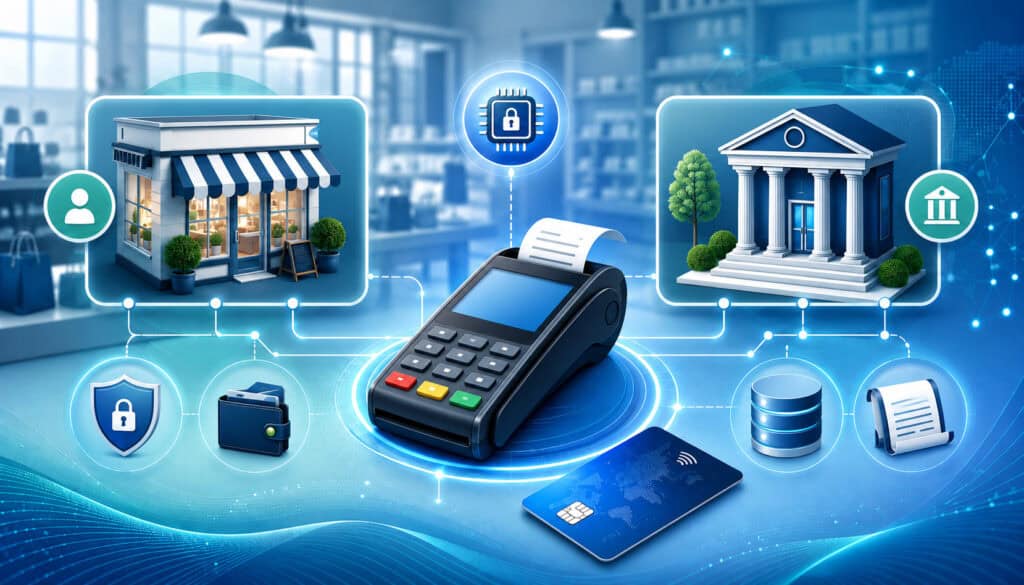
One of the most common sources of confusion is the difference between a merchant ID, merchant account number, terminal ID, gateway ID, and store location ID. These identifiers may appear together in account documents, POS settings, gateway dashboards, and support emails. They can be related, but they are not always the same.
A merchant ID usually identifies the merchant account or processing profile within payment systems. A merchant account number may refer to the account record used by the processor or acquiring bank.
A terminal ID identifies a specific payment device or virtual terminal. A gateway ID identifies an online payment gateway profile. A store location ID identifies a location, branch, department, or reporting unit inside a POS or processor platform.
Terminology varies because payment processing involves multiple systems. The acquiring bank, payment processor, merchant services provider, gateway, POS provider, and software platform may each maintain their own records.
One provider may call the main identifier a merchant number. Another may call it a merchant account ID. Another may show a payment processing ID in the dashboard while using a different value internally.
For Pittsburgh merchants, the practical goal is not to memorize every technical distinction. The goal is to know which identifier belongs to which part of your payment setup. That makes troubleshooting much easier.
| Term | What It Means | Where It Appears | Why It Matters |
| Merchant ID | Identifier commonly used for a merchant account in processing systems | Merchant statements, processor portals, support records | Connects transactions, deposits, fees, refunds, and chargebacks to the right account |
| Merchant account number | Account reference used by a processor, acquirer, or merchant services provider | Account documents, statements, support emails | Helps identify the broader merchant account relationship |
| Terminal ID | Identifier for a specific payment terminal or device | POS settings, terminal receipts, device reports | Helps track card-present transactions by device |
| Gateway ID | Identifier for an online payment gateway profile | Gateway dashboard, ecommerce settings, API credentials | Helps route ecommerce and card-not-present payments |
| Store location ID | Identifier for a business location or reporting unit | POS system, processor portal, location reports | Helps organize multi-location activity |
| Batch ID | Identifier for a group of transactions submitted for settlement | Batch reports, settlement reports, POS closeout summaries | Helps match sales activity to deposits |
| Transaction ID | Identifier for a specific payment | Receipts, processor reports, gateway logs | Helps research refunds, disputes, and customer questions |
Terminal ID
A terminal ID identifies a specific payment terminal, card reader, or device profile. In a retail shop, each countertop terminal may have its own terminal ID. In a restaurant, a handheld device, bar terminal, and front register may each have separate identifiers. This makes it possible to trace transactions back to the device that processed them.
Terminal IDs are especially useful when troubleshooting card-present transactions. If only one device is failing, producing duplicate receipts, batching incorrectly, or showing different totals, the terminal ID helps support teams isolate the issue. It can also help with reporting by register, lane, department, or staff workflow.
A terminal ID is not necessarily the same as a merchant ID. Multiple terminals can operate under one merchant ID, or different terminals may be assigned to different merchant accounts depending on the setup.
Gateway ID
A gateway ID is tied to a payment gateway, which is commonly used for ecommerce checkout, online invoices, donation pages, recurring billing, and card-not-present transactions. The gateway securely passes transaction data between the checkout environment and the processor.
A Pittsburgh ecommerce seller may have a payment gateway merchant ID that appears in the gateway dashboard, while the processor uses a separate merchant ID number for settlement and statements. Both identifiers can matter. The gateway ID may help locate transaction logs, while the merchant ID may help track deposits and fees.
When configuring a website, shopping cart, or online payment form, make sure gateway credentials are entered carefully. Incorrect gateway configuration can cause failed payments, duplicate profiles, reporting mismatches, or settlement delays.
Store location ID
A store location ID is often used for businesses with multiple locations, departments, or reporting units. It may be created inside a POS system, processor portal, or business management platform. It helps separate activity by location even when the overall business shares a payment relationship.
For example, a Pittsburgh business with locations in the North Hills and South Hills may want separate reporting for each site. A nonprofit may want separate reporting for donations, event sales, and merchandise. A restaurant group may want each restaurant location separated for accounting and chargeback review.
A store location ID may not be part of the card network transaction path in the same way as a merchant ID, but it can be essential for internal reporting and reconciliation.
Where to Find Your Merchant ID

Pittsburgh merchants can usually find their merchant ID in several places, although the label may vary. Start with your merchant statement.
Many statements include a merchant number, merchant account number, MID, or merchant identification number near the top of the document. It may be listed beside your business name, DBA name, location address, or processing account summary.
You may also find your merchant ID inside your processor portal. Look for sections labeled account details, merchant profile, statements, funding, deposits, locations, or support. Some portals show multiple identifiers, so pay close attention to labels. If you see a merchant ID, gateway ID, terminal ID, and location ID, write down where each one appears.
Gateway dashboards are another common source. If your business accepts online payments, your payment gateway may show a gateway profile ID, API login ID, site ID, or payment gateway merchant ID. These values may be needed when connecting an ecommerce checkout, recurring billing system, donation form, or invoicing platform.
POS settings can also contain merchant account identification. A point-of-sale system may store payment processor credentials, terminal IDs, location IDs, and batch settings. In some cases, the POS provider may hide full credentials for security reasons but still show enough account information to help identify the setup.
Account approval emails, onboarding packets, signed applications, support tickets, and processor correspondence may also reference your merchant services account number. If your business recently switched processors or added a new payment channel, review implementation emails carefully.
If you cannot find the merchant ID, contact your authorized payment support contact. Be ready to verify business information before they release account details. Providers should avoid sharing sensitive account data with unauthorized staff.
Merchant statement review
Your merchant statement is often the best place to start. It may include your merchant ID, business name, statement period, processing volume, transaction count, fees, chargebacks, adjustments, and settlement details. The exact layout depends on the processor.
When reviewing the statement, look for labels such as MID, Merchant Number, Merchant Account Number, Account ID, or Processing ID. If your business has multiple merchant IDs, confirm which one matches the location or channel you are reviewing.
Merchant statement review is also useful for identifying unexpected fees, refund patterns, chargeback activity, and deposit timing. For businesses trying to understand processing costs, this article on how transaction mix can affect credit card processing fees in Pittsburgh provides helpful context.
Processor portals and support emails
Processor portals often show account details, deposits, disputes, batches, and statements. Depending on permissions, an owner or administrator may be able to download statements, view merchant account IDs, and export transaction reports.
Support emails can also be useful, especially during setup or troubleshooting. A processor may reference a merchant ID number in a ticket about deposits, PCI compliance, equipment activation, gateway credentials, or chargeback documentation.
However, emails can become outdated. If your business changed processors, updated ownership, added a location, or replaced a gateway, confirm that the merchant ID in an old email still applies.
POS and gateway dashboards
A POS dashboard may show location IDs, terminal IDs, device names, batch close times, and processor settings. A gateway dashboard may show transaction IDs, customer profiles, API credentials, gateway IDs, and settlement reports.
These systems are especially important for ecommerce sellers, restaurants, and service businesses that rely on integrated software. If POS reports do not match processor reports, check whether the POS is filtering by location, device, employee, tender type, or batch date.
For neighborhood-based businesses evaluating payment tools, this overview of payment solutions for Pittsburgh neighborhood businesses offers additional context on POS systems, reporting, and payment workflows.
How Merchant IDs Are Used for Authorization and Settlement
Merchant IDs support two of the most important parts of payment processing: authorization and settlement. Authorization is the step where a payment is approved or declined. Settlement is the process that moves approved funds toward the merchant’s business bank account. The merchant ID helps identify which merchant account is involved in both stages.
During authorization, the payment system needs to know which business is requesting approval. This matters because the processor must apply the correct account settings, industry classification, risk controls, acceptance methods, and routing configuration.
A card-present restaurant transaction may be handled differently from an online invoice payment or a recurring donation.
During settlement, the processor needs to connect approved transactions to the correct funding account. Your merchant ID helps group transactions, calculate fees, apply adjustments, and generate deposit records. If the business has separate merchant IDs for different locations or channels, deposits may arrive separately or appear in distinct statement sections.
Authorization and settlement do not always happen at the same time. A transaction may be authorized during the day and settled later when the batch closes. Restaurants may adjust tips before settlement.
Ecommerce merchants may authorize an order before shipment and capture it later. Service providers may void an authorization before it settles if the customer changes the payment method.
This timing difference can confuse reconciliation. A customer receipt may show an approved transaction, but the deposit may not appear until after batch processing and funding. If a transaction was authorized but not captured, it may never settle. If a batch closed after the cutoff time, funding may shift to a later deposit date.
The merchant ID helps support teams trace this path. They can review whether the transaction was approved, captured, batched, settled, refunded, disputed, or adjusted. Without the correct merchant account identification, support may look in the wrong account or fail to find the transaction.
For Pittsburgh businesses with seasonal spikes, event sales, catering, festivals, or mobile payments, authorization and settlement tracking can become more important. Temporary devices, mobile readers, and event-specific payment setups should be tied to the correct merchant account and location reporting.
Refund processing
Refunds are usually tied to the original transaction and merchant account. If a customer returns an item to a Pittsburgh retail shop or cancels a service appointment, the refund should process through the same merchant account that handled the original payment.
Problems can happen when a business has multiple merchant IDs or payment channels. For example, an online purchase may not be refundable through an in-store terminal if the ecommerce transaction belongs to a different gateway or merchant account.
Similarly, a keyed invoice payment may not appear in the POS system if it was processed through a separate virtual terminal.
To avoid confusion, staff should know which system handled the original payment. Refund policies should also explain whether refunds must be returned to the original payment method and how long processing may take.
Chargeback tracking
Chargebacks and payment disputes are usually assigned to the merchant account that processed the original transaction. The merchant ID helps identify where the dispute belongs. This is important for businesses with multiple locations, online channels, or departments.
A chargeback notice may include transaction details, dispute reason, response deadline, and required documentation. If the dispute is tied to the wrong internal location or if staff cannot identify the sale, the business may miss the response window.
For restaurants, signed receipts, itemized tickets, online order records, delivery confirmation, and refund history may be useful. For contractors and service businesses, invoices, signed agreements, work completion records, and customer communication may help. For ecommerce sellers, order confirmation, shipping records, and customer correspondence are often important.
Payment disputes and support research
Payment disputes, missing deposits, duplicate charges, and failed refunds often require support research across several systems. The merchant ID narrows the search. Support may also ask for transaction IDs, batch IDs, terminal IDs, and settlement dates.
When contacting support, describe the issue clearly. Instead of saying, “My deposit is wrong,” say, “The batch for our East End location under this merchant ID shows one total in the POS, but the settlement report and bank deposit show a different amount.” Specific details help the support team investigate faster.
Merchant IDs for Retail, Restaurant, Service, and Ecommerce Businesses
Different business models use merchant IDs in different ways. A retail store, restaurant, contractor, professional office, nonprofit, and ecommerce seller may all accept payments, but their transaction environments can vary significantly. That affects how merchant IDs, terminal IDs, gateway IDs, settlement deposits, and reports are organized.
A retail shop may process most payments through a POS system. The merchant ID may be linked to one or more registers, card readers, and store locations. The key concerns are usually daily batch totals, refunds, inventory-linked transactions, customer receipts, and deposit reconciliation.
A restaurant may have more complex workflows. Dine-in payments, bar tabs, tips, online ordering, delivery platforms, catering deposits, gift cards, and event payments may all flow through different systems.
Merchant IDs and terminal IDs help separate those payment streams and track settlement. Batch timing is especially important because tip adjustments may happen before final settlement.
Service businesses and contractors often accept card-not-present payments through invoices, virtual terminals, mobile readers, or recurring billing. Their merchant account identification may be tied more closely to invoicing software or a gateway than to a traditional countertop terminal. They may need strong documentation for deposits, partial payments, refunds, and disputes.
Professional firms may use payment links, ACH payments, card payments, and client portals. Their main concerns often include secure payment collection, clean reporting, client account reconciliation, and privacy-aware access controls. A merchant services account number may be needed when resolving funding or account support questions.
Nonprofits may accept donations online, at events, by invoice, or through recurring contribution forms. A payment gateway merchant ID may be especially important for donation pages and campaign reporting. Separating event revenue from recurring donations can make accounting easier.
Ecommerce sellers rely heavily on gateway configuration. Their merchant ID may be connected to a shopping cart, website checkout, fraud tools, recurring billing platform, or marketplace integration. Card-not-present transactions may carry different risk considerations, so accurate account setup and fraud prevention are important.
Ecommerce merchant ID setup
Ecommerce merchant ID setup involves connecting an online checkout to a processor or payment gateway. The gateway may use its own identifier, while the processor uses a separate merchant ID for settlement and reporting. Both can be important.
During setup, Pittsburgh ecommerce sellers should confirm which business name appears on customer statements, how transactions are authorized, when batches close, how refunds are handled, and where chargeback notices will be sent. The business should also test the checkout before going live.
A small configuration error can create large headaches. Incorrect gateway credentials may cause declined payments. A mismatched merchant account may cause transactions to appear in the wrong reporting profile. Missing fraud settings may increase payment disputes.
POS system configuration
POS system configuration connects the checkout workflow to payment processing. The POS may manage products, taxes, tips, discounts, employees, inventory, and reports, while the processor handles authorization and settlement. The merchant ID is part of the processing side, but the POS needs to be configured correctly so sales data and payment data align.
For Pittsburgh restaurants and retailers, POS setup should include terminal activation, batch settings, tip settings, receipt settings, refund permissions, user roles, and location reporting. Staff should run test transactions before launch and confirm that reports match processor records.
Businesses evaluating POS options can review this local guide to POS systems for Pittsburgh businesses for a broader look at how point-of-sale tools support checkout and reporting.
Payment gateway configuration
Payment gateway configuration affects online payments, virtual terminals, recurring billing, and sometimes invoice payments. The gateway may store API credentials, fraud settings, customer tokens, webhook URLs, and settlement reporting tools.
When configuring a payment gateway, verify that the gateway is connected to the correct merchant account. Check whether refunds should be performed in the gateway, the ecommerce platform, the processor portal, or the POS. Also confirm who receives transaction alerts, dispute notices, and failed payment notifications.
Access should be limited to authorized users. Gateway dashboards may contain sensitive customer and transaction data, so staff permissions should be reviewed regularly.
Merchant IDs for Multi-Location Pittsburgh Businesses
Multi-location businesses need a clear merchant ID structure. A business with several stores, restaurants, offices, or service areas may use one merchant ID for all activity, separate merchant IDs for each location, or a hybrid structure with shared reporting and location-level identifiers.
The right setup depends on accounting needs, processor capabilities, risk considerations, and operational preferences.
For example, a restaurant group may want each location to have its own merchant ID so deposits, chargebacks, and fees are separated.
A retailer with several small locations may prefer consolidated processing but separate store location IDs inside the POS. A nonprofit may use separate gateway profiles for events, donations, and merchandise while settling to one business bank account.
There is no universal answer. Separate merchant IDs can improve location-level reporting and make it easier to isolate disputes or deposit issues.
However, they can also create more statements, more account records, and more administrative work. A consolidated setup can simplify oversight but may make it harder to identify which location caused a reporting mismatch.
Pittsburgh businesses with neighborhood-based operations should think carefully about how they want to review performance.
Do you need separate reports for Downtown, South Side, Oakland, and North Hills locations? Do you want deposits grouped by store? Do managers need access only to their location’s reports? Do refunds need to be processed at any location or only where the sale occurred?
Merchant IDs also matter when adding new locations. If the new location uses existing payment credentials incorrectly, sales may appear under another store’s reports.
That can distort revenue, complicate tax reporting, and confuse manager accountability. Before opening a new location, confirm the account setup, device assignment, batch timing, receipt information, and funding destination.
Multi-location businesses should also plan for chargebacks. If a dispute arrives, the team should be able to identify which location handled the transaction and who has the supporting documentation. That requires consistent use of terminal IDs, location IDs, transaction IDs, and merchant IDs.
Multi-location reporting
Multi-location reporting helps business owners compare sales, refunds, chargebacks, fees, and deposits across locations. Merchant IDs can make this easier when each location has its own processing account. Store location IDs can also help when one merchant account supports several sites.
The challenge is consistency. If one location batches manually and another batches automatically, deposits may not line up the same way. If one location processes refunds through the POS and another through the processor portal, reports may look different.
To improve reporting, define standard procedures. Decide when batches close, who reviews daily totals, how refunds are approved, how chargebacks are documented, and how bank deposits are matched. Then train each location to follow the same process.
Adding or closing locations
When adding a location, ask whether a new merchant ID is needed or whether the location can be added under an existing account. Also confirm whether the location needs its own terminal IDs, gateway profile, receipt descriptor, user permissions, and settlement reporting.
When closing a location, do not simply unplug terminals. Confirm final batch settlement, refund access, chargeback monitoring, statement availability, and record retention. Disputes can arrive after the original sale, so you may need access to historical transaction records even after a location stops processing new payments.
If ownership, bank accounts, or business structure changes, notify the appropriate provider contacts and follow their required process. Merchant account changes often require verification and documentation.
How Merchant IDs Affect Reporting, Reconciliation, and Support
Merchant IDs have a direct impact on reporting, reconciliation, and support. When payment activity is organized clearly, business owners can understand sales, deposits, refunds, chargebacks, and fees with less guesswork. When identifiers are poorly organized, even routine accounting can become frustrating.
Reporting starts with the systems that capture transactions. A POS report may show gross sales, taxes, tips, discounts, refunds, and tender types.
A gateway report may show online transactions, failed payments, customer tokens, or recurring billing activity. A processor report may show authorized transactions, settled batches, fees, chargebacks, and funding. Your bank statement shows actual deposits.
The merchant ID helps connect those views. If your POS report shows a sales total but the processor report is filtered to the wrong merchant ID, the numbers may not match.
If your bank deposit combines multiple merchant IDs, you may need a funding report to break down the deposit. If refunds are processed after the original batch, they may appear in a later settlement period.
Reconciliation is the process of matching records across systems. For Pittsburgh merchants, this often means matching POS or gateway reports to processor settlement reports and then to business bank account deposits. The merchant ID, batch ID, deposit date, and settlement amount are key details.
Support also depends on accurate identifiers. When you contact support about a missing deposit, chargeback, terminal issue, gateway error, or statement question, the merchant ID helps the support team locate your account. If you provide the wrong merchant number, they may research the wrong location or processing profile.
Clean reporting also helps with business decisions. A restaurant can compare dine-in sales to online ordering. A retailer can review returns by location. A contractor can track deposits and final payments. A nonprofit can separate event transactions from recurring donations. These insights depend on payment data being organized correctly from the start.
Troubleshooting mismatched deposits
Mismatched deposits are common and not always a sign of an error. Deposits can differ from gross sales because of refunds, chargebacks, fees, batch timing, tips, adjustments, or multiple merchant IDs funding together.
Start by identifying the deposit in your bank account. Then find the corresponding settlement report in your processor portal. Compare the merchant ID, batch date, funding date, and net amount. Next, compare that settlement report to your POS or gateway batch report.
If the totals still do not match, look for refunds, voids, tips, chargebacks, ACH returns, reserves, or fees deducted from settlement. If your business has more than one merchant ID, confirm whether the deposit includes activity from multiple accounts.
Merchant statement review
Merchant statements provide a monthly or periodic view of processing activity. They can help identify volume trends, fee categories, chargeback activity, refund totals, and account-level details. Your merchant ID or merchant account number is often shown prominently on the statement.
Review statements regularly, not only when something seems wrong. Look for changes in average ticket size, card mix, processing volume, chargebacks, nonqualified transactions, and fees. If a new location or gateway was added, confirm that it appears as expected.
Statement review is also useful when switching processors or updating account setup. Your current statement can help the new provider understand transaction volume, sales channels, and account structure.
Account support communication
Good support communication starts with preparation. Before calling or submitting a ticket, gather the merchant ID, business name, location, transaction date, amount, batch ID, terminal ID, gateway ID, and a short description of the issue.
Be specific about what you have already checked. For example, “The POS batch report for this terminal shows a closed batch, but the processor settlement report for the same merchant ID does not show the batch.” That gives support a clear path to investigate.
Keep records of support case numbers, representative names, dates, and instructions. If an issue affects funding or customer payments, document each step until it is resolved.
Common Merchant ID Problems and How to Fix Them
Merchant ID problems usually appear as reporting mismatches, funding confusion, failed transactions, refund errors, chargeback confusion, or support delays. The merchant ID itself may not be the root cause, but incorrect or unclear merchant account identification can make the problem harder to solve.
One common issue is using the wrong identifier when contacting support. A business may provide a terminal ID when support needs the merchant ID, or a gateway ID when support needs the merchant account number. This can lead to delays, especially if the business has several locations or systems.
Another common issue is mismatched deposits. A Pittsburgh retailer may see one total in the POS and a different deposit in the bank account.
The cause might be batch timing, refunds, tips, chargebacks, fees, or combined funding across multiple merchant IDs. The fix is to compare reports in the right order: POS or gateway report, processor settlement report, merchant statement, and bank deposit.
Configuration errors can also cause problems. If a POS system, gateway, or terminal is connected to the wrong merchant account, transactions may process under the wrong profile. This can happen during new location setup, equipment replacement, gateway migration, or processor switching.
Refund errors are another frequent issue. Staff may try to refund a transaction in the wrong system or under the wrong merchant ID. If the original transaction was processed online, the refund may need to be initiated through the gateway. If it was processed in-store, it may need to be handled through the POS or processor.
Chargeback tracking can also become difficult when merchant IDs are not organized. If a dispute notice arrives for a transaction but the business cannot identify the location, system, or original sale, the response may be delayed.
| Problem | Possible Cause | What to Check | Practical Fix |
| Deposit does not match POS report | Batch timing, refunds, tips, fees, multiple MIDs | Batch report, settlement report, bank deposit | Match by merchant ID, batch date, and funding date |
| Support cannot find account | Wrong identifier provided | Merchant statement, processor portal | Confirm whether support needs MID, terminal ID, or gateway ID |
| Refund will not process | Refund attempted in wrong system | Original transaction source | Process refund through the system tied to the original sale |
| Online payments missing from POS report | Gateway activity separate from POS | Gateway dashboard, ecommerce settings | Reconcile gateway and POS reports separately |
| Chargeback assigned to unknown location | Multiple locations share similar descriptors | Merchant ID, terminal ID, transaction ID | Maintain a location-to-MID reference sheet |
| New terminal reports under wrong location | Device configured incorrectly | Terminal ID, POS location settings | Ask provider to verify device assignment |
| Deposits delayed after batch close | Cutoff time, risk review, bank timing | Batch close time, funding report | Adjust batch schedule or confirm funding policy |
Security, Compliance, and Privacy Considerations
Merchant IDs should be handled carefully. A merchant ID is not the same as full cardholder data, but it is still account-related information. It can be used by support teams to locate your business profile, review transactions, and discuss account details.
For that reason, Pittsburgh businesses should share merchant ID information only with authorized employees, trusted payment support contacts, and approved vendors who genuinely need it.
Good security starts with access control. Not every employee needs access to processor portals, gateway dashboards, merchant statements, or account setup documents. Owners, managers, accounting staff, and authorized administrators should have role-appropriate access. User permissions should be reviewed when employees change roles or leave the business.
PCI compliance is also part of payment security. The PCI Security Standards Council provides standards and resources for protecting payment data. Merchants that accept payment cards are generally expected to follow applicable PCI DSS requirements based on how they store, process, or transmit cardholder data.
Merchant IDs also connect to privacy and fraud prevention. Processor portals and gateway dashboards may show customer names, transaction amounts, payment tokens, receipts, disputes, and refunds.
Businesses should protect login credentials, use strong passwords, enable multi-factor authentication where available, and avoid sharing account access through personal email or text messages.
Be cautious with vendor requests. If a software provider, web developer, bookkeeper, or consultant asks for payment credentials or merchant account details, confirm exactly what they need and why. In many cases, a limited-access user account is safer than sharing an owner login. Avoid sending sensitive account information through unsecured channels.
Fraud prevention matters for both card-present and card-not-present transactions. EMV chip acceptance, contactless payments, address verification, CVV checks, velocity controls, fraud filters, secure checkout pages, and clear refund policies can all help reduce risk. For online payments, gateway configuration should be reviewed carefully.
The Federal Trade Commission business guidance offers helpful information on data security, privacy, and fraud prevention for businesses. For payment-specific security, PCI resources should be part of your regular review process.
PCI compliance
PCI compliance refers to following payment card data security requirements that apply to businesses accepting card payments. The exact steps depend on your payment environment. A business using a hosted checkout page may have different responsibilities than a business storing payment data or managing complex network systems.
Pittsburgh merchants should ask their processor or merchant services provider what PCI validation steps apply to their account. This may include completing a self-assessment questionnaire, using approved equipment, maintaining secure networks, and avoiding unsafe storage of cardholder data.
PCI compliance is not a one-time task. Payment systems change, employees change, software changes, and business models evolve. Review compliance requirements whenever you add ecommerce checkout, change POS systems, introduce mobile payments, or update network equipment.
Payment security
Payment security includes the tools and habits that protect transactions and account access. This can include encryption, tokenization, EMV acceptance, secure gateways, fraud filters, user permissions, password controls, and monitoring.
A merchant ID can help identify account activity, but it should not be casually shared. Staff should know which payment details can be discussed with customers and which should be kept internal. For example, a customer may need a receipt or transaction reference, but they usually do not need your merchant services account number.
Security should also include physical devices. Terminals should be inspected for tampering, especially in retail and restaurant environments. Mobile readers should be assigned to specific users or locations, and lost devices should be reported promptly.
Business verification and underwriting
Merchant IDs are typically created after business verification and underwriting. During account setup, the provider may verify business identity, ownership, bank account information, industry type, processing volume, refund policies, and risk profile.
This review helps the processor understand what kind of transactions the business will process. A restaurant, ecommerce store, contractor, professional office, and nonprofit may have different processing patterns and risk considerations.
If your business changes significantly, such as adding online sales, expanding transaction volume, opening new locations, or changing ownership, notify the appropriate provider. Keeping account information current can help avoid funding delays and support issues.
Questions to Ask About Your Merchant ID and Account Setup
Asking the right questions during account setup can prevent confusion later. Many businesses focus on rates, equipment, and approval speed, but merchant ID structure is just as important for long-term reporting and support. A few careful questions can make deposits, reconciliation, chargebacks, and multi-location management easier.
Start by asking what identifiers your business will receive. Will you have one merchant ID or multiple merchant IDs? Is the merchant ID the same as the merchant account number? Will the gateway have a separate ID? Will each terminal have its own terminal ID? Will each store have a location ID?
Next, ask how deposits will appear. Will deposits be grouped by merchant ID, location, batch, or day? Will fees be deducted daily, monthly, or from settlement? Will online and in-store payments fund together or separately? How will refunds and chargebacks appear?
Ask about reporting access. Can you export reports by merchant ID, terminal ID, location ID, batch, date, and transaction type? Can managers see only their location? Can your accountant receive limited access? Are statements available online?
Ask about support procedures. Which identifier should you provide when contacting support? Who is authorized to request changes? How are bank account updates handled? How are new terminals activated? How are gateway credentials protected?
Ask about switching or expansion. If you add a second Pittsburgh location, will it need a new merchant ID? If you add ecommerce checkout, will online payments use the same merchant account? If you change POS systems, will the merchant ID stay the same or be replaced?
Businesses preparing for setup may find this Pittsburgh merchant services setup checklist useful for thinking through documentation, payment channels, POS needs, funding, and security considerations.
What is a merchant ID?
A merchant ID is commonly used to identify a merchant account within payment processing systems. It helps connect transactions, deposits, refunds, chargebacks, fees, and reports to the correct business account.
You may also see it called a merchant identification number, merchant ID number, merchant account ID, merchant number, merchant services ID, or payment processing ID. Exact terminology varies by provider, so check your statements or processor portal for the label used in your account.
Is a merchant ID the same as a merchant account number?
Sometimes, but not always. Some processors use merchant ID and merchant account number to describe the same account identifier. Others use one term for the processing ID and another for the broader account record.
If you have multiple locations, terminals, gateways, or sales channels, the difference can matter. When contacting support, ask which identifier they need: merchant ID, merchant account number, terminal ID, gateway ID, or location ID.
Where can Pittsburgh merchants find their merchant ID?
Pittsburgh merchants can often find their merchant ID on merchant statements, processor portals, account approval emails, onboarding documents, gateway dashboards, POS settings, and support correspondence.
It may be labeled as MID, merchant number, account number, merchant account ID, or merchant services account number. If you cannot find it, contact your authorized payment support contact. Be prepared to verify business information before account details are shared.
Why does a merchant ID matter for payment processing?
A merchant ID matters because it helps identify the business account connected to payment activity. It supports authorization routing, settlement deposits, reporting, refunds, chargebacks, account support, and reconciliation.
Without the correct merchant account identification, support teams may have trouble locating transactions or deposits. This is especially important for businesses with multiple locations, ecommerce payments, mobile devices, or more than one processing relationship.
How is a merchant ID used for settlements?
During settlement, approved transactions are grouped and processed so funds can be deposited into the merchant’s business bank account. The merchant ID helps connect those settled transactions to the correct merchant account and funding setup.
If a business has multiple merchant IDs, deposits may appear separately or be grouped depending on the processor’s funding structure. To reconcile deposits, compare the merchant ID, batch date, settlement date, and net funding amount.
Do different locations need separate merchant IDs?
Not always. Some multi-location businesses use separate merchant IDs for each location, while others use one merchant ID with store location IDs inside the POS or processor portal. The right setup depends on reporting needs, accounting preferences, processor capabilities, and risk considerations.
Separate merchant IDs can make location-level reporting and dispute tracking easier. A shared setup can reduce administrative complexity but may require stronger internal reporting controls.
Is it safe to share a merchant ID?
A merchant ID should be shared only with authorized payment support contacts, approved vendors, and internal staff who need it for legitimate business purposes. It is not the same as full cardholder data, but it is still account-related information.
Avoid sending merchant account details through unsecured channels. Use official support portals, verified contacts, and access-controlled internal records whenever possible.
What should merchants do if deposits or reports do not match their merchant ID?
Start by comparing the POS or gateway report, processor settlement report, merchant statement, and bank deposit. Confirm the merchant ID, batch date, funding date, refunds, tips, fees, chargebacks, and adjustments.
If the mismatch remains unresolved, contact support with specific details. Provide the merchant ID, transaction date, batch ID, deposit amount, terminal ID or gateway ID, and a clear description of the issue.
Conclusion
Understanding merchant IDs gives Pittsburgh merchants more control over payment processing. A merchant ID may seem like a small account detail, but it connects directly to authorization, settlement, reporting, refunds, chargebacks, reconciliation, account support, and payment troubleshooting.
The most important takeaway is that terminology can vary. A merchant identification number, merchant ID number, merchant account ID, merchant services ID, merchant number, merchant account number, payment processor merchant ID, and payment gateway merchant ID may refer to related but different identifiers depending on your provider and setup. When in doubt, confirm the exact meaning with your processor, gateway, or POS support team.
For local businesses, the practical value is clear. Restaurants can track batches and tips more accurately. Retailers can match deposits to daily sales. Contractors can connect invoice payments to settlement reports. Professional offices can organize client payments more securely.
Ecommerce sellers can keep gateway and processor data aligned. Nonprofits can separate donations, event payments, and recurring contributions. Multi-location businesses can reduce confusion by mapping merchant IDs, terminal IDs, gateway IDs, and store location IDs.
The best approach is to stay organized. Keep a secure record of your merchant ID and related payment identifiers. Review merchant statements regularly. Reconcile deposits consistently. Limit access to sensitive account information. Ask setup questions before adding locations, terminals, gateways, or new sales channels.
Payment processing works best when the systems behind each transaction are clearly understood. By learning how merchant IDs fit into that system, Pittsburgh business owners and decision-makers can communicate more effectively with support teams, protect account information, and manage payments with greater confidence.