By pittsburgh-merchantservices October 1, 2025
When people say “merchant services,” they’re talking about the infrastructure that lets your business accept and move money—card-present at the counter, card-not-present online or over the phone, and everything in between.
In practical terms, this stack includes a merchant account (or a payment facilitator sub-account), a payment gateway for eCommerce, the terminal or POS software for in-store payments, fraud and chargeback tools, reporting dashboards, and the settlement rails that actually deposit funds into your bank account.
In Pittsburgh, the landscape looks similar to any large U.S. city, but local nuances—industry mix, banking relationships, and service availability—can tilt the decision.
Restaurants in the Strip District might care more about tip workflows and offline mode for busy weekends; manufacturers and B2B distributors in the Mon Valley may prioritize Level II/III interchange optimization; pop-ups at arts festivals in Lawrenceville want simple mobile readers and instant funding.
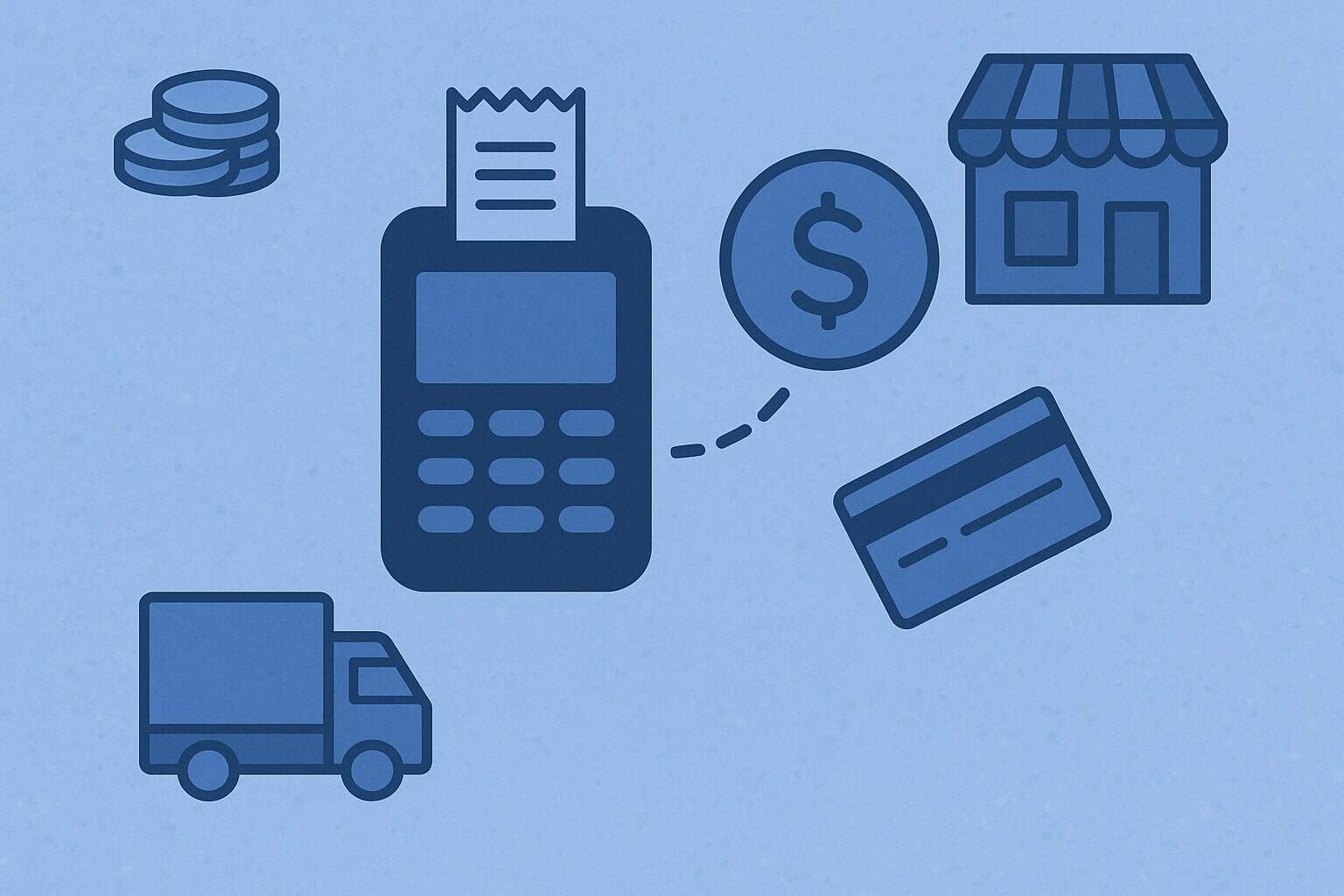
It helps to visualize the payment flow. Your customer taps, dips, or keys a card. The transaction travels from your terminal/POS to a processor via a gateway or direct connection, then to the card network (Visa, Mastercard, AmEx, Discover), then to the issuing bank to check funds and risk.
An authorization comes back in seconds. At the end of the day (or continuously, depending on your setup), transactions are captured and batched. The processor clears and settles funds—net of interchange and processor fees—into your deposit account, usually within one to two business days, or faster if you pay for expedited funding.
Every box in that chain can be provided by a single company or a combination: a POS vendor with embedded processing, a traditional MSP that pairs with third-party POS, or an all-in-one commerce platform.
Pittsburgh’s business community spans legacy industries and up-and-coming startups. That means your needs may range from rugged countertop terminals in a high-traffic deli to developer-friendly APIs for a SaaS marketplace.
Local MSPs sometimes offer hands-on installation, relationship bankers, and on-site training. National providers compete with scale, deep integrations, and potentially sharper rates for certain volumes.
Either way, modern expectations include EMV and NFC acceptance (chip/tap), surcharging or cash-discount tools where compliant, transparent pricing, a clean contract, and responsive support—especially during Penguins game nights when foot traffic spikes or on Sundays in the South Hills when retail is hopping.
A crucial choice is the account model. Traditional merchant accounts are underwritten for your specific business, which can yield stability, lower risk of sudden shutdowns, and better interchange optimization for B2B.
Payment facilitators (PayFacs) spin up sub-accounts quickly with simplified onboarding—ideal for seasonal sellers or startups—but they sometimes hold reserves or impose stricter risk rules. Your transaction profile (ticket size, monthly volume, card-present vs. card-not-present ratio) and industry risk determine which model fits.
In Pittsburgh’s service-heavy economy—contractors, medical practices, law firms—card-not-present transactions and ACH acceptance can reduce accounts receivable cycles. Meanwhile, hospitality venues near the Cultural District often want tableside payments, QR codes, and tip pooling.
Integration is another anchor. If you’re running a Shopify store from Bloomfield and also a Butler Street boutique, you’ll want unified inventory, customer profiles, and reporting across channels. Restaurants might integrate with delivery platforms, kitchen display systems, and staff scheduling software.
Professional services firms look for CRM, invoicing, and recurring billing. The right MSP meets you where you already work—QuickBooks Online, Xero, WooCommerce, Toast, Lightspeed, Clover, Square, or custom code—and reduces swivel-chair time.
Finally, the total cost of ownership goes beyond rates. It includes hardware financing, software subscriptions, PCI fees, chargeback costs, network access fees, expedited funding, and the opportunity cost of downtime. The “cheapest” rate can be more expensive if it comes with fragile hardware, poor support, or hidden surcharges that appear months later.
Criteria to Evaluate a Pittsburgh MSP
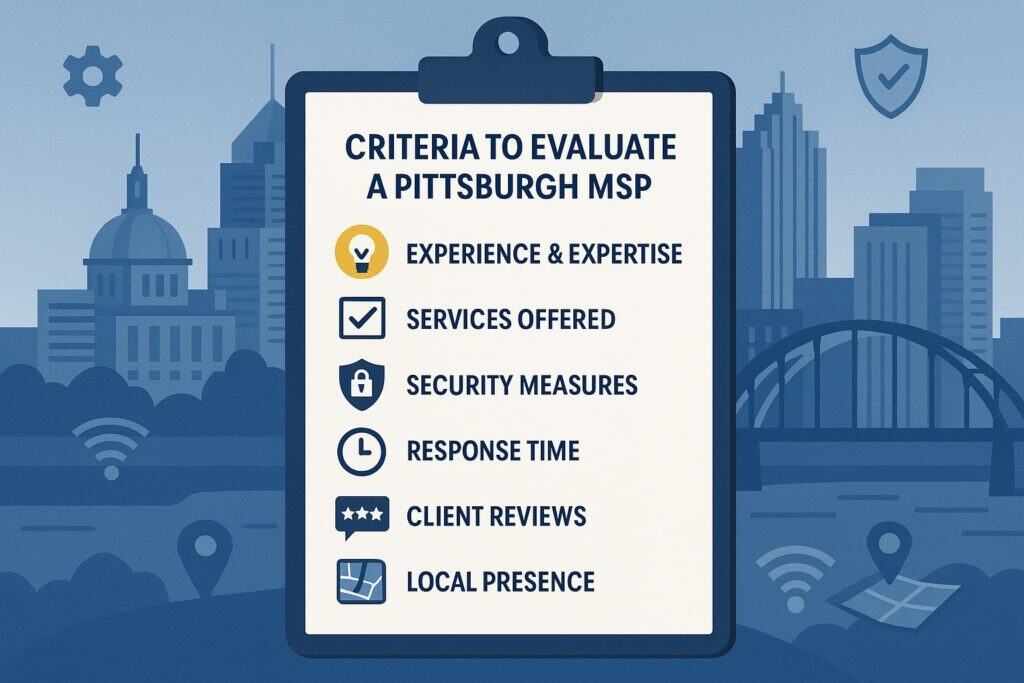
Start with transparency. Ask for a written pricing schedule that itemizes the processor’s markup, card-brand pass-through fees, monthly and annual charges, equipment costs, and any early termination or liquidated damages.
Look for interchange-plus pricing—where you pay the true interchange and assessments, plus a published markup—or a flat-rate model clearly disclosing what’s included.
Tiered pricing (qualified/mid/non-qualified) often obscures real costs and can punish legitimate transactions (like corporate or rewards cards). If you’re offered tiered pricing, press for an interchange-plus comparison using your actual statements.
Next, evaluate underwriting fit. A good MSP will ask about your industry, average ticket, high ticket, monthly volume, and chargeback history. Don’t fear the questions; robust underwriting reduces surprise holds and reserves.
For Pittsburgh contractors, medical practitioners, and B2B distributors—where invoices can be high-ticket—underwriting that understands card-not-present risk and supports AVS/CVV, 3-D Secure (for eCommerce), or robust invoice links matters.
Restaurants and retailers should confirm that the provider supports offline mode, tip adjustments, and split payments without error-prone workarounds. If you do curbside or festivals, ask about mobile acceptance with the same rates and reporting as your main location.
Support and SLAs matter more than most people think. What happens if your countertop terminal fails on a Saturday? Does the provider offer next-day replacement, local swap, or a loaner program?
Is 24/7 phone support staffed by people who can actually troubleshoot your POS, not just read a script? Are there Pittsburgh-area technicians who can come on-site for installation or emergency service?
Ask for support metrics (average hold time, first-call resolution rate) and references from local businesses similar to yours—coffee shops, pizza restaurants, salons, dental offices, boutiques, contractors—so you can sanity-check promises against real experiences.
Security and compliance should be table stakes. Your provider should implement EMV, point-to-point encryption (P2PE) or strong end-to-end encryption, and tokenization for card-on-file.
They should make PCI DSS compliance friction-light, ideally with SAQ assistance, vulnerability scans if required, and no “PCI non-compliance” fees sneakily added while you’re still completing the process.
If you store cards for recurring billing or memberships (think gyms or professional services retainers), make sure vaulting is handled by the provider’s tokenization layer—not your own systems—so you’re not expanding your compliance scope.
Look at funding speed and cash flow features. Standard settlement is usually T+1 or T+2 business days. Many MSPs now offer same-day or weekend funding at a small fee. If you operate on tight cash cycles—like bakeries that buy ingredients daily—faster funding can be worth it.
Just do the math: the fee should be lower than your cost of capital. For B2B, explore interchange optimization (Level II/III) and ACH. The latter can slash costs on large invoices and speed up collection compared to checks.
Confirm that ACH returns and disputes are handled cleanly and that your customers get a professional, branded payment experience.
Finally, consider scalability and data. Can the provider handle multiple locations (say, a downtown shop and a Cranberry Township location), pop-up events, and eCommerce under one MID or parent account? Do you get role-based access, location-level reporting, custom exports, and APIs if you need them?
Good data should reduce reconciliation headaches and reveal insights like busiest hours, tip trends, and repeat customer behavior.
If you switch POS or eCommerce platforms later, will the processor be flexible, or are you locked into a proprietary ecosystem with punitive exit fees? The best fit minimizes lock-in and maximizes your options as your business evolves.
Deep Dive: Pricing Models Explained with Pittsburgh Examples
Pricing is where confusion and cost creep happen. Understanding models helps you compare apples to apples—and avoid surprises six months after signing.
The three most common models you’ll see are flat-rate, interchange-plus, and tiered. There’s also “membership”/subscription-style pricing that blends interchange-plus with a monthly fee.
Flat-rate is simple: one percentage + per-transaction fee for most cards (e.g., 2.6% + 10¢). It’s popular with small retailers, market vendors, and new restaurants because it’s predictable, easy to read on statements, and often bundled with usable software.
The trade-off is that flat-rate can be more expensive as you grow, because it doesn’t pass through the lower interchange on debit or B2B-optimized transactions.
If you’re a Lawrenceville craft shop doing many small debit sales, a flat rate may quietly overcharge compared to interchange-plus that passes regulated debit at ~0.05% + 21¢ plus markup. Still, for seasonal pop-ups or early days when simplicity beats micromanaging costs, flat-rate is often fine.
Interchange-plus (cost-plus) passes the true interchange and card-brand assessments, then adds a transparent markup (e.g., 0.20% + 10¢). This model shines for established restaurants, multi-location retailers, and B2B firms with volume or higher tickets.
You benefit when customers use low-cost cards or regulated debit. You can also unlock Level II/III for corporate and purchasing cards, trimming interchange further. The downside is complexity: statements list many line items, and you need a processor who will educate you.
In Pittsburgh’s B2B corridors—tooling suppliers, industrial parts distributors—interchange-plus with Level II/III can materially lower effective rates without gaming the system.
Tiered pricing buckets transactions into “qualified,” “mid-qualified,” and “non-qualified.” It sounds simple, but categories are opaque and often push legitimate, normal transactions (like rewards or keyed-in) into higher tiers.
Two similar businesses can end up with very different effective rates based on how the provider configures tiers. In practice, tiered pricing makes it hard to audit costs, and it’s where you’ll see surprises like corporate cards billed at punitive rates.
If a provider insists on tiered, ask them to map a month of your actual transactions into each tier and disclose downgrade reasons in writing. Then ask for an interchange-plus comparison using the same data. Most Pittsburgh merchants who take that step quickly move off.
“Membership” or subscription models charge a monthly fee (say, $99) and a very small per-transaction markup on top of interchange. For higher-volume merchants—busy Oakland cafés, popular pizza shops, gyms, or boutiques—this can yield very low effective rates.
The risk: the monthly fee is a sunk cost, so if your volume dips, your effective rate rises. Also, confirm the small print: are there network fees, annual fees, or equipment leases lurking the background? Make sure the “membership” includes PCI support, gateway access, and the reporting features you need, not just rates.
Two more gotchas: hardware and contracts. Leasing terminals almost always costs more than buying them—sometimes dramatically so. If you must finance, compare the total of payments to the cash price; avoid leases with non-cancelable multi-year terms.
For contracts, many MSPs are month-to-month; others use 1–3 year terms with auto-renewal and early termination fees. If an ETF exists, cap it (e.g., <$300) or negotiate a waiver if the provider fails to meet service levels.
Always get promises—pricing, service, equipment—written into your order form or addendum. In Pittsburgh’s tight business networks, word travels; the reputable providers know that and won’t balk at transparency.
Compliance, Security, and Risk: Protecting Your Business and Your Customers
Security isn’t just a checkbox; it’s insurance against expensive, reputation-damaging events. The basics today are EMV (chip), NFC (tap), encryption, and tokenization. EMV reduces counterfeit card fraud at the point of sale.
Encryption protects card data in transit. Tokenization replaces card numbers with tokens so you can safely keep cards on file for subscriptions, invoices, or house accounts.
If your POS supports true point-to-point encryption (P2PE) validated solutions, your PCI scope can shrink further, simplifying compliance. Confirm whether your MSP’s devices encrypt from the card reader itself and whether keys are managed by a certified third party.
PCI DSS compliance is unavoidable if you accept cards. Many providers offer an online portal that walks you through the correct SAQ (self-assessment questionnaire) for your setup. Avoid paying “PCI non-compliance” penalties by completing it early.
If your environment involves eCommerce, check TLS configuration, 3-D Secure support, and fraud tools like velocity checks and device fingerprinting.
For restaurants and salons where cards are often keyed over the phone, use hosted payment pages or secure invoice links instead of staff keying cards directly into a terminal—this lowers risk and keeps sensitive data off your network.
Chargebacks are the other side of risk. Your MSP should give you real-time alerts, dispute management tools, and clear guidance on evidence (receipts, signed invoices, delivery confirmation).
For card-not-present sales, AVS and CVV checks, plus 3-D Secure (where appropriate), can shift liability and reduce losses. In Pittsburgh’s service sectors—home repair, HVAC, legal, dental—clarity in estimates, signed work orders, and refund policies is your first defense.
For eCommerce, publish shipping times, tracking, and return rules prominently. The right tools and consistent documentation often matter more than any single fee reduction.
Don’t overlook data stewardship. Who owns your customer tokens if you switch providers? Can you export them (securely) to migrate recurring billing with minimal friction? Ask this before you load thousands of cards into a provider’s vault.
Also, check for role-based user permissions in your portal. You’ll want admins, managers, and staff to have appropriate access—no one needs the keys to download full reports with sensitive data if it’s not their job.
Finally, build a simple incident playbook: who to call at your MSP, how to switch to backup hardware, how to notify customers if systems go down. A two-page laminated SOP by the register can save a Saturday.
Integration, Support, and Onboarding: Setting Yourself Up for Day-One Success

A great MSP should make onboarding boring—in the best way. That begins with a requirements survey: what you sell, where, average ticket, seasonality, existing software, network environment, and desired go-live date.
From that, you should receive a configuration plan: hardware SKUs, POS or gateway settings, tax and tip rules, receipt branding, and user permissions. If you’re a restaurant, that includes menu builds, modifiers, kitchen printers/KDS, tip workflows, and table maps.
If you’re a retailer, expect inventory imports, barcode printing, and purchase order processes. For professional services, recurring invoices, card-on-file policies, and accounting sync.
Hands-on installation is worth paying for if you’re not technical or if your environment is complex (multiple VLANs, Wi-Fi dead spots, older cabling). Ask about local technicians and whether they’ll test contactless, chip, and keyed transactions; configure offline mode; verify printers; and train staff on refunds, tips, and batch closing.
Training should include a quick “what if” playbook: terminal frozen, receipt jam, power outage, or no internet. Make sure you understand fallback methods (hotspot, offline queueing) and any risks (offline transactions can decline later).
Support quality shows up after go-live. You want multiple channels: phone, email, chat, plus a searchable knowledge base with step-by-step guides and screenshots.
Ask if their help line is truly 24/7 and whether holidays are covered—Pittsburgh events and sports seasons don’t pause for payment issues. Clarify hardware replacement timelines and who pays shipping.
If your business relies on integrations—QuickBooks, Xero, Shopify, WooCommerce, Squarespace, Toast, Lightspeed, or custom apps—confirm that support can help on both sides, or at least coordinate with the software vendor instead of bouncing you around.
Data migration and change management are part of the journey. For retailers, moving SKUs and customer lists requires deduping and cleanup. For restaurants, syncing menus and modifiers takes care; test combos, promos, and taxes. For services, importing customers with securely vaulted cards (via a token migration process) can keep cash flow steady.
Assign an internal point person to work with the MSP project manager, set a calendar with milestones (hardware arrival, software setup, training, soft open), and hold a quick retrospective after week one to tighten any loose bolts. Smooth onboarding is a leading indicator of long-term fit.
Local vs. National Providers: Pros and Cons for Pittsburgh Businesses
Local providers often win on relationship and responsiveness. They may visit your storefront, run data cables, drop off a loaner terminal, or do evening training to avoid disrupting service.
In neighborhoods like Shadyside, Squirrel Hill, or the South Side, that hands-on approach can be the difference between a short hiccup and a revenue-sapping outage. Local MSPs may also understand regional banking partners and have referral reciprocity with accountants or POS installers you already trust.
On pricing, locals can be competitive, especially on interchange-plus when they want your long-term business, but they may have fewer proprietary software features.
National providers bring scale: mature APIs, broad device catalogs, deep POS ecosystems, built-in eCommerce, and advanced risk tools. If you plan to add locations beyond Allegheny County or expand into online subscriptions, a national platform can reduce friction.
They may negotiate lower network fees or offer bundled rates at certain volumes. The trade-offs can include standardized support that feels impersonal, hardware ecosystems that nudge you into lock-in, and contract terms that favor auto-renewals.
Some national players operate through independent sales organizations (ISOs), creating variability in sales quality—so vet the entity you’re actually signing with.
A hybrid approach is possible: choose a national processor for scale and a local integrator for installation, training, and first-line support. If you go this route, define responsibilities in writing so finger-pointing doesn’t delay fixes.
Whichever path you take, prioritize transparency, service commitments, and future flexibility over a 5–10 basis point discount that looks good on paper but disappears in hidden fees or wasted staff time.
Step-by-Step Selection Process You Can Follow This Week
- Day 1: Map your needs: List sales channels (in-store, online, phone, field). Capture current volume, average/high ticket, seasonality, chargeback rate, and pain points (slow funding, hardware failures, confusing reports).
Note must-have integrations (accounting, eCommerce, POS, CRM). Decide whether you’ll accept ACH, wallets (Apple Pay/Google Pay), and BNPL. Document support expectations (24/7, on-site install). - Day 2: Gather quotes. Request proposals from 2–4 providers—ideally a mix of local and national. Give them a month of statements (redact PANs) so they can do a like-for-like comparison.
Ask for interchange-plus quotes with stated markup or a flat-rate offer with all fees listed. Require a written schedule of fees: monthly, annual, PCI, gateway, statement, batch, funding, chargebacks, and hardware. Ask about contract terms, auto-renewal, and early termination fee. - Day 3: Demo and verify. Do a short demo of POS/gateway features with your actual workflows (tips, partial refunds, split tenders, tax-exempt sales, invoice links). Test reporting filters and exports. Confirm role-based access.
Ask to see the PCI portal. Request sample settlement timelines and a backup plan for outages. For restaurants, test tableside payments and tip adjustments; for retailers, test barcode scanning and receipt printers; for services, test recurring billing, ACH, and card-on-file updates. - Day 4: Reference checks and negotiation. Call two Pittsburgh references in your industry. Ask frank questions about outages, chargeback help, and whether pricing stayed true after six months.
Negotiate: cap or remove ETFs, convert tiered to interchange-plus, remove junk fees, and get next-day hardware replacement in writing. If a membership model is offered, run scenarios at your low, average, and peak volumes to ensure it still wins. - Day 5: Decision and plan. Choose the provider that best balances total cost, support, and flexibility. Sign only after the order form reflects every commitment. Schedule hardware shipment, installation, staff training, and go-live.
Set a check-in two weeks after launch to resolve lingering issues. Keep your old processor active for a short overlap—just in case—then close it formally to avoid duplicate fees.
Common Pitfalls and How to Avoid Them
- Chasing the lowest headline rate: A 0.05% lower markup doesn’t help if you’re paying hidden monthly fees, high gateway charges, or inflated “non-qualified” tiers. Evaluate effective rate on real statements, not brochure math. Ask for a pro-forma using your mix of cards and transactions.
- Signing equipment leases: Terminals and tablets depreciate fast; leases often lock you into paying many times the purchase price. If cash is tight, ask for month-to-month rentals or a short financing plan with no prepayment penalty. Keep ownership and flexibility on your side.
- Ignoring contract terms: Auto-renewals and ETFs trap businesses. Negotiate a month-to-month or a modest, capped ETF. Ensure price-increase clauses allow you to exit if the provider raises fees beyond a threshold. Have renewal reminders on your calendar 90 days before any term ends.
- Underestimating onboarding: Rushed installs cause painful first weeks. Insist on a clear plan: who builds menus or item catalogs, who trains staff, and how data migrates. Pilot for a day before your grand opening or busiest weekend. Document the rollback plan.
- Security shortcuts: Keying cards by phone into a POS not designed for that increases risk and chargebacks. Use secure invoice links or virtual terminals with AVS/CVV and (for eCommerce) 3-D Secure. Complete PCI early to avoid fees. Update firmware regularly.
- Lock-in via proprietary ecosystems: Some platforms pair good software with closed processing and stiff exit fees. If you value choice, pick providers that support multiple processors or offer portable hardware. Ensure you can export tokens for recurring billing if you ever switch.
- Forgetting ACH and Level II/III: B2B sellers often leave money on the table by running everything as standard card-not-present. Ask about ACH with low per-item fees and Level II/III to reduce interchange on corporate cards. The savings can be meaningful on large invoices.
FAQs
Q: How do I compare two merchant service quotes that use different pricing models?
Answer: Start by normalizing both quotes against your real transaction history. Give each provider the same month of statements (with sensitive data redacted) and ask for a “like-for-like” re-price. Have them calculate your effective rate (total fees ÷ total processed) using your actual mix of debit, credit, rewards, corporate, keyed, and online transactions.
For flat-rate quotes, ask what’s included (e.g., chargeback fees, PCI, gateway). For interchange-plus, make sure the markup (basis points + per-transaction) is explicitly stated and that there are no surprise “non-pass-through” surcharges.
When you receive the analyses, compare not only the effective rate, but also monthly fixed fees, hardware costs, contract terms, and support commitments.
Then stress-test with scenarios. What happens to your costs if debit rises by 20% during busy foot-traffic months in Market Square? If your average ticket doubles because you start selling bundled services, how does each model behave? For B2B invoices, does one provider optimize Level II/III and the other not?
By modeling your peaks and valleys, you’ll see which quote stays economical across the year—not just on an average month. Finally, weigh qualitative factors: ease of onboarding, integrations you actually use, and support response times. A slightly higher rate can be worth it if it saves staff hours and avoids weekend outages.
Q: I’m a new Pittsburgh business. Should I start with a PayFac (fast onboarding) or a traditional merchant account?
Answer: If you need to start accepting payments tomorrow, PayFacs shine: you’ll be approved quickly with lightweight underwriting, bundled hardware, and predictable flat-rate pricing. For pop-ups, seasonal vendors at neighborhood festivals, or early-stage cafés testing the concept, that speed can be invaluable.
The trade-offs include less control over risk decisions (occasional funding holds), limited interchange optimization, and higher effective rates once you scale. PayFacs also may be less flexible if you want to bring your own gateway or custom POS down the road.
A traditional merchant account takes a bit longer to underwrite but can offer stability, lower risk of surprise holds, and better economics as you grow. If you’re opening a full-service restaurant, dental office, contracting business, or B2B distributorship—especially with higher tickets or card-not-present—starting with a true merchant account can reduce friction later.
Many modern MSPs still onboard fast (days, not weeks) while giving you interchange-plus pricing, ACH options, Level II/III for corporate cards, and more flexible integrations.
A practical approach is to start where your timeline and complexity demand, but set a checkpoint after three months: if volume is rising and fees feel heavy, evaluate migrating to a traditional account before you’re locked into proprietary hardware or subscriptions.
Q: Do I really need to worry about PCI compliance if my terminals encrypt data and my provider handles most security?
Answer: Yes—though “worry” can be replaced with “plan.” Even with encrypted devices and tokenization, PCI DSS requires you to confirm that your environment and processes align with your acceptance method.
For most small merchants using validated terminals or hosted payment fields, the SAQ is short and the provider’s PCI portal guides you through it. Completing PCI on time avoids nuisance “non-compliance” fees and keeps your insurance and card-brand obligations clean. Treat it like filing a simple annual return: set a date, gather the handful of answers you need, and get it done.
Beyond paperwork, PCI is a prompt to tighten everyday habits. Don’t write card numbers on sticky notes. Restrict portal access using named logins and role-based permissions. Update terminal firmware and POS software on schedule.
If you take payments by phone for deposits or invoices, switch to secure pay-by-link instead of keying cards—this reduces both PCI scope and dispute risk. Think of PCI as good hygiene: it keeps the environment tidy so real security work (encryption, tokenization, fraud controls) remains effective.
Q: How can restaurants and busy retailers handle tips, splits, and offline payments without a mess?
Answer: Choose a POS that treats hospitality workflows as first-class features, not add-ons. Tip prompts should be configurable (suggested percentages, custom amounts), and tip adjustments after authorization should be simple and auditable.
Split payments—by item, by seat, by amount—need to be fast enough that servers or cashiers don’t become bottlenecks during pre-game rushes. Tableside or handheld devices reduce “card walks” and speed turns. For retailers, split tenders (gift card + card, cash + card) should be native and reflected correctly in reports.
Offline mode is useful when Wi-Fi hiccups or neighborhoods with older buildings have spotty connectivity. But it’s a tool, not a crutch: enable sensible limits (max offline amount, number of offline transactions) and train staff to warn customers politely when offline is in effect.
Reconcile offline batches promptly when connectivity returns, and understand the risk that some offline transactions may later decline. Pair offline mode with a backup: a hotspot, dual-WAN router, or LTE-enabled terminals. With the right configuration and training, tips, splits, and connectivity blips become routine instead of crises.
Conclusion
Choosing a merchant service provider is less about chasing the lowest published rate and more about aligning technology, risk posture, support, and economics with how you actually operate.
In Pittsburgh, that could mean a neighborhood café needing bulletproof weekend support, a boutique balancing in-store and Shopify, a contractor accelerating receivables with ACH and card-on-file, or a B2B supplier trimming interchange through Level II/III.
The right MSP meets you where you are—hardware that works every day, software that integrates with your stack, funding that matches your cash flow, and humans who answer when something breaks at 7 p.m.
Make your selection process deliberate but swift. Document your needs, request written fee schedules, and demand clarity: pricing model, contract terms, hardware ownership, PCI expectations, and support SLAs.
Demo real workflows, not canned features. Call references in your own neighborhoods and industries. Negotiate the fine print: cap ETFs, ban junk fees, and secure next-day hardware replacement.
Plan onboarding like a mini-project with a soft launch, staff training, and a clear rollback path. After go-live, review your first month’s effective rate and report back to the provider—good partners will tune settings (fraud filters, batching, Level II/III) to improve outcomes.
Finally, protect your future flexibility. Avoid unnecessary lock-in, ensure you can export vaulted tokens, and prefer providers who support multiple integrations. Payments should be an enabler, not a constraint.
With a clear plan, a transparent quote, and a support-first mindset, Pittsburgh merchants can secure a provider that lowers friction, improves cash flow, and scales with their ambitions—from a single storefront on Butler Street to a multi-location operation spanning western Pennsylvania.
Make the choice once, make it well, and get back to what matters: serving customers and growing your business.