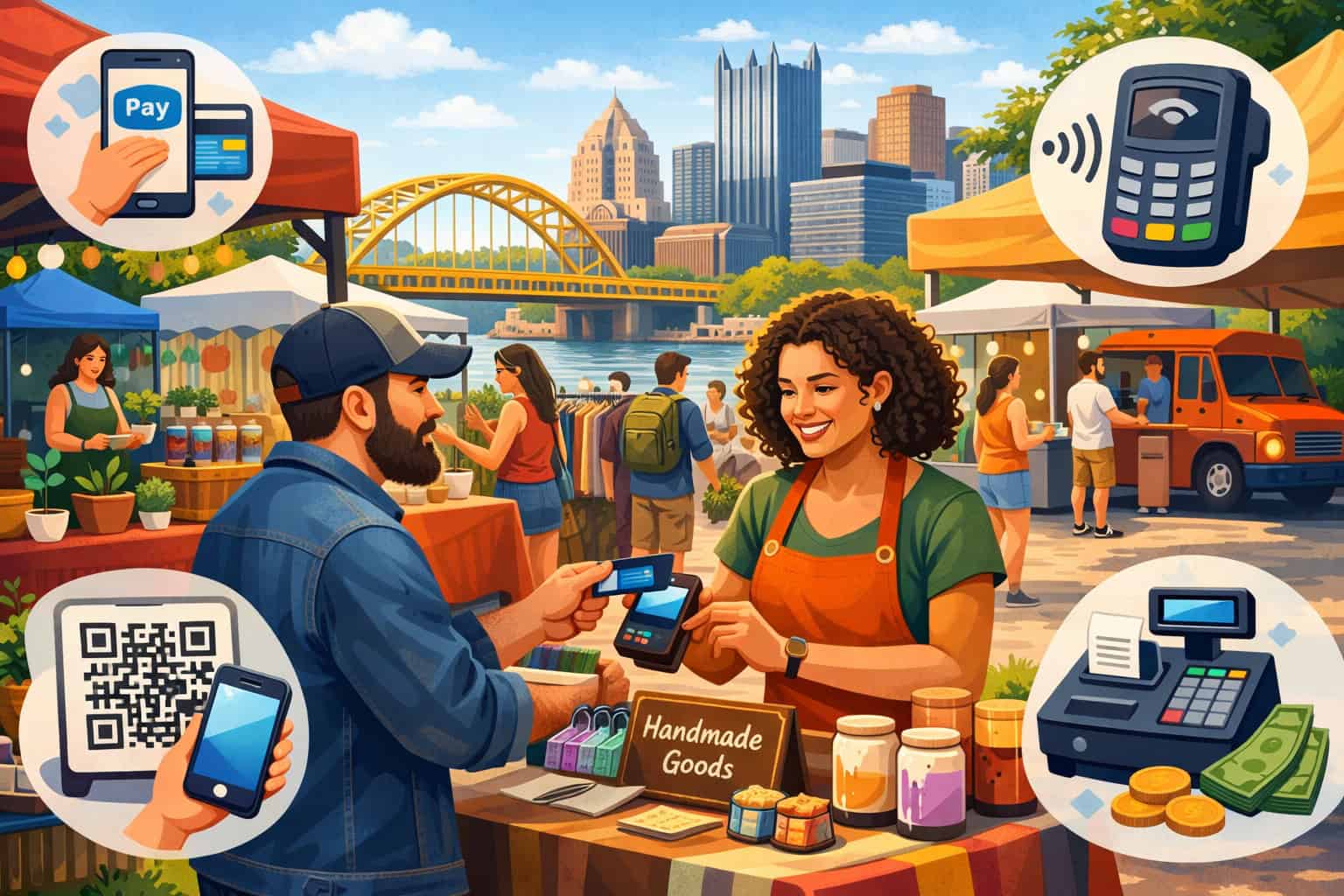
Pop-up markets move fast. One minute you are chatting with a customer about a handmade candle, vintage jacket, baked treat, or specialty drink, and the next minute there is a line forming at your booth. At that moment, your payment setup matters just as much as your product display.
If you want to accept payments at pop-up markets Pittsburgh shoppers visit, you need a checkout process that feels easy, quick, and dependable. Customers do not want to stand around while a card reader struggles to connect, a phone battery drops, or a seller searches for change. They want to tap, pay, and keep exploring the market.
That is why the best pop-up market payment solutions Pittsburgh vendors use are built for flexibility. A temporary booth is not like a full-time storefront. You may be selling under a tent in the Strip District, inside a neighborhood makers market, at a holiday market downtown, or during a weekend festival in a busy Pittsburgh shopping area.
Every setup comes with different traffic, different power access, different internet conditions, and different customer expectations.
For many small vendors, accepting payments smoothly can directly affect sales. If you only take cash, you may lose buyers who do not carry bills. If your card reader is too slow, customers may walk away. If your setup is confusing, you create friction right when people are ready to buy.
This guide walks through the practical side of getting paid at temporary events. It covers the payment methods customers expect, the hardware and software you may need, how to handle weak internet, how to speed up lines, and how to create a checkout experience that works for food vendors, crafters, artists, seasonal merchants, and boutique retailers across Pittsburgh.
Why flexible payment acceptance matters at pop-up markets
Pop-up selling is all about capturing sales in a limited window. You may only have a few hours or a single weekend to make the most of an event, so your checkout process has to work without drama.
A flexible payment setup does more than collect money. It helps you serve more people, reduce abandoned purchases, and create a stronger customer experience from the first interaction to the final receipt.
At pop-up markets, customer behavior is different from what you might see in a traditional store. Shoppers often browse casually, buy on impulse, compare several booths at once, and make fast decisions.
When they are ready, they expect the payment part to be simple. If they can tap a card or phone in seconds, the transaction feels effortless. If they have to search for an ATM or wait while your equipment reconnects, the momentum disappears.
That is why so many vendors now combine cash acceptance with digital tools. Strong Pittsburgh vendor payment solutions allow you to accept cards, mobile wallets, and sometimes QR or invoice-based payments while still keeping cash as a backup. This mix gives you the flexibility to meet different customer preferences without overcomplicating your booth.
Flexible payment acceptance also protects you when event conditions change. Some markets draw families carrying cash. Others bring younger shoppers who expect to pay by phone.
Food stalls may need to move people through the line quickly, while artists may need more time for custom orders, deposits, or higher-ticket items. Your system should fit the way you sell, not force you into one rigid method.
Another reason flexibility matters is booth mobility. Some sellers stay behind a table. Others step into the aisle, hand products to customers, or take orders while people browse. A portable setup lets you ring up sales from almost anywhere within your booth space, which keeps traffic moving and prevents crowding.
How pop-up vendors can accept payments in a temporary selling environment
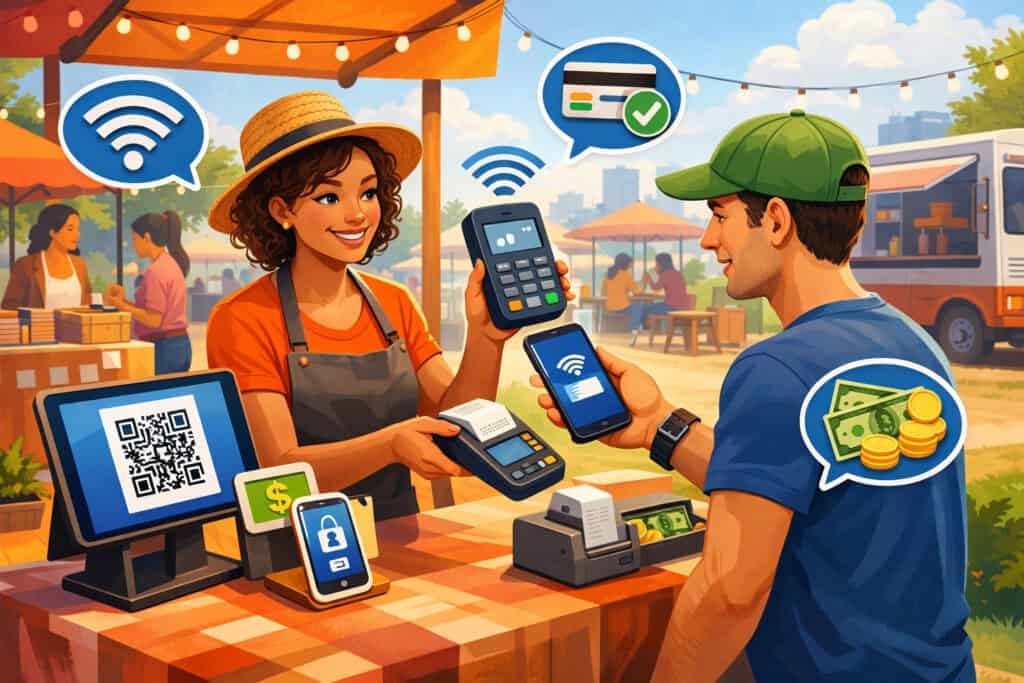
A temporary selling environment creates a different set of needs than a permanent retail location. You are working with limited space, uncertain power access, event-specific rules, and varying customer volume. That means the best payment setup is usually one that is portable, simple to train on, and easy to troubleshoot on the spot.
At the most basic level, pop-up vendors can accept payments through a mobile point-of-sale app paired with a phone or tablet, plus a card reader that handles chip, tap, and digital wallets. Some sellers use a small all-in-one terminal with its own screen and battery.
Others use a tablet-based checkout station with a stand, barcode scanner, and cash box for a more polished setup. What works best depends on what you sell, how many items you carry, and how fast you need to move people through the line.
Many markets in Pittsburgh include indoor and outdoor events, seasonal festivals, neighborhood maker fairs, food truck gatherings, and boutique shopping events. The more temporary the setup, the more important portability becomes.
That is where portable payment systems for vendors stand out. You can set them up quickly, break them down easily, and avoid hauling bulky hardware that slows you down.
Choosing between a phone-based setup and a tablet checkout station
For many newer vendors, a smartphone-based system is the easiest place to start. It is compact, easy to carry, and ideal for booths with a smaller product range.
You can pair your phone with a compact card reader and accept chip, swipe, or tap payments without building out a full counter setup. This works especially well for artists, candle makers, jewelry sellers, and clothing vendors who do not need a large screen for item management.
A tablet-based station offers more room for growth. It gives you a bigger display for inventory, easier receipt options, better visibility for staff, and a cleaner customer-facing checkout experience.
It is often the better fit for food vendors, sellers with many product variations, or booths with more than one team member ringing up sales. A tablet can also help you organize sizes, colors, modifiers, or multiple tax settings more efficiently.
The right choice usually comes down to speed, inventory complexity, and booth style. A phone-based setup is lean and highly mobile. A tablet-based station feels more structured and can support a busier workflow. Both can work well as long as they are stable, charged, and paired with reliable payment software.
When an all-in-one mobile terminal makes more sense
An all-in-one terminal can be a smart option if you want fewer moving parts. Instead of depending on a separate phone or tablet plus reader, you use one device that handles the payment entry, processing, and often receipt delivery in a single unit.
This can reduce setup confusion and make staff training easier, especially if you bring seasonal helpers or share booth duties with family members.
These terminals are often a good fit for food booths, mobile drink stations, and vendors who need to move quickly through a line. Because the device is purpose-built for payments, the workflow can feel more focused.
Customers see where to tap, staff know where to enter totals, and there is less chance of another app interrupting the sale. If you are running a busy booth where speed matters more than broad inventory features, an all-in-one unit may be a practical choice.
That said, you should still think through battery life, connectivity, and reporting features before relying on one. A terminal that is easy to carry is great, but it should also let you review transactions, issue refunds, and track sales after the market ends. Convenience at the booth should not come at the expense of control once the event is over.
The most common payment methods for pop-up markets
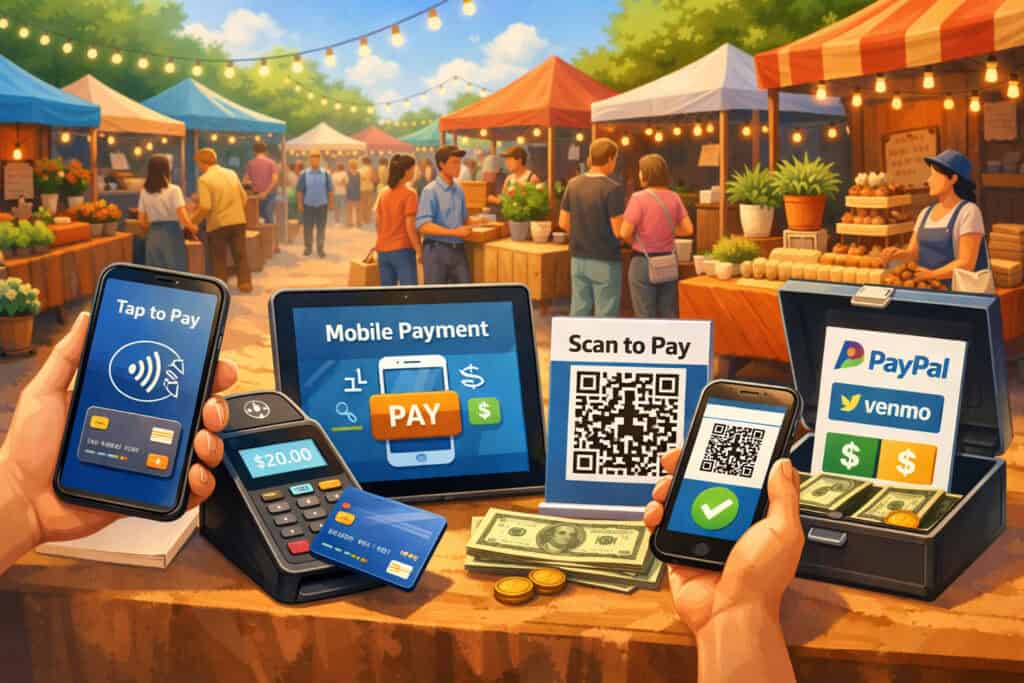
Customers visiting pop-up markets do not all pay the same way. Some carry cash for quick purchases. Others expect to tap a card or phone. Some want digital receipts, while others just want to pay and move on. That is why the strongest small business payment solutions Pittsburgh vendors use are designed around choice.
You do not need to accept every possible payment type on day one, but you should understand the most common ones and decide which mix fits your business. The goal is to remove barriers, not create more complexity. When customers can pay using the method they already prefer, checkout feels smoother and sales tend to happen more naturally.
Here is a practical comparison of common payment options for temporary event sellers.
| Payment Method | Best For | Main Advantage | Main Watchout |
| Cash | Low-cost items, quick transactions, markets with mixed demographics | No processing fee at the moment of sale | Need change, cash handling, and secure storage |
| Chip cards | Higher-value purchases, general retail, food booths | Familiar and widely trusted | Slightly slower than tap during busy periods |
| Contactless cards | Fast-moving lines, food and beverage, boutique retail | Quick, simple, and low friction | Requires compatible NFC hardware |
| Mobile wallets | Younger shoppers, busy events, phone-first buyers | Very fast and convenient | Not every customer uses them |
| QR code payments | Custom orders, remote follow-up, limited-contact transactions | Useful for flexible or remote payment flows | Less universal at in-person booths |
| Invoice or app-based payments | Deposits, custom work, made-to-order items | Helpful for larger or later transactions | Not ideal for fast impulse purchases |
This mix matters because no two booths operate the same way. A cookie vendor may need instant tap payments, while a local artist may benefit from deposits and invoice options for commissioned pieces.
A vintage seller may want cash, cards, and digital receipts. A seasonal vendor may need a setup that is quick to learn and easy to unpack a few times each year.
Cash is still useful, but it should not be your only option
Cash still has a place at pop-up markets. It works well for quick, low-dollar purchases and helps when internet connectivity becomes unreliable. Some customers simply prefer paying with bills, especially at neighborhood street fairs and community events.
If you accept cash, keep a small but organized bank with enough ones, fives, and coins to make change without slowing down the line.
The problem comes when cash is your only payment option. Many shoppers no longer carry much cash, and some carry none at all. If they want a product but cannot pay the way they prefer, you risk losing a sale that was already in your hands. That is why cash is best treated as one part of a broader checkout strategy, not the whole system.
If you do handle cash, think beyond the box itself. You need a secure place to store it, a process for large bills, and a clean way to separate starting cash from event earnings. This helps with accuracy, security, and end-of-day reconciliation.
Cards, mobile wallets, and QR payments make pop-up selling easier
Cards and mobile wallets now play a major role in temporary retail because they make checkout more convenient for both customer and seller.
Customers can pay without counting bills, and vendors can reduce the friction that comes with cash handling. This is especially helpful during high-traffic Pittsburgh events where people want to browse multiple booths quickly.
Contactless card payments and mobile wallet taps are often the fastest option. A quick tap can move the line along faster than inserting a chip card or counting cash. QR code payments can also be useful, though they are often more situational.
They may work well for custom orders, social-driven sales, or booths that also sell online after the event. They are usually less ideal as the main method for rapid in-person checkout, but they can be a helpful backup or secondary option.
For most sellers, a balanced mix works best: accept cash, cards, and contactless wallets, then add invoice or QR-based payments only if they fit your selling style.
How to accept credit cards at pop-up shops without overcomplicating your setup
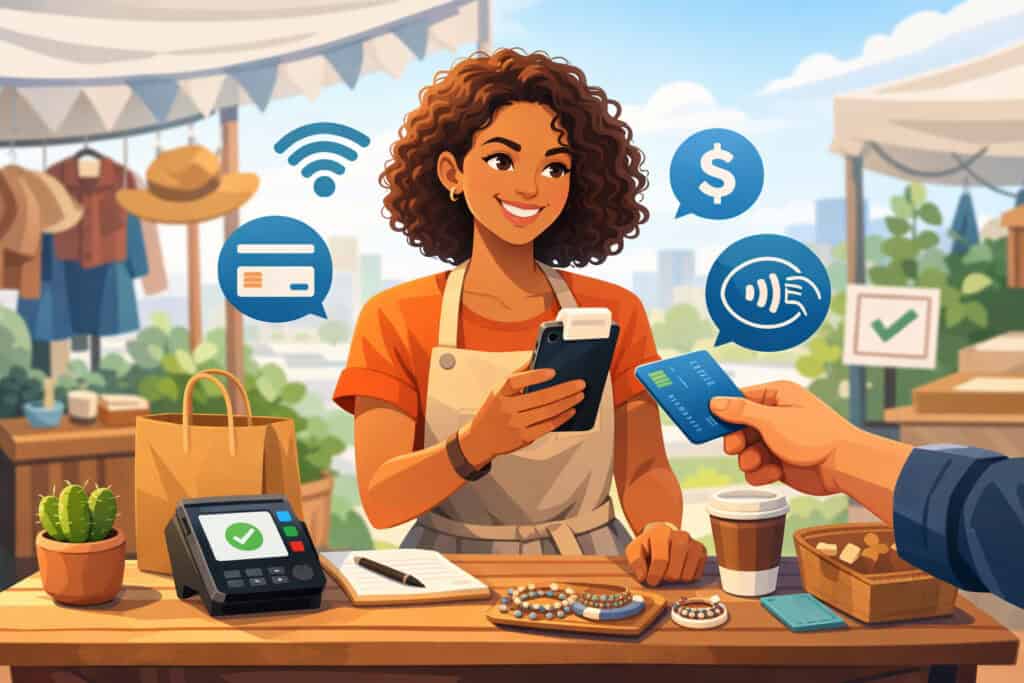
If you want to accept credit cards at pop-up shops, you do not need a large retail counter or complicated equipment. What you need is a practical setup built for temporary, mobile selling. Most vendors can get there with a mobile payment app, a compatible card reader, and a phone or tablet that stays charged and connected during the event.
The process itself is straightforward. A customer chooses an item, you ring up the total in your payment app, they insert, tap, or swipe their card, and the transaction is approved. Behind the scenes, the payment platform communicates with the processor, authorizes the transaction, and routes funds to your business account based on your agreement and deposit schedule.
The real challenge is not the basic transaction. It is making sure the system still works when the booth gets crowded, the network slows down, or you are juggling product questions and payments at the same time. That is why the best pop-up market payment solutions Pittsburgh sellers use are the ones they have practiced before event day.
What you need to start taking card payments
To take card payments at a pop-up, you generally need a few core pieces. First, you need a payment processing account or platform that supports in-person sales.
Next, you need hardware that can read cards, ideally including chip and tap capability. Then you need a smart device, usually a phone or tablet, running the checkout software. Finally, you need a stable way to keep everything powered and connected.
A basic starter setup often includes:
- Smartphone or tablet
- Mobile card reader
- Payment app or POS software
- Charging cable and power bank
- Backup internet option
- Receipt method, either text, email, or small printer
- Optional stand or holder for a cleaner checkout space
This kind of system is often enough for smaller booths. As you grow, you may add item libraries, tax settings, staff permissions, customer notes, inventory tracking, and more advanced reporting.
Why tap-enabled readers are usually the better choice
If you are investing in a reader, choose one that supports contactless payments, not just chip or swipe. More customers now expect to pay by tapping a card or phone, and many buyers view tap as the fastest option at crowded events. This is especially important for food vendors and sellers at markets where quick service influences total sales.
Tap-enabled readers also help future-proof your setup. Even if some customers still insert cards, having tap capability means you can support more checkout preferences without changing your hardware again later. This matters when you are trying to build a payment setup that works across maker markets, street fairs, holiday events, and boutique pop-ups throughout Pittsburgh.
A good reader should be compact, dependable, and easy to reconnect if the Bluetooth link drops. Fancy hardware is less important than reliability. At a pop-up event, the best reader is often the one that works quickly, charges easily, and does not create confusion when a line starts forming.
Hardware and software vendors need for a reliable checkout setup
A temporary booth may look simple from the outside, but a dependable checkout station requires a few important parts working together. You do not need to overbuild it, but you do need to think through how the entire payment flow works from the moment a customer says “I’ll take it” to the moment the sale is complete.
The right combination of hardware and software helps you avoid delays, improve accuracy, and keep sales moving. This is where mobile card readers for vendors become essential. They are only one piece of the puzzle, but they often determine whether your payment setup feels modern and smooth or frustrating and fragile.
For most vendors, the ideal system includes both a selling device and a payment acceptance device. The selling device may be a phone, tablet, or integrated terminal. The acceptance device may be the same terminal or a separate reader. The software ties it all together by handling pricing, taxes, receipts, item organization, and sales history.
Core hardware checklist for pop-up market vendors
The exact equipment depends on your booth, but most sellers should consider the following essentials:
| Hardware Item | Why It Matters | Best Use Case |
| Smartphone or tablet | Runs your payment app and manages sales | Nearly all vendors |
| Card reader or terminal | Accepts chip, swipe, and tap payments | Any booth taking cards |
| Stand or mount | Keeps checkout steady and visible | Retail, apparel, craft booths |
| Power bank or battery backup | Prevents shutdown during long events | Outdoor markets, all-day events |
| Charging cables | Keeps devices usable throughout the day | All vendors |
| Hotspot or backup internet device | Helps when venue Wi-Fi is unreliable | Outdoor or crowded events |
| Receipt printer or digital receipt setup | Supports customer proof of purchase | Food, higher-ticket retail, custom orders |
| Cash box and change bank | Allows cash sales and accurate handling | Vendors accepting cash |
A stable setup is usually better than an elaborate one. If your booth is small, choose compact hardware that fits your space without making checkout awkward. A cluttered counter slows staff and makes customers uncertain about where to pay.
Software features that make event selling easier
Good software does more than process a card. It helps you organize your products, manage taxes, send receipts, and review what sold best after the market ends. Even for a temporary booth, these features matter because they reduce manual mistakes and save time later.
Look for software that can handle:
- Simple item libraries
- Fast manual amount entry
- Sales tax settings
- Tip prompts if relevant
- Discount or promo entry
- Refund processing
- Digital receipts
- Basic inventory tracking
- End-of-day sales reports
- Offline transaction support, if available
For sellers with lots of variations, such as clothing sizes, candle scents, bakery flavors, or art print options, easy item organization matters even more. You do not want to scroll endlessly while customers wait. A well-organized item grid can dramatically speed up checkout and reduce errors.
How to choose the right portable payment setup for your pop-up business
Not every vendor needs the same payment setup. A jewelry maker with ten product styles has different needs than a smoothie stand, a clothing boutique, or a seasonal decor seller with dozens of SKU variations. The best choice is the one that fits your booth workflow, customer volume, price points, and physical space.
When comparing portable payment systems for vendors, start with how you actually sell. Do customers usually buy one item at a time, or do they build a basket? Do you need to move quickly through a line, or do you usually have longer conversations before purchase? Do you carry inventory in multiple colors and sizes, or are your products mostly one-off pieces? These details shape what kind of hardware and software will help you most.
A common mistake is choosing based only on cost. Affordability matters, but a low-cost setup that slows down checkout or fails at a critical moment can cost you more in lost sales and stress. The smarter approach is to balance price with fit.
Best setups for low-inventory and handmade product sellers
If you sell handmade goods, art, candles, jewelry, skincare, small gift items, or a limited product selection, you likely need a setup that is light and easy to use. A smartphone or tablet with a mobile card reader may be enough. You can ring up products quickly, send digital receipts, and keep your booth looking clean without a large hardware footprint.
This type of setup is ideal when your products are easy to identify visually and you do not need complex modifiers. It also works well if you work solo and need to manage display, customer questions, and payment all at once. Compact systems reduce clutter and help you stay mobile within your booth.
You may still want a small stand, especially if you use a tablet. A stable checkout point gives customers a clear place to pay and reduces the chance of drops or awkward handoffs.
Best setups for food vendors and higher-volume booths
Food vendors and high-traffic sellers usually need more speed and structure. In these settings, a line can form fast, and delays immediately affect the customer experience. A more robust setup with a dedicated terminal or tablet station can help you move faster, organize menus better, and handle tipping more naturally.
For food and beverage sellers, fast entry buttons, clear modifiers, and a tap-friendly reader matter a lot. You may also want a customer-facing display or at least a checkout flow that lets people clearly see the total before they pay. This builds trust and reduces confusion during peak periods.
If you have staff members taking orders while another person prepares items, think through the handoff between order entry and payment. The best system is one that fits your team’s movement, not just your booth layout.
Contactless payments for pop-up shops and why they matter
Contactless payments for pop-up shops are no longer just a convenience feature. For many customers, they are the expected way to pay.
When people are browsing busy Pittsburgh markets, carrying drinks, chatting with friends, or holding shopping bags, a quick tap often feels easier than digging through a wallet for cash or waiting on a chip insert.
Contactless payments usually include tap-enabled cards and mobile wallets used through a phone or watch. They rely on NFC technology, which lets the device communicate securely with a compatible reader when held close to it. From the seller’s perspective, the experience is simple: ring up the item, present the reader, and let the customer tap.
For pop-up vendors, the biggest benefit is speed. Tap payments can shorten the time each customer spends at checkout, which is especially helpful at food booths, holiday markets, and weekend events with steady foot traffic. Faster checkout can reduce line abandonment and help you serve more customers during peak periods.
Contactless acceptance can also make your booth feel more modern and polished. Customers notice when checkout is smooth. A fast, easy tap experience suggests that your business is organized, prepared, and ready for today’s buying habits.
Why tap to pay helps both customers and vendors
Tap to pay for pop-up markets works well because it removes small obstacles that add up during busy events. Customers do not need exact change. They do not need to insert a card and wait for prompts if tap is available. They can complete a purchase with one quick motion and move on to the next booth.
For vendors, tap reduces the time spent handling cash, making change, and dealing with slow payment steps. It can also reduce wear on devices compared with frequent swiping. At events where people make lots of small or mid-sized purchases, that extra speed can noticeably improve flow.
Tap also helps with customer confidence. Many shoppers are already used to paying this way in coffee shops, grocery stores, and retail stores. When they see your booth supports the same experience, it feels familiar and effortless.
How to make contactless payments work smoothly at your booth
To use contactless payments effectively, your equipment has to support it and your checkout area has to make the process obvious. Customers should be able to see where to tap without asking. Staff should know when to hold the reader steady and when to let the customer bring their phone or card close.
A few simple adjustments help:
- Use a tap-capable reader
- Keep the reader visible, not buried behind products
- Train anyone working your booth on how tap payments work
- Make sure the device is charged and paired before opening
- Display accepted payment icons near checkout
You do not need a complicated tap setup. You need one that is clear, charged, and easy to repeat dozens of times in a row.
Preparing for weak internet connections and offline payment situations
One of the biggest realities of event selling is that internet conditions are unpredictable. A market may promise Wi-Fi, but crowded venues, outdoor settings, and overloaded public networks can make that connection unreliable. If your payment system depends entirely on a perfect signal, you are leaving too much to chance.
That is why part of learning to accept payments at pop-up markets Pittsburgh shoppers visit is preparing for poor connectivity. The goal is not to panic when the signal drops. The goal is to have a backup plan that keeps sales moving and protects your business from avoidable disruption.
Weak internet can affect card authorization speed, receipt delivery, inventory syncing, and app responsiveness. In some cases, your system may support offline payment capture, where transactions are stored temporarily and submitted once the connection returns.
In other cases, you may need to switch to a hotspot, move to a backup device, or rely more heavily on cash until service stabilizes.
Build a layered connectivity backup plan
A strong event-day setup usually includes more than one path to staying connected. Your first layer may be cellular data on your phone or tablet. Your second may be a dedicated hotspot.
Your third may be an offline-capable setting within your payment app, if supported. Even a simple backup plan can prevent the kind of stress that causes lost sales and customer frustration.
Before the event, ask the organizer about Wi-Fi, but do not rely on it blindly. Test your equipment in a crowded environment when possible. Check whether your payment app offers offline mode and understand how it works, including any limits or risks.
Some offline transactions are not guaranteed until they are later processed, which means there is still some exposure if a payment cannot be completed after the fact.
Also think through physical booth placement. If you know one corner of an outdoor event gets a weaker signal, avoid being surprised. Connection strength can vary a lot depending on building materials, nearby equipment, and crowd density.
Know what to do when the signal drops mid-sale
If internet issues happen during the event, the most important thing is to stay calm and keep your process simple. Customers are usually patient if you communicate clearly. What frustrates them is confusion, long silence, or a seller who seems unprepared.
A good response plan might include:
- Retry the transaction once
- Switch from venue Wi-Fi to cellular data
- Use a hotspot if available
- Move to offline mode if your system supports it and you understand the risk
- Offer cash as a backup
- If appropriate, send an invoice or payment link for later completion
For custom orders or higher-ticket sales, invoice-based follow-up can be especially useful if a real-time payment cannot be completed. For quick, low-dollar purchases, speed matters more, so cash backup becomes more important.
Costs vendors should understand before choosing a payment system
Payment acceptance makes selling easier, but it also comes with costs. The key is not to avoid those costs entirely. It is to understand them well enough that they do not surprise you or quietly erode your margins over time.
For pop-up vendors, costs usually fall into three main categories: transaction fees, equipment costs, and software costs. There may also be add-on charges for chargebacks, manual entry, instant payouts, printed receipts, or optional features. Some setups are simple and inexpensive to start, while others cost more up front but provide better reporting or inventory control.
Understanding these tradeoffs helps you compare small business payment solutions Pittsburgh vendors often consider, especially if you sell at many events each month or operate seasonally with bursts of higher volume.
Transaction fees and how they affect event profitability
Most digital payment systems charge a fee per transaction. This often includes a percentage of the sale plus a small fixed amount. The exact structure varies, but the result is the same: every card or wallet payment costs something to process.
This matters more than many vendors expect because pop-up markets often involve a wide mix of ticket sizes. If you sell many lower-cost items, the fixed portion of each fee can have a larger impact on your margin.
If you sell fewer but higher-value items, percentage-based costs may matter more. That is why it is important to understand your average sale size when choosing a system.
You should also know whether keyed-in transactions cost more than card-present payments. If you ever manually enter card numbers because a reader fails, your costs may rise and your risk may increase.
For more background on how merchants evaluate processing expenses, a guide on reducing payment processing costs can help you think through margins and fee structure in a more practical way.
Equipment and software costs that deserve a closer look
Hardware costs can include your reader, terminal, stand, printer, cash drawer, barcode scanner, hotspot device, and backup battery. You may not need all of these at once, but they add up over time. The cheapest setup is not always the best if it leads to missed sales or frequent replacements.
Software costs may include monthly subscription fees, advanced inventory features, staff logins, reporting tools, restaurant modifiers, or invoicing options. A simple seller with a limited product line may not need much beyond a basic plan. A clothing booth or food vendor may need more structure, which can justify higher software costs.
It helps to compare cost against use, not just price alone. A feature that saves time at every event may be worth more than a slightly lower monthly rate. If you are building a more complete setup, a broader overview of payment solutions for Pittsburgh businesses can help frame the decision.
Payment security basics for small vendors
Security can feel like a big-business topic, but it matters just as much for temporary sellers. Even a small pop-up booth handles sensitive transactions, customer trust, and business funds. A secure payment setup helps protect both your customers and your reputation.
The good news is that you do not need to become a payment security expert to make smart decisions. Most of the most important steps are practical: use legitimate hardware, keep software updated, protect access to your devices, and avoid storing card details yourself.
If your payment system is designed correctly, much of the security work happens through the provider and equipment. Your job is to avoid creating weak spots through poor habits or rushed event-day decisions.
A reliable setup should support secure chip and contactless transactions, device access controls, and encrypted processing through a recognized payment platform. You should also understand what your team can and cannot do when handling customer information.
Habits that make your checkout safer
Small booth routines can have a big impact on payment security. For example, never write card numbers down on paper to process later. Do not leave unlocked devices unattended while logged into your payment app.
Do not let multiple people share one vague login if your system allows separate staff access. And do not connect to random networks without thinking through the risk.
Instead, use stronger habits:
- Lock devices when not in use
- Use passcodes or secure biometric access
- Update software before event day
- Keep readers and terminals in sight
- Review transactions after the event for anything unusual
- Use official charging and pairing methods for your hardware
These habits reduce both fraud risk and operational mistakes. They also make your business look more professional to customers who are paying attention.
Refunds, disputes, and proof of purchase
Security is also about being able to support a transaction after it happens. If a customer has a question later, you should be able to find the sale, confirm the amount, and issue a refund if needed according to your policy. Digital receipts, itemized transactions, and organized reporting make this much easier.
At the booth, display clear policies on returns or exchanges if they apply. This is especially important for food vendors, custom goods, and one-of-a-kind items. A clear policy reduces confusion and can help avoid conflict later.
How to speed up checkout lines at busy pop-up events
A long line can be a good sign, but only if it moves. When checkout stalls, customers start second-guessing the purchase, browsing elsewhere, or leaving altogether. Fast checkout is not just about convenience. It directly affects how many sales you can complete during a limited event window.
The best way to speed up checkout is to reduce decision points. The fewer confusing steps between “I want this” and “paid,” the smoother your line will move. This starts with booth layout and product organization, but payment tools and workflow play a big role too.
For many vendors, the simplest gains come from preloading products in the POS, enabling tap payments, setting up tax correctly in advance, and training staff on a repeatable process. A polished workflow helps you move quickly even when the crowd gets loud and distracting.
Small changes that make checkout much faster
You do not always need new hardware to improve speed. Often, small operational choices make the biggest difference.
Examples include:
- Group your best-selling items for quick entry
- Use preset buttons for common prices
- Keep your reader charged and already connected
- Display pricing clearly to reduce questions at checkout
- Place bags, tissue, or packaging within arm’s reach
- Use digital receipts by default when appropriate
- Put accepted payment signs where customers can see them before they reach the front
These changes reduce pauses and help the interaction feel more natural. A customer who knows the price and sees how to pay usually moves through checkout much faster than one who has to ask about every step.
Booth roles, line flow, and peak-time planning
If you have help, assign roles clearly. One person can answer product questions while another handles payment. One can bag while the other rings up sales. Even at a small booth, dividing tasks during peak periods can reduce bottlenecks.
Also think about where the line will form. If customers crowd your display while others are trying to pay, the booth becomes chaotic. A small checkout corner or clearly marked payment side can help. Food vendors often benefit from a separate order and pickup flow, while retailers may benefit from a visible “Pay Here” sign.
The underlying principle is simple: the easier it is for customers to understand where to stand, what to expect, and how to pay, the faster your line will move.
Best practices for tips, taxes, receipts, and refunds on-site
Payment acceptance is not only about taking the money. It is also about handling the details around the sale correctly. Tips, taxes, receipts, and refunds can all create confusion if they are not set up before the event starts. These are the details that often separate a stressful booth from a smooth one.
If you sell prepared food, beverages, or service-like items at a temporary event, tipping may be a natural part of checkout. If you sell retail goods, tipping may not be relevant at all. The key is to choose a setup that matches your business type and feels appropriate to the customer experience.
Taxes also need attention before event day. Your POS or payment app should apply the right tax settings automatically so you are not doing calculations manually in the middle of a line. Receipts should be easy to send by text or email, and refunds should be handled according to a policy you can explain clearly.
Tipping and taxes should be set up before you arrive
If your business accepts tips, make the process clear and simple. Customers should never feel confused about whether a tip is expected or where to enter it. Food vendors often benefit from an easy tip prompt built into the payment screen, while craft sellers may choose not to show one at all.
Tax settings matter just as much. Whether you price items tax-included or tax-added, your system should reflect that consistently. Nothing slows a line down like manually adjusting totals because the software was not configured correctly. Double-check item categories and tax behavior before you leave for the market.
Receipts and refunds should feel organized, not improvised
Digital receipts are often the easiest option at pop-up markets. They reduce paper clutter, save time, and give customers a record of the sale. Printed receipts can still be useful for food service, larger transactions, or customers who request one, but they add one more device to manage.
Refunds require a clear policy and a consistent process. If all sales are final, say so. If exchanges are allowed under certain conditions, explain them. If you accept custom orders or deposits, document what happens if a customer changes their mind. The clearer you are up front, the easier it is to handle follow-up questions later.
Common mistakes pop-up sellers make with payment setup
Many pop-up payment problems are avoidable. They usually come from lack of preparation, not lack of effort. Sellers are often busy planning inventory, displays, signage, transportation, and staffing, so payment setup gets treated as something they will “figure out” on site. That is where problems start.
A temporary event is not the place to test a new reader for the first time, search for passwords, or discover that your phone battery cannot last a full market. Payment issues are stressful because they happen at the exact moment a customer is ready to buy. That makes even small mistakes feel expensive.
The good news is that once you know the most common trouble spots, you can build a system that avoids them.
Avoidable setup mistakes that cause lost sales
Common mistakes include:
- Arriving without enough battery backup
- Relying on venue Wi-Fi without a second connection option
- Using a reader that does not support tap payments
- Forgetting to preload items or tax settings
- Bringing no cash change while claiming to accept cash
- Not knowing how to issue a refund
- Letting the checkout area become cluttered
- Failing to display accepted payment methods
- Not testing the full system before opening
Each of these creates friction right at checkout. When the line is short, you may recover. When traffic is heavy, these mistakes can turn into a cascade of delays.
Why “simple” should still mean prepared
Some sellers assume that because they have a small booth, they do not need much planning. In reality, simple booths often benefit most from preparation because there is less room for error. If one phone does everything and it fails, the whole system stops. If one person is doing everything, there is no extra hand to solve the issue while sales continue.
Prepared does not mean overbuilt. It means your setup is deliberate. You know how to ring a sale, switch payment methods, reconnect your reader, use your hotspot, and close out the event. That level of readiness helps you stay calm and professional even when something unexpected happens.
Combining cash and digital payments effectively
The strongest event sellers rarely choose between cash and digital payments. They use both in a way that matches customer behavior and keeps checkout flexible. This hybrid approach gives you resilience. If digital connectivity stumbles, you can still take cash. If customers do not have cash, you can still close the sale with a card or phone tap.
The key is not just accepting both. It is making each path easy. Customers should know right away what you take, where to pay, and how the checkout process works. When cash and digital payment handling are both organized, you can adapt to the flow of the event without missing a beat.
A hybrid system is especially helpful at Pittsburgh pop-up markets where customer mix can vary widely. Some buyers arrive ready to tap everything. Others bring cash to stay on budget. Your booth should be able to handle both types comfortably.
How to keep cash and card workflows from conflicting
The biggest challenge with mixed payment acceptance is operational clutter. If the same small surface is holding a cash box, card reader, bags, product extras, and receipts, checkout gets messy. Separate the functions as much as possible, even in a small booth.
Keep cash handling organized on one side and digital payment hardware stable on the other. If possible, avoid opening the cash box directly over your device or packaging area. This reduces mistakes and makes both types of payment feel more controlled.
It also helps to decide how you will prioritize speed. For example, you may keep small change ready for quick cash sales while still encouraging tap payments during rush periods because they move faster.
Making the customer experience feel consistent
Whether a customer pays with cash or a mobile wallet, the experience should still feel equally professional. That means giving the total clearly, confirming the sale, offering a receipt if relevant, and handling packaging the same way. Consistency builds trust and makes your booth feel organized.
You can also use signage to reduce awkwardness. A small sign that lists “Cash, cards, and tap accepted” immediately removes uncertainty. Customers do not have to ask, and you do not have to repeat the same answer all day.
Tracking sales and simplifying recordkeeping after the event
A successful market day is great, but the work is not finished when the booth closes. Good recordkeeping helps you understand what sold, what payment methods customers used, which products performed best, and how profitable the event really was. Without that review, it becomes much harder to improve for the next market.
Your payment system should make post-event reporting easier, not harder. Even a basic platform should let you review gross sales, number of transactions, payment mix, refunds, and maybe top-selling items.
If you also track booth fee, staffing time, travel, packaging, and inventory used, you can get a much clearer sense of actual event performance.
This is one reason Pittsburgh vendor payment solutions should be evaluated not just for checkout speed, but also for reporting quality. A system that helps you learn from each event becomes more valuable over time.
What to review after every market
After the event, set aside time to review:
- Total sales
- Number of transactions
- Average ticket size
- Cash versus card mix
- Best-selling products
- Refunds or failed payments
- Tips collected, if relevant
- Booth fee and event-related costs
- Inventory remaining
- Notes on customer questions or product demand
This information helps with pricing, product planning, staffing, and future event selection. For example, if lower-priced impulse items drove traffic but higher-priced bundles delivered profit, that insight should shape how you merchandise next time.
Turning payment data into better event planning
Recordkeeping is not just bookkeeping. It is a planning tool. If you notice a market produces mostly tap payments and fast small transactions, you may streamline your layout for speed. If another event leads to more custom-order conversations, you may add invoicing or deposit options. If cash sales are minimal, you may bring a smaller change bank next time.
These patterns are valuable because pop-up selling is iterative. The more you learn from each event, the more efficient and profitable your setup becomes. Good payment records support that learning in a way memory alone cannot.
How payment needs differ by vendor type
Not all vendors need the same tools, even when they share the same event. The right payment setup depends heavily on what you sell, how customers buy, and how quickly transactions happen. A one-size-fits-all approach rarely works well in the pop-up world.
Understanding these differences helps you choose hardware, software, and checkout flow that match your business instead of copying another seller’s setup. What works perfectly for a food stall may frustrate an artist. What suits a jewelry booth may feel too limited for a clothing rack with many size options.
Food vendors, beverage booths, and fast-service sellers
Food and beverage sellers usually need speed above all else. They benefit from large, easy-to-tap buttons, clear modifiers, tip prompts when appropriate, and fast contactless acceptance.
Lines can build quickly, so checkout needs to stay short and consistent. Portable devices with strong battery life and dependable tap acceptance are especially important here.
Receipt handling may also matter more for food vendors, depending on the event and the type of operation. Some prefer digital receipts only, while others want a quick printed option. Either way, the process should not slow down service.
Craft sellers, artists, and boutique retailers
Craft sellers and artists often have slower, more conversational sales. Customers may ask about process, materials, customization, or sizing before they buy. In these cases, the payment setup should still be simple, but it may not need the same line-speed focus as food service.
Artists may benefit from invoice or deposit options for larger commissions. Boutique apparel sellers may need item libraries, size tracking, and a stable checkout station where products can be packed neatly. Jewelry and gift sellers often do well with compact, elegant mobile setups that keep the booth visually clean.
Seasonal merchants and occasional event sellers
Seasonal merchants often want a system that is easy to unpack, reconnect, and use after weeks or months away from events. Simplicity matters here. If you only sell during holiday markets, summer fairs, or a few local festivals, your setup should not require a lot of re-learning each time.
That is where easy-to-use mobile card readers for vendors and straightforward checkout apps can be especially helpful. The goal is reliability without complexity.
FAQs
Do I need internet to accept card payments at a pop-up market?
Usually, a live internet connection helps card payments process in real time, but some systems offer limited offline functionality. Before the event, check whether your setup supports offline transactions, understand any risks, and bring a hotspot or backup connection if possible.
Should I accept cash if most customers want to pay by card or phone?
Yes, accepting cash is still useful, especially as a backup when internet service is weak or when customers prefer to pay that way. The best approach is usually to combine cash and digital payment options so your booth stays flexible.
What is the best payment setup for a first-time pop-up vendor?
For many first-time vendors, a simple setup works best: a smartphone or tablet, a mobile card reader that supports chip and tap payments, a payment app, and a battery backup. Start with a setup you can learn quickly and test before the event begins.
Are contactless payments worth it for small booths?
Yes, contactless payments can make checkout faster and more convenient for customers who want to tap a card or phone. Even small booths benefit because quicker checkout reduces friction and helps prevent lost impulse purchases.
How much cash should I bring for change?
That depends on your average sale size and the type of event, but most vendors should bring a small, organized cash bank with enough ones, fives, and coins to handle common transactions. Keep the amount manageable and store it securely during the event.
What if my card reader stops working during the market?
Have a backup plan ready. Bring a second device if possible, keep chargers and power banks nearby, and know how to reconnect your reader quickly. If needed, switch to a backup internet source or temporarily rely on cash and invoice options while you troubleshoot.
Do I need a receipt printer at a pop-up booth?
Not always. Many vendors do well with text or email receipts, which reduce paper use and extra hardware. A receipt printer can still be helpful for food vendors, higher-ticket sellers, or customers who prefer a printed copy.
What payment method is fastest during busy market hours?
Tap-enabled cards and mobile wallets are often the fastest options because customers can complete payment quickly without counting cash or waiting through longer chip prompts. That speed can make a big difference during busy market periods.
Can I use the same payment setup for markets, festivals, and in-store events?
In many cases, yes. A portable and flexible payment system can often work across markets, festivals, and in-store events. You may only need to adjust your booth layout, accessories, or receipt setup depending on the venue.
How can I keep payment records organized after the event?
Use a payment system that provides clear sales reports and review them after each event. Track payment types, best-selling items, refunds, and event costs. Even simple notes paired with your payment reports can make future planning much easier.
Conclusion
To successfully accept payments at pop-up markets Pittsburgh vendors need more than just a card reader. They need a checkout setup that fits the reality of temporary selling: limited space, variable internet, changing customer traffic, and very little room for mistakes when the line gets busy.
The good news is that building a reliable system does not have to be complicated. A practical combination of cash handling, card acceptance, contactless capability, battery backup, and simple reporting can go a long way.
The right setup helps you accept credit cards at pop-up shops, support contactless payments for pop-up shops, and create a smoother buying experience for the people visiting your booth.
Whether you sell coffee, handmade goods, clothing, baked items, art, or seasonal products, the goal is the same: make it easy for customers to say yes. When your payment flow is clear, portable, and dependable, you can focus less on troubleshooting and more on selling.