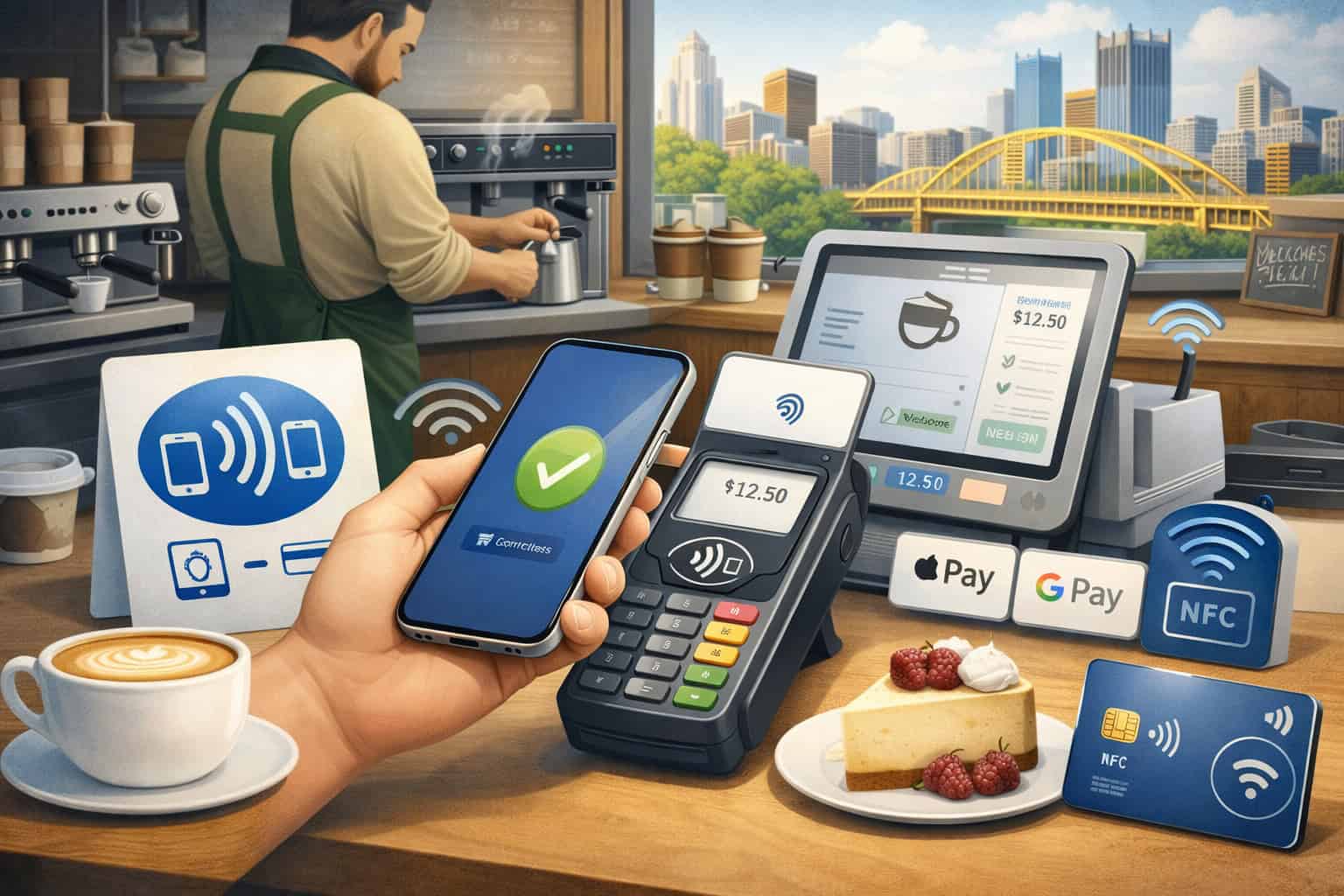
The morning rush in a Pittsburgh cafe leaves very little room for friction. When customers are ordering a latte on the way to work, grabbing cold brew before class, or stopping in for a quick pastry between meetings, they want the line to move fast and the payment step to feel effortless.
That is why Setting Up Contactless Payments (NFC) for Your Pittsburgh Cafe matters so much. A smooth tap-to-pay experience can help reduce bottlenecks at the counter, keep staff focused on service instead of troubleshooting cards, and make checkout feel more modern for regulars and first-time visitors alike.
Around neighborhoods such as Shadyside, Lawrenceville, Oakland, the Strip District, and Downtown, many guests already expect to pay with a contactless card, phone, or smartwatch rather than dig through a wallet.
For cafe owners, this is not just about adding another payment option. It is about designing a faster front counter, choosing the right equipment, training the team well, and making sure the system still works when the Wi-Fi gets spotty or the lunch line suddenly doubles in size.
Modern Pittsburgh cafe payment solutions increasingly combine contactless card acceptance, digital wallets, POS integration, and practical backup plans so businesses can serve customers with less friction and fewer delays.
This guide walks through what contactless payments and NFC actually are, how tap-to-pay works in a cafe environment, what hardware and software you need, how to set everything up, and how to avoid the mistakes that slow service down.
Whether you run a neighborhood coffee shop, a bakery cafe, a tea bar, or a small beverage counter inside a market, the goal is the same: make checkout quick, reliable, and easy for both customers and staff.
What Contactless Payments and NFC Mean in a Cafe
Contactless payments are transactions completed without inserting a card into a terminal or handing cash across the counter. In most cafes, this includes tapping a contactless debit or credit card, tapping a phone with a mobile wallet, or tapping a smartwatch against a payment terminal.
NFC stands for near-field communication. In simple terms, it is the short-range technology that lets the payment device and the terminal exchange encrypted payment information when they are held close together.
For a cafe owner, the technical details matter less than the practical outcome: the customer taps, the terminal reads the payment, and the sale is approved in seconds. Contactless acceptance is now a standard part of modern in-person payment systems, alongside EMV chip and digital wallet support.
A good way to think about NFC payments for cafes is that they are one part of a larger checkout system. The tap itself is quick, but the overall customer experience also depends on your POS screen, your internet connection, receipt settings, menu organization, and staff workflow.
A slow touchscreen can erase the speed benefit of a fast tap. So can a poorly placed terminal or an unclear prompt that leaves customers unsure where to tap.
In a cafe setting, contactless payments usually show up in three forms:
- Tap-to-pay cards
- Mobile wallet payments for cafes, such as Apple Pay or Google Pay
- Wearable device taps, such as smartwatches
Each of these uses the same basic principle: the terminal must have NFC capability, the processor must support contactless acceptance, and the POS must handle the transaction properly.
How tap-to-pay works during a real cafe transaction
At the counter, a barista enters the order into the POS. The total appears on the customer-facing screen or terminal. The terminal activates its reader, and the customer taps a card, phone, or watch.
The payment information is then securely transmitted through the processor for authorization. If approved, the terminal confirms the sale, the receipt option appears, and the staff member can move to the next customer. In a well-designed setup, the entire experience feels almost invisible because there are so few pauses.
This is especially useful for coffee shops where average ticket sizes are relatively modest but transaction volume can be high. A shop serving dozens or hundreds of customers in short bursts benefits from shaving even a few seconds off each sale.
During morning rushes, those seconds add up to shorter lines, less crowding near the register, and fewer awkward delays while customers search for the chip slot or ask whether mobile wallets are accepted.
Why NFC matters more in cafes than in some other small businesses
Not every type of small business lives and dies by speed at checkout, but cafes often do. A boutique retailer may spend more time on browsing and conversation. A service business may invoice later. A cafe, on the other hand, often has customers making quick decisions in a compressed time window.
That is what makes contactless payments for Pittsburgh cafe operations so valuable. You are usually balancing rapid ordering, drink production, pickup coordination, and loyalty interactions all at once.
Faster payment acceptance helps protect that flow. It also makes your shop feel easier to buy from, which matters when customers are comparing convenience across multiple nearby options.
In a neighborhood with lots of commuter traffic, students, office workers, or hospital staff, a few frustrating payment experiences can push customers toward a competitor whose counter moves faster.
NFC is not a magic fix for every service issue, but it is one of the easiest operational upgrades a cafe can make when the goal is smoother front-counter performance.
Why contactless payments matter for Pittsburgh cafes
Pittsburgh cafes serve a wide mix of customers: morning commuters Downtown, students in Oakland, hospital staff grabbing coffee between shifts, parents juggling pickups, weekend shoppers in the Strip District, and neighborhood regulars who come in several times a week.
That variety makes convenience especially important. The easier it is to pay, the easier it is to keep lines moving without making the experience feel rushed.
Contactless payments support that goal because they reduce the friction that happens at the most crowded point in the customer journey: the register. Instead of waiting for a chip card insert, signature prompt, or cash change, customers can tap and move.
Many modern Pittsburgh cafe payment solutions are built around that kind of low-friction checkout because it helps businesses handle rush periods, supports mobile wallets, and fits better with integrated POS systems.
There is also a perception benefit. When a cafe supports tap to pay for coffee shops, guests tend to see the business as organized, current, and easy to deal with. That may sound small, but in hospitality, the feeling of convenience matters. If the drink is great but the line is slow and the payment step feels clunky, the overall impression suffers.
Contactless payments also fit how many customers already behave. Plenty of people now walk into a cafe with a phone or smartwatch in hand. They are not looking for a complicated checkout. They want to order, tap, and get out of the way so the next customer can move up.
The speed advantage during morning and lunch rushes
Speed matters most when your line stacks up fast. In cafes, that usually happens in short windows: pre-work, mid-morning, lunch, and sometimes late afternoon. Those are the moments when a better payment flow earns its keep.
A contactless-ready counter reduces micro-delays. Customers do not have to insert a chip and wait. Staff do not need to explain the process repeatedly. The terminal can stay facing the customer, which also reduces awkward reaching or handoffs.
In some setups, a fast cafe POS with NFC shortens the payment stage enough that staff can shift attention more quickly to the next order or pickup handoff.
That is useful in small spaces, which many Pittsburgh cafes know well. A narrow front counter, a line close to the pastry case, and a pickup area that overlaps with ordering can get crowded quickly. Faster payment acceptance helps keep that front-of-house zone from turning into a bottleneck.
The convenience customers increasingly expect
For many customers, contactless payment is no longer a special option. It is simply the default they look for. Some prefer tapping a card because it feels quicker. Others rely on mobile wallet payments for cafes because they carry their phone instead of a traditional wallet. Some like the extra convenience of using a smartwatch when their hands are full.
The practical takeaway is simple: a cafe that cannot handle taps smoothly may create unnecessary friction. That does not mean you need every possible payment method on day one. It does mean your counter should comfortably support the ways customers commonly want to pay.
In a competitive local environment, ease matters. If two cafes serve a similar product and one feels much faster at checkout, the difference can influence repeat business. A strong checkout experience will not replace good coffee, service, or atmosphere, but it reinforces all of them.
The biggest benefits of contactless payments for speed, convenience, and customer experience
The clearest benefit of contactless acceptance is faster checkout, but that is only the beginning. The real value comes from how speed affects the rest of the customer experience. A quicker payment step reduces line pressure, helps staff stay calm, and makes the store feel more organized even during busy periods.
For many cafes, contactless payments also improve flexibility. A single system can support tap cards, mobile wallets, chip cards, digital receipts, and loyalty prompts in one workflow. That is especially helpful for neighborhood beverage spots that need a setup simple enough for part-time staff but capable enough for rush-hour volume.
Here is what many cafe owners notice once they implement a smoother NFC workflow:
- Fewer line backups during rush periods
- Less confusion at the terminal
- Easier acceptance of phone and watch payments
- More consistent customer-facing checkout
- Better fit with digital receipts and loyalty tools
- Cleaner handoff between ordering and pickup
Those practical improvements line up with the broader shift toward integrated payment tools, mobile acceptance, and POS systems that support both speed and operational visibility. Businesses that review their payment stack carefully often discover that hardware placement, POS design, and terminal responsiveness are just as important as processing rates.
Faster service without making the cafe feel rushed
There is an important difference between speed and hurry. A good cafe checkout feels quick, but it does not feel chaotic. Contactless payments help because they remove one of the least meaningful slowdowns in the visit: the mechanics of paying.
Your staff can still greet regulars, answer questions, and confirm drink modifications. The tap happens in the background. In that way, NFC supports hospitality rather than replacing it. The transaction feels lighter, so the interaction can stay focused on the customer rather than the terminal.
That is particularly useful for coffee shops with small teams. When one person is taking orders, heating food, pulling shots, and managing pickups, every bit of friction removed from the payment stage creates breathing room elsewhere.
Better customer flow in small or crowded spaces
Many cafes do not have large front counters. You may have a register near the pastry case, a pickup shelf near the door, and a queue that wraps around a few tables. In those environments, the design of checkout matters more than owners sometimes expect.
A contactless card reader for cafe use can reduce congestion because customers spend less time parked at the payment spot. That means the next person can step up faster, which keeps the line moving and reduces the pressure around the register. Over time, customers start to sense that your shop is efficient, even if they never think consciously about why.
This also helps with takeout-heavy models. When customers are in and out quickly, they are less likely to bunch up near the handoff area or doorway. That makes the overall layout work better.
A stronger fit with loyalty, digital receipts, and modern ordering habits
Many cafes want more than payment acceptance. They want a system that can also connect loyalty, email or text receipts, tips, and customer profiles. A modern cafe POS with NFC often makes that easier because the payment terminal is part of a broader ecosystem rather than a separate device that just approves cards.
That matters if you are trying to:
- Build repeat visits through loyalty rewards
- Offer digital receipts instead of paper
- Support order-ahead or online pickup
- Reduce manual reconciliation at the end of the day
- Track popular items during specific rush windows
Contactless payments do not automatically solve those needs, but they fit naturally into a system designed for them. When the payment step is integrated rather than bolted on, both staff and customers have a smoother experience.
What hardware and software your cafe needs to accept NFC payments
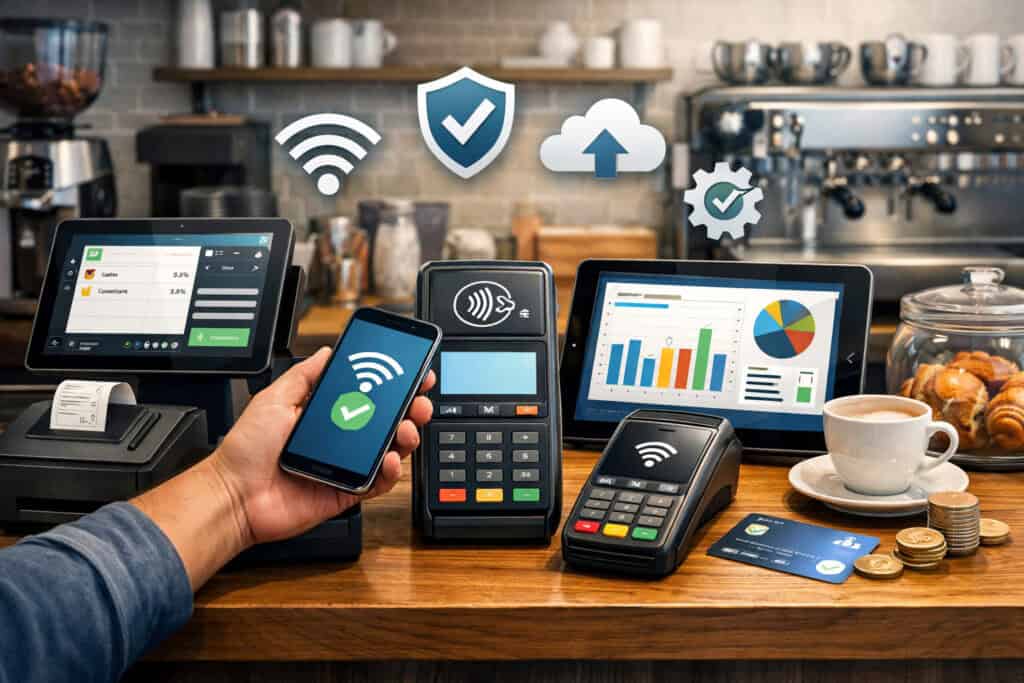
To accept contactless payments reliably, you need more than a terminal with a tap symbol on it. You need a setup that combines the right hardware, the right software, and a processing relationship that supports NFC transactions cleanly.
At a minimum, most cafes need a POS or payment app, a contactless-capable terminal or reader, a receipt option, and internet connectivity that is stable enough to keep checkout moving. Depending on your business model, you may also need customer-facing screens, kitchen printing, handheld devices, or backup hardware.
The most important thing is compatibility. A terminal may be technically capable of NFC, but if it does not pair properly with your POS or if your processor configuration is incomplete, the customer experience will still be poor. That is why a thoughtful payment terminal setup for small cafe operations is more important than chasing the fanciest device.
Core hardware components for a contactless-ready counter
Here is the equipment most cafes consider when enabling tap-to-pay:
| Hardware component | What it does | Best fit for cafes | What to check before buying |
| Countertop NFC terminal | Accepts tap, chip, and often swipe payments | Main register at fixed checkout station | NFC support, processor compatibility, customer-facing prompts |
| Mobile card reader | Connects to tablet or phone for payments | Small counters, line-busting, pop-ups, backup use | Battery life, connection stability, wallet acceptance |
| Integrated POS terminal | Combines register and payment acceptance | Cafes that want a more unified front counter | Menu management, tip flow, receipt settings, reporting |
| Customer-facing display | Lets guests review totals and interact with prompts | Higher-volume or multi-step ordering counters | Readability, tip options, loyalty integration |
| Receipt printer | Prints paper receipts when needed | Cafes with guests who still want paper receipts | Speed, paper cost, placement |
| Tablet stand or POS screen | Hosts the ordering interface | Most small and mid-size cafes | Durability, counter footprint, ease of cleaning |
The strongest setups are usually the ones that match how the cafe actually operates, not the ones with the longest feature list. Some shops need a fixed register and customer-facing terminal.
Others need a lighter tablet-plus-reader setup because counter space is tight. Articles on local payment setup and mobile payment acceptance consistently emphasize practical fit, not just feature count.
Software and payment acceptance features you should look for
Software matters as much as hardware because it controls the order flow, tax settings, modifiers, tipping, receipts, and reporting. For cafes, the right POS should make common tasks easy rather than bury them in too many menus.
Look for a system that supports:
- NFC and mobile wallet acceptance
- Quick item lookup and modifiers
- Simple tip prompts where appropriate
- Digital and printed receipt options
- Basic inventory or ingredient visibility if needed
- Loyalty integration or customer profiles
- Reliable reporting by hour and item
- Easy staff permissions and login controls
If you also sell online or offer local pickup, it helps when the same system can manage in-store and digital orders together. That keeps reporting cleaner and makes staff training easier.
Contactless cards, mobile wallets, and receipt options explained simply
A good cafe setup should accept both contactless physical cards and phone-based wallets. Customers do not always know or care about the difference. They just want the payment to work.
Mobile wallet payments for cafes typically include card credentials stored securely on a phone or watch. From the customer’s perspective, it feels like another tap. For the cafe, the important thing is that the terminal and processor support those transactions without special workarounds.
Receipt handling also matters. Some guests want a paper receipt. Others prefer email or text. Digital receipts can reduce paper use and speed the counter slightly, but only if the prompt is not awkward or slow. In fast-service environments, the most efficient setups make receipt selection quick and easy rather than forcing customers through too many on-screen decisions.
How to set up contactless payments step by step
Once you understand the components, the actual rollout becomes much easier. The smartest approach is to treat setup as an operational project, not just a hardware purchase. That means thinking through your counter, your menu, your processor settings, staff habits, and your backup plan before go-live.
A lot of small businesses run into trouble because they assume the payment terminal will be “plug and play.” Sometimes it is. But even good hardware can produce a poor customer experience if tax settings are wrong, tip prompts are clunky, Wi-Fi is unstable, or staff members are unsure what to say when a tap does not go through the first time.
A practical rollout for Setting Up Contactless Payments (NFC) for Your Pittsburgh Cafe usually follows these stages:
- Review your current checkout flow
- Choose the right POS and NFC-compatible hardware
- Confirm processor and account setup
- Configure receipts, tips, and customer-facing prompts
- Test every major transaction type
- Train staff before launch
- Go live during a controlled period
- Review issues and adjust
This kind of phased rollout mirrors broader small-business setup guidance: prepare your documents and workflow early, validate the system before rush periods, and build a go-live checklist so the first week does not become a troubleshooting marathon.
Step 1: Map your current payment workflow
Start by walking through a real order from start to finish. Watch how customers currently line up, where they stand, when the total appears, how the terminal is presented, and what slows things down.
Ask questions like:
- Do customers have a clear place to tap?
- Is the register staff-facing only, or is there a customer screen?
- Are receipts slowing down the line?
- Is tipping interrupting the flow?
- Does the barista have to reach awkwardly to turn the terminal?
This review often reveals that the issue is not only the payment method. It may also be the counter design, the order of prompts, or the way the staff member transitions from ringing up the order to preparing the next customer.
Step 2: Choose the right NFC-capable hardware and POS
Next, choose a system that fits your volume, menu complexity, and space. A small coffee kiosk may need a tablet and compact reader. A busy neighborhood cafe with food, modifiers, and loyalty may do better with a more integrated register and customer-facing terminal.
This is where many owners compare Pittsburgh cafe payment solutions by feature list alone. That is understandable, but workflow fit matters more. Think about daily use, not demo performance.
Ask vendors or providers:
- Does the terminal accept tap cards and mobile wallets?
- How does the tip screen work?
- Can the customer face the terminal directly?
- What happens if Wi-Fi drops?
- How are refunds handled?
- How are digital receipts delivered?
- How quickly can staff learn the system?
Step 3: Configure the account and processor correctly
After hardware selection, make sure the underlying account setup is complete. Your business details, bank account, tax settings, and card acceptance configuration all need to be correct.
This stage is less visible than the terminal itself, but it matters. A lot of setup problems come from incomplete merchant onboarding, missing parameters, or assumptions that a device is activated when it is only partially configured.
A thoughtful merchant services setup checklist helps businesses avoid those preventable launch issues by verifying approvals, pricing structure, hardware matching, and first-week testing before going live.
Step 4: Set up the customer-facing experience
Now decide how the payment step will actually feel. This includes:
- Whether the terminal stays fixed or is handed to customers
- Whether tips appear by default
- Whether receipts are printed, emailed, texted, or optional
- What the screen says when it is time to tap
- Whether loyalty prompts appear before or after payment
Keep this as streamlined as possible. Too many prompts can eat away the time savings of contactless acceptance.
Step 5: Test every important payment scenario
Before launch, test more than one type of payment. Run:
- A tap card sale
- A mobile wallet sale
- A chip card sale
- A refund
- A split ticket if relevant
- A digital receipt
- A paper receipt
- A sale during weak connectivity if your system supports offline fallback
Do not stop at “the transaction approved.” Confirm that sales report correctly, tips post as expected, receipts look right, and staff can explain what customers should do.
How to choose the right cafe POS with NFC support
A strong cafe POS with NFC should do more than accept contactless payments. It should support the way your business actually works during real service. That means it should be fast to navigate, easy to train on, flexible enough for rush periods, and reliable when your team is busy.
Some cafes need advanced menu modifiers because they sell breakfast items, alternative milks, retail beans, and seasonal drinks. Others need strong takeout and order-ahead support. Some want built-in loyalty. Others simply need a clean, stable register that accepts taps without slowing down the line.
The right system is the one that reduces effort across the day, not the one with the flashiest demo. Local guides on restaurant POS selection and neighborhood payment systems consistently emphasize practical fit, reporting, ease of training, and the role of the POS as the operational center of a small business.
When comparing options, think about three levels of need:
- Must-have: NFC acceptance, chip fallback, easy menu setup, receipt options, stable reporting
- Nice-to-have: loyalty, gift cards, kitchen tickets, online ordering integration
- Future-ready: handheld checkout, extra terminals, customer data insights, location expansion
Features that matter most for coffee shops and small cafes
Coffee shops are unique because they are usually high-frequency, lower-ticket environments. That means small inefficiencies repeat all day long. A POS that adds just a few seconds to every order can become a real problem over time.
Look for features such as:
- Fast search or hotkey menu entry
- Easy item modifiers
- Simple refund handling
- Clear customer-facing payment prompts
- Quick reopen of recently ordered items
- Staff permissions that are easy to manage
- Integration with digital receipts and loyalty tools
Also think about your staffing model. If you have seasonal staff, part-time workers, or frequent new hires, simpler training should carry a lot of weight in your decision.
Questions to ask before signing up
Before committing to a provider or platform, ask direct questions about the parts owners often discover too late:
- Are there extra monthly fees for NFC hardware?
- Do digital receipts cost more?
- Is there a contract term or early termination fee?
- Can you use your own processor, or is processing bundled?
- How does the system behave if internet service is interrupted?
- How fast is replacement hardware if a terminal fails?
- Are software updates automatic?
- Is support available during peak food-service hours?
The answers matter because the best payment terminal setup for small cafe operations is not just about the device. It is about the total operating experience over time.
When a simple setup is better than a feature-heavy one
It is easy to overbuy. A tiny neighborhood espresso bar with a limited menu does not need the same system as a multi-location cafe with extensive food service and order-ahead demand.
If your team is small and your menu is straightforward, a simpler system may produce better results. Fewer layers often mean faster training, fewer mistakes, and a cleaner checkout. On the other hand, if your business is growing into catering, subscriptions, events, or multiple counters, it may be worth investing in a more flexible platform now.
The best choice is the one that matches today’s workflow while leaving enough room for tomorrow’s needs.
How to train staff to handle tap-to-pay transactions smoothly
Even a great system can feel awkward if the staff is not comfortable using it. In cafes, training matters because the speed of service depends heavily on smooth handoffs. The staff member taking the order needs to know exactly when to present the terminal, what to say, and how to handle the exceptions without breaking rhythm.
Good training keeps the experience consistent. Customers should not get one process from the morning opener and a different one from the afternoon shift. That consistency builds trust and helps lines move faster because people know what to expect.
Your team does not need deep technical knowledge. They do need a simple, repeatable script and enough hands-on practice that the process feels automatic.
What staff should know before launch day
Every staff member should be able to answer:
- Where customers tap
- Which payment types are accepted
- What to do if a tap fails
- When to ask a customer to insert a chip instead
- How digital receipts work
- How to process a refund
- What happens if the terminal disconnects
They should also understand the visual cues. Some terminals beep, light up, or show a checkmark when payment is accepted. Others rely more on on-screen prompts. Staff should know those signals well enough to guide customers confidently.
This is particularly important with mobile wallet payments for cafes because customers may tap too early, hold the phone in the wrong spot, or wonder whether the payment is finished if they do not hear a familiar beep.
Simple scripting that keeps checkout friendly and fast
A good script is brief and natural. Examples include:
- “You can tap right here whenever you’re ready.”
- “Phone or card is fine.”
- “If the tap doesn’t catch, we can try the chip.”
- “Would you like a printed receipt, or no receipt today?”
The point is not to sound robotic. It is to reduce hesitation. The more confidently staff guide the payment step, the fewer pauses customers experience.
If your team also asks about loyalty or receipts, practice the order of those prompts. Too many poorly timed questions can slow everything down. In fast-service environments, sequence matters.
Practicing exceptions before they happen
Do not train only for perfect transactions. Practice common hiccups:
- Customer taps before the sale is ready
- Customer uses the wrong side of the terminal
- Phone wallet does not authenticate
- Card needs to be inserted instead
- Terminal temporarily loses connection
- Receipt printer jams during a rush
When staff have seen these situations before, they recover faster and with less stress. That helps preserve the customer experience even when something goes wrong.
Security basics cafe owners should understand
Payment security can sound intimidating, but for most cafe owners, the key idea is simple: reduce your exposure, use modern equipment, and avoid storing sensitive card data unnecessarily.
A contactless payment does not mean “less secure.” In many cases, the strength of a modern payment setup comes from encrypted transmission, tokenization, EMV support, updated software, and good operational habits. Security depends on the whole system, not just the fact that a customer taps instead of inserts a card.
For a small cafe, the most practical security focus areas are:
- Using supported, up-to-date hardware
- Limiting who can access payment settings
- Keeping passwords and staff permissions under control
- Avoiding manual storage of card information
- Reviewing chargeback and refund processes
- Staying attentive to compliance and processor guidance
Local guidance on payment costs, chargebacks, and merchant account setup repeatedly emphasizes tokenization, EMV support, PCI-related responsibilities, and the importance of using reputable systems that minimize data handling.
What cafe owners should and should not do
You should:
- Use approved hardware and software
- Keep systems updated
- Restrict manager access to settings and refunds
- Use strong staff logins and permissions
- Reconcile daily so suspicious issues are spotted early
You should not:
- Write down card numbers
- Store payment details in notes or spreadsheets
- Email sensitive card information
- Share a single manager password with the whole team
- Ignore unexplained voids or refund activity
The less sensitive data you handle directly, the smaller your risk.
Why tokenization, updates, and permissions matter
Tokenization helps reduce risk by replacing sensitive payment data with a token inside the payment system. You do not need to explain that to every employee, but it is useful to know why modern systems are safer than improvised workarounds.
Software updates matter because payment systems change over time. Networks, compliance rules, and device security requirements evolve. Outdated software may not just be inconvenient; it can create avoidable exposure.
Permissions matter because not every employee needs the same level of access. A barista usually does not need to change tax settings or issue open-ended refunds. Cleaner permissions reduce mistakes and discourage abuse.
Handling chargebacks and disputed transactions sensibly
Even cafes can face disputes. Sometimes a customer does not recognize the charge. Sometimes there is a duplicate sale. Sometimes a receipt issue or unclear business descriptor creates confusion.
A strong contactless setup helps, but good operations still matter. Clear receipts, organized refund procedures, accurate order totals, and consistent customer communication reduce problems. Broader guidance on reducing chargebacks highlights the value of clean policies, strong recordkeeping, and using modern tools rather than patchwork processes.
Costs cafes should understand before switching
The cost of going contactless is not just the sticker price of a terminal. There are usually several cost layers, and cafe owners should look at the full picture before deciding what is affordable.
The main categories are:
- Hardware costs
- Software subscription fees
- Payment processing or transaction fees
- Receipt paper and peripherals
- Installation or onboarding costs
- Replacement and support costs over time
The good news is that many small businesses do not need a massive upfront investment to start accepting NFC. The more important question is whether the ongoing structure makes sense for your ticket size, order volume, and overall margin.
Hardware and setup costs
Hardware can range from a simple mobile reader to a full register-plus-terminal setup. A compact counter with a tablet and reader may be enough for a smaller cafe. A busier operation may need multiple terminals, a customer-facing display, receipt printers, and spare devices.
Think beyond the initial purchase price. Ask:
- Is the terminal leased or purchased?
- Are accessories included?
- Is there a warranty or replacement plan?
- Do you need one device or two?
- Will you eventually need a backup unit?
A cheaper device that fails during busy hours may cost more in lost sales and staff frustration than a slightly more robust option.
Processing fees and software charges
Transaction fees matter, especially in a business with many small tickets. You want clarity on rates, monthly charges, PCI-related fees, software add-ons, and any extra charges for digital receipts, loyalty modules, or advanced reporting.
When owners review their payment costs, they are often surprised that the total stack matters more than the headline rate. The structure of hardware, software, data quality, and processing configuration all affect the real cost of acceptance. Cost-reduction guidance for merchants stresses evaluating the full technology stack, not just a quoted percentage.
Calculating value, not just expense
The cheapest setup is not always the best one. If a more capable system speeds up checkout, reduces errors, improves reporting, and supports loyalty, it may create operational value that offsets some of the higher monthly cost.
Think in practical terms:
- Does faster checkout help you serve more people during rushes?
- Does better reporting reduce waste or staffing mistakes?
- Does loyalty integration improve repeat visits?
- Does cleaner reconciliation save manager time?
Those benefits do not show up as line items on a hardware invoice, but they matter to the real economics of a cafe.
Common mistakes cafes make when setting up contactless payments
Many contactless rollouts fail for simple reasons, not technical ones. The system may be capable, but the implementation is incomplete. Most problems can be prevented with better planning and a few realistic tests before launch.
Here are some of the most common mistakes:
- Buying hardware before mapping the workflow
- Choosing a POS based on features instead of daily fit
- Forgetting to test phone wallets, not just cards
- Making the tip and receipt flow too slow
- Ignoring internet reliability
- Skipping staff training
- Not having a backup payment option
- Launching during a peak rush with no soft opening
These mistakes are common because cafe owners are busy. Payment systems often get treated like a side project until the last minute. But the front counter is too important for that.
Focusing on the device instead of the whole checkout experience
A terminal alone does not create a smooth payment experience. If the menu is hard to navigate, the total appears late, or the terminal is placed awkwardly, customers will still feel friction.
Think of the customer’s experience as one sequence:
- Order is taken
- Total appears
- Customer understands where to tap
- Payment is approved
- Receipt choice is easy
- Customer exits the payment zone quickly
If any step feels clumsy, the overall benefit of NFC drops.
Underestimating connectivity and backup needs
Even strong systems can struggle if connectivity is weak. A lot of cafes focus on the hardware but forget to test the actual network conditions at the counter. Thick walls, basement prep areas, older buildings, and crowded Wi-Fi environments can all create issues.
That is why backup planning matters. Mobile payment guidance and merchant setup resources both stress preparing for connectivity disruptions rather than assuming they will never happen.
A basic backup plan may include:
- A secondary internet option or hotspot
- One charged mobile reader
- A spare power cable
- Clear fallback instructions for staff
- Acceptance of chip cards if tap acts up temporarily
Launching without real-world testing
A demo test at 2 p.m. on a quiet Tuesday is not enough. You need to know how the system behaves with a real line, multiple staff members, and different payment types.
Before fully launching, try a limited live period. Run the system during a slower shift. Watch for hesitation, slow prompts, printer delays, or customer confusion. Small fixes made early can make a huge difference later.
Tips for building a faster checkout line during busy rush periods
The fastest cafes are not always the ones with the most expensive systems. They are often the ones that have thought carefully about flow. Contactless acceptance plays a big role, but speed also depends on layout, menu structure, training, and where staff attention goes during rushes.
If your goal is a smoother line, think of checkout as a traffic pattern. The customer should move from menu choice to payment to pickup with as little backtracking and crowding as possible.
Use terminal placement to reduce hesitation
Place the terminal where the customer naturally ends up, not where it is easiest for staff to reach. If customers have to lean, twist, or ask where to tap, the counter layout is costing you time.
Good placement usually means:
- Customer-facing terminal
- Clear tap zone visibility
- Enough cable length or mounting flexibility
- No clutter around the payment area
- Enough space for customers holding bags, phones, or cups
Simplify on-screen prompts during rush windows
Too many prompts can quietly slow every order. Think about whether each screen is necessary. A well-designed flow keeps the path short.
For busy cafes, that often means:
- Minimal confirmation screens
- Simple tip presentation
- Optional rather than forced receipt selection
- Loyalty prompts that do not create confusion
- Fast return to the ready screen after payment
Create separate lanes in your workflow where possible
Some cafes improve speed by separating parts of service. For example:
- One queue for order-and-pay
- One pickup shelf for completed drinks
- One designated area for mobile order handoff
- One staff member dedicated to ringing during peak times
Contactless payments support these efforts because they shorten the payment portion and make it easier to keep the front counter organized.
How contactless payments fit with takeout, in-store ordering, and loyalty programs
Today’s cafe business often spans more than the register. You may have walk-ins, online pickup, mobile orders, bakery add-ons, loyalty rewards, and occasional pop-up or event sales. A good contactless setup should support that bigger picture.
For in-store ordering, NFC keeps the payment stage short. For takeout-heavy cafes, it reduces crowding near the register. For loyalty-focused shops, it pairs naturally with digital receipts and customer profiles. For pop-up stations or sidewalk events, mobile readers or phone-based acceptance can make flexible selling much easier.
This is one reason many owners view contactless payments for Pittsburgh cafe operations as part of a larger modernization effort rather than a standalone add-on.
In-store ordering and customer flow
Inside the cafe, tap-to-pay works best when it supports the physical movement of guests. That means the customer can finish paying quickly and move toward the pickup area without blocking the next person.
Integrated systems help because the order, payment, and receipt all live in one workflow. The register staff does not have to bounce between disconnected devices or manually reconcile payments later.
Takeout and order-ahead integration
If your cafe handles online or app-based orders, it helps when the in-store POS and the digital order channel communicate clearly. Even when the customer has already paid online, the same system can help with pickup tracking, loyalty crediting, and reporting.
For cafes that mix order-ahead and walk-in traffic, the goal is not only to accept payments quickly but also to keep the front counter from becoming crowded or confusing. A smoother contactless in-store experience helps preserve space for customers waiting on pickup.
Loyalty, repeat visits, and better customer data
A lot of cafes want to reward repeat customers without slowing down service. That is where the right integrated setup can shine. Some systems connect payment, loyalty, and receipt capture so regulars can earn points or rewards without needing a separate manual process.
That can make the experience feel more polished, especially for neighborhood businesses with a loyal customer base. The key is to avoid letting loyalty prompts become a bottleneck. They should support the flow, not interrupt it.
Best practices for backup payment options and connectivity problems
No payment setup is complete without a backup plan. Even reliable systems can run into trouble from internet outages, power issues, cable failures, or damaged hardware. What separates a manageable hiccup from a chaotic counter is whether the cafe has prepared for it.
Backup planning is especially important in fast-service environments because customers expect speed. If the terminal freezes during a rush and no one knows what to do, the entire line can stall instantly.
A smart backup approach does not need to be elaborate. It just needs to be realistic.
What your backup plan should include
At a minimum, consider having:
- A second payment device or reader
- A mobile hotspot or backup connection
- Extra charging cables and power blocks
- Clear written staff instructions for outages
- A fallback acceptance method for chip cards if needed
- A manager checklist for restart and troubleshooting
This is consistent with practical payment setup guidance that urges businesses to validate operations in the first week and prepare for interruptions instead of assuming ideal conditions.
Communicating calmly with customers during a payment issue
If there is a problem, clarity matters more than technical detail. Staff should be able to say:
- “Our terminal is reconnecting. Thanks for your patience.”
- “We can try the backup reader.”
- “If the tap does not go through, we can use the chip.”
- “We are temporarily switching to printed receipts only.”
A calm explanation keeps the issue from feeling bigger than it is.
Reviewing outages after they happen
After any disruption, take a few minutes to review what happened:
- Was it the internet, power, or hardware?
- Did staff know the fallback process?
- Did customers get stuck on any particular step?
- Was there a missing cable, charger, or backup device?
- Did the recovery take longer than expected?
Those small post-incident reviews help you strengthen the system over time.
Helpful internal resources for cafe owners comparing payment tools
If you want to dig deeper into related topics while planning your NFC rollout, a few supporting reads can help fill in the bigger picture. For example, broader guidance on payment solutions for Pittsburgh neighborhood businesses is useful when comparing rails, channels, and general checkout strategy.
If you are still evaluating mobility and flexible checkout options, it can also help to review this guide to mobile payment processing for a practical look at mobile readers, acceptance on the go, and operational considerations for small businesses. For budgeting and statement review, this article on reducing payment processing costs can help you think through rates, stack design, and hidden margin leaks.
Frequently Asked Questions
No. A small cafe can start with a simple tablet-and-reader setup or a compact mobile card reader. But if you need menu modifiers, tipping, receipts, reporting, or loyalty features, a more complete cafe POS with NFC support usually makes checkout smoother and easier to manage.
Yes. Most NFC-enabled payment terminals can accept tap-to-pay cards as well as mobile wallets like Apple Pay and Google Pay. The key is making sure your terminal, processor, and POS system are all set up to support these payment types properly.
Most cafes need an NFC-capable card reader or payment terminal, a POS system or payment app, reliable internet access, and a receipt option such as printed or digital receipts. Some cafes also benefit from customer-facing displays, backup mobile readers, or extra charging cables for busy periods.
First, make sure the payment screen is ready and the customer is tapping in the correct area. If the tap still does not go through, ask them to try again or use the chip insert method instead. Staff should know this process well so a failed tap does not slow the line too much.
Yes, when you use supported payment hardware and a properly configured processing system. Security comes from encrypted transactions, tokenization, EMV support, software updates, and good staff access controls. The biggest problems usually come from poor setup or weak internal procedures, not from tap-to-pay itself.
Costs usually include hardware, software subscriptions, transaction fees, receipt supplies, and possible replacement or support expenses over time. A simple setup may cost less upfront, while a more advanced POS with NFC may offer better speed, reporting, and loyalty features for a growing cafe.
Yes. Contactless payments reduce the time customers spend inserting cards, waiting for prompts, or handling cash. In a cafe environment, even a few seconds saved per transaction can help keep the line moving more smoothly during busy periods.
Absolutely. A good backup plan can include a second payment device, a mobile hotspot, extra power cables, and the ability to accept chip cards if a tap transaction fails. This helps your cafe stay operational during internet issues, device problems, or peak-hour disruptions.
Yes. Many modern cafe POS systems with NFC support also connect with loyalty tools, digital receipts, and customer profiles. This can improve repeat business and simplify checkout, as long as the loyalty prompts do not interrupt the speed of the transaction.
Choose a reader based on your actual workflow, counter space, and order volume. Look for NFC support, mobile wallet acceptance, reliable connectivity, clear customer prompts, and compatibility with your POS system. A reader that fits your daily service flow is usually better than one with features you will never use.
Conclusion
Setting up contactless payments is one of the most practical upgrades a Pittsburgh cafe can make. It helps speed up checkout, supports the way many customers already prefer to pay, and creates a smoother front-counter experience for both staff and guests.
The real goal is not just to accept taps. It is to build a payment experience that fits your space, your menu, your team, and your rush patterns. That means choosing the right hardware, pairing it with the right software, configuring the checkout flow carefully, training staff well, and preparing for real-world hiccups before they happen.
For cafe owners thinking about Setting Up Contactless Payments (NFC) for Your Pittsburgh Cafe, the smartest path is a practical one: map the current workflow, choose a cafe POS with NFC support that fits the business, test every transaction type, and keep the customer-facing experience as simple as possible.
When done well, contactless payments do more than modernize the register. They make the whole cafe feel easier to buy from, and that is something customers remember.