Affordable POS systems have become a lifeline for small businesses across Pittsburgh—from sandwich shops in Lawrenceville and food trucks on the North Shore to neighborhood salons in Squirrel Hill and boutiques in Shadyside.
A modern POS is far more than a cash register; it’s a central hub that ties together sales, payments, inventory, customer data, staff management, and reporting. Yet, when you’re operating on tight margins, the challenge is finding a solution that does what you need without burying you in hidden fees or forcing you into a long contract you’ll regret.
This guide is designed to help Pittsburgh small business owners choose an affordable POS with confidence. We’ll translate jargon into plain English, explain the trade-offs between seemingly similar offers, and give you a practical decision framework you can apply today—without needing to be a tech expert.
If you’re just starting out, it’s easy to be dazzled by glossy demo videos and free-trial promises. But affordability is not just the sticker price of the hardware or the monthly software fee; it’s the total cost of ownership (TCO) over the next three to five years.
It includes processing fees on every card you run, add-on modules that become “must-have” after two months, extra terminals for seasonal peaks, replacement costs if you drop a tablet, and even the time you or your employees spend wrestling with a system that’s not intuitive.
The right POS reduces friction across your business: it speeds up checkout, keeps inventory accurate so cash isn’t trapped in slow-moving stock, helps you track tips and labor, surfaces meaningful reports, and integrates with your accounting to cut hours of busywork.
When you view a POS as an investment rather than a gadget, “affordable” means “pays for itself quickly and doesn’t surprise you later.”
Pittsburgh’s business landscape has its own flavor. Many shops operate in older buildings with charming but uneven connectivity; some neighborhoods have spotty Wi-Fi, and winter storms happen.
Your POS has to handle offline payments gracefully, sync when the internet returns, and keep you moving during game day rushes or festival weekends. Tipping norms are strong in food and service, and you’ll want simple, transparent tip prompting.
Inventory needs run the gamut—from single-SKU bakeries that sell out daily to vintage consignment shops with ever-changing catalogs. On top of that, many owners wear multiple hats. The best POS for you will offer automation where it counts, clean reporting you actually use, and straightforward support that picks up when you call.
This article walks step-by-step through everything you need: the core components of an affordable POS, the fee structures that matter most, must-have features by business type, hardware options that strike the right balance of durability and cost, payment processing decisions, security basics, and a hands-on evaluation checklist.
You’ll also see practical tips for negotiating processing rates, migrating from your old setup without downtime, and avoiding common “gotchas” buried in the fine print.
Whether you’re a new entrepreneur launching your first shop near Market Square or a seasoned owner upgrading an aging terminal, you’ll leave with a concrete plan to choose a system that fits your workflow, your budget, and your vision for growth.
What Makes a POS “Affordable” in the Real World?
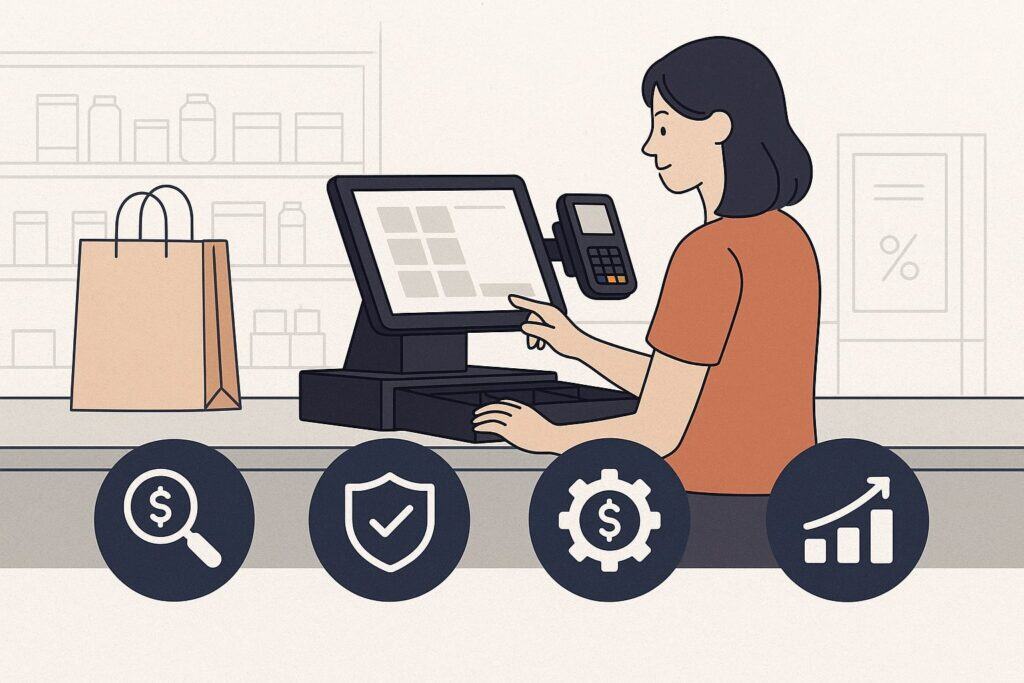
Affordability is rarely about the cheapest monthly plan. It’s about optimizing the intersection of price, performance, and predictability.
Start with a three-tier mindset: upfront costs (hardware, setup, onboarding), recurring software costs (per-location, per-register, per-user, or per-feature fees), and variable processing costs (per-transaction fees and monthly minimums).
For many Pittsburgh small businesses, processing fees dominate the TCO because they scale with your revenue. A seemingly “free” POS can end up expensive if it locks you into high rates or adds basis points for “non-qualified” card types.
Aim for a transparent plan with few surcharges, and model the numbers using your actual mix of in-person and keyed transactions, average ticket size, and anticipated monthly volume.
Next, evaluate the productivity dividend. A POS with robust inventory tools might cut stockouts and shrink, improve reorder timing, and reduce dead stock—benefits that translate directly into cash flow.
If you run a café, order-ahead and kitchen display system (KDS) features can shave minutes off prep time and shrink lines during the morning rush, which increases throughput without adding staff. A salon could fill gaps with automated reminders and online booking.
A retailer might win repeat sales with loyalty points and targeted promos. When a POS trims five minutes per shift on reconciling tips and shift reports—or saves you two hours per week in accounting reconciliation—those minutes are money, especially when labor costs are rising.
Reliability is the third pillar. Intermittent Wi-Fi in a brick building or a snow day should not halt your revenue. Offline mode, battery-backed terminals, cellular failover options, and durable hardware all matter.
So does support quality—response times, availability during evenings and weekends, and whether the support team knows retail and hospitality, not just generic troubleshooting steps.
Affordable doesn’t mean bare-bones; it means paying for the features that reduce your risks and increase your uptime while skipping bells and whistles you’ll never use.
Create a short list of non-negotiables (e.g., offline payments, inventory counts on mobile, tip prompts, barcode support, open/modifier management for kitchens, or EBT for specialty grocers), and insist vendors show you those workflows live.
Lastly, watch contract length and exit fees. Month-to-month software with a clean cancellation clause is more “affordable” than a cheaper plan that traps you for three years.
If a provider offers to “subsidize” hardware in exchange for a long commitment, run the math: what happens if your volume doubles, or if you add a second location, or if card-present rates change? The best deals remain flexible as you grow.
Negotiate for rate reviews at set milestones, and don’t be shy about asking for interchange-plus pricing if your volume justifies it. Upfront honesty about your goals—steady neighborhood traffic or aggressive multi-location expansion—helps you and the vendor align on a plan that won’t surprise you six months in.
Cost Breakdown: Pricing Models, Fees, and How to Budget Like a Pro
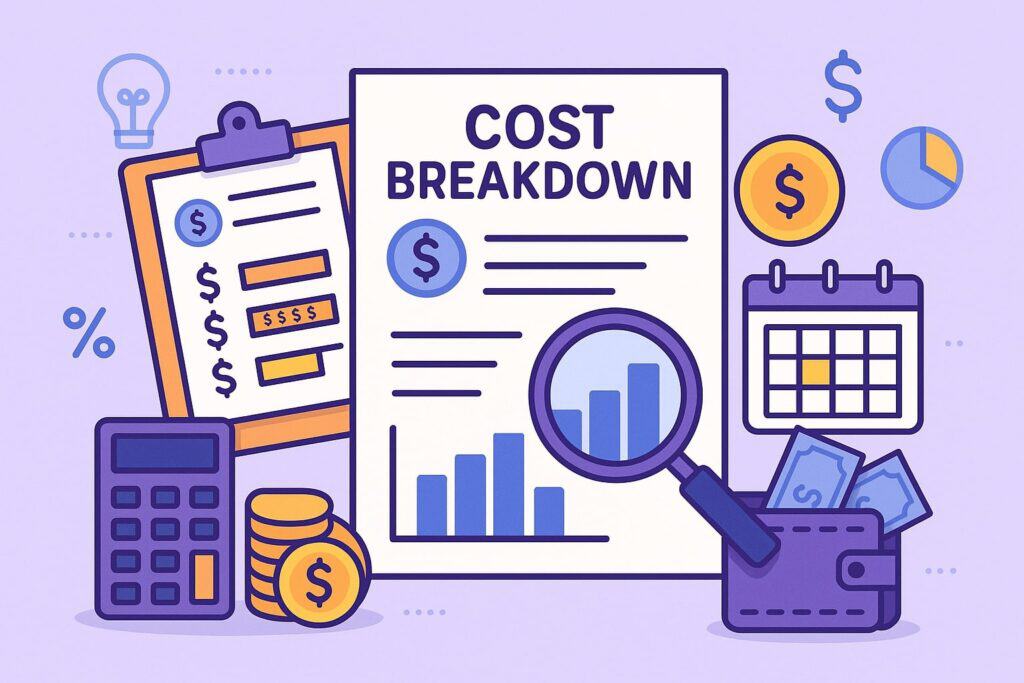
Let’s demystify the layers of cost so you can build a realistic budget for your Pittsburgh shop. Hardware is the first visible piece: countertop terminals, mobile readers, receipt printers, cash drawers, barcode scanners, kitchen screens, and sometimes scale integrations for delis or produce.
Tablet-based setups can be very cost-effective, but don’t ignore total durability and replacement cycles. A rugged, all-in-one terminal might cost more today but less over three winters of heavy use. If your layout requires multiple stations—register, bar, patio—plan for peripherals now so you avoid a second shipping bill and setup hassle later.
Software fees come next. Many vendors offer tiered plans: a basic plan with core POS plus add-ons for inventory, loyalty, online ordering, gift cards, advanced reporting, or multi-location management.
Watch for per-register and per-employee pricing; a plan that looks cheap for one terminal can escalate quickly when you add a handheld for line-busting. Ask whether features like item modifiers, combo pricing, and kitchen routing are included or locked behind higher tiers.
Restaurants often discover that “basic” plans exclude kitchen display systems or delivery integrations. Retailers sometimes find that purchase orders (POs), vendor catalogs, or serialized inventory tracking are premium extras. If a feature will save time or prevent errors weekly, budget for it upfront—it’s usually cheaper than workarounds.
Processing fees are where many owners underestimate costs. Flat-rate models are simple and predictable for lower volumes or small tickets. Interchange-plus can be more cost-effective at higher volumes, but it demands piece-by-piece clarity: the markup per transaction, monthly fees, PCI fees, and how card-not-present transactions are priced.
Request a statement analysis using your last one to three months of data. Insist on written explanations for “downgrades,” “non-qualified,” or “mid-qualified” categories if those terms appear.
Ask about American Express rates, reward cards, commercial cards, and how the system treats PIN debit versus signature debit. In practice, shaving 10–20 basis points on effective rate can outperform saving $20/month on software.
Don’t forget implementation and training. A few hours of personalized onboarding saves days of trial-and-error. If you have a menu with complex modifiers or a store with hundreds of SKUs, data import and menu engineering services can be huge time savers.
Also budget for compliance and upkeep: PCI questionnaires, software updates, printer paper, labels, and spare cables.
Finally, consider optional but valuable add-ons that earn you money: gift cards (breakage + repeat visits), loyalty (increases frequency), and text/email marketing (converts slow days). Build these into your forecast, not as afterthoughts, to see the full ROI picture.
To pull it all together, create a simple TCO model over 36 months: sum hardware (with a replacement buffer), software (by tier and number of devices), payment processing (effective rate × projected volume), and support/training.
Subtract expected savings from efficiency gains and expected revenue lifts from loyalty or order-ahead. The goal isn’t a perfect spreadsheet; it’s a confident decision anchored in realistic assumptions. When you compare vendors with the same framework, the best value will reveal itself quickly.
Features That Matter Most (by Pittsburgh Business Type)
Different neighborhoods, different workflows. A Bloomfield café needs lightning-fast ticketing, intuitive modifiers, tip prompts, and a KDS that keeps espresso and food in sync. A South Side boutique needs barcode scans, size/color variants, purchase orders, and low-stock alerts.
A food truck at a festival needs a compact, battery-friendly terminal with tap-to-pay and bulletproof offline mode. An appointment-based salon in Mt. Lebanon needs online booking, package tracking, memberships, and chair rent/tips management.
When you map features to your exact patterns of traffic and inventory, affordability becomes clearer: you pay for the tools that directly support your revenue engine.
For restaurants and cafés, look for conversational modifiers (so staff can build custom orders quickly), menu groups and day-part pricing, tabs, coursing, split checks, and tip pooling. If you run a bar, dual cash drawer support and age verification can reduce errors.
If table service is your model, seek tableside ordering and easy table maps. If you do takeout/delivery, you’ll want order throttling, integrated delivery partners, and sticky customer profiles for repeat orders.
Kitchens benefit from bump bars, ticket consolidation, and routing logic—sent to the right station with modifiers clearly highlighted. A well-designed KDS reduces shouting and errors during Steelers or Penguins game rushes.
For retail and specialty shops, prioritize SKU import, barcode label printing, vendor catalogs, POs, stock receiving, and matrix inventory (size/color). Serialized tracking matters for electronics and consignment. Bundles and kits are useful for gift sets.
Discounts by customer group (e.g., student, teacher, or first-responder discounts) should be easy to configure. Loyalty that accrues points or tracks spend helps drive repeat visits; integrate with email/SMS to announce new drops or local events. If you attend pop-ups or farmers markets, mobile POS with the same inventory helps prevent double selling.
Service businesses need appointment scheduling, deposits, no-show policies, and seamless checkout at the chair or counter. Memberships and packages (e.g., massage bundles, class packs) require balance tracking and gentle reminders.
Invoices and estimates should be simple, with stored cards on file for repeat clients. If you sell products alongside services, your POS should handle both worlds in one report.
For all types, staff management should be straightforward: roles and permissions, time clock, tip tracking, and simple shift reports that make nightly closing a two-minute task, not a 20-minute chore.
Finally, reporting must be actionable. Daily sales by category, best/worst sellers, gross margin, hourly heat maps, and team member performance are not “nice to have” but essential. Export to your accounting system with correct tax mappings.
Set automated email reports so you can keep tabs from anywhere—especially important on snowy days when you’re working from home. The POS that delivers clean, trustworthy numbers is the one you’ll actually use to make decisions, and that’s where your ROI compounds over time.
Low-Cost Restaurant & Café POS: Priorities for the Pittsburgh Rush
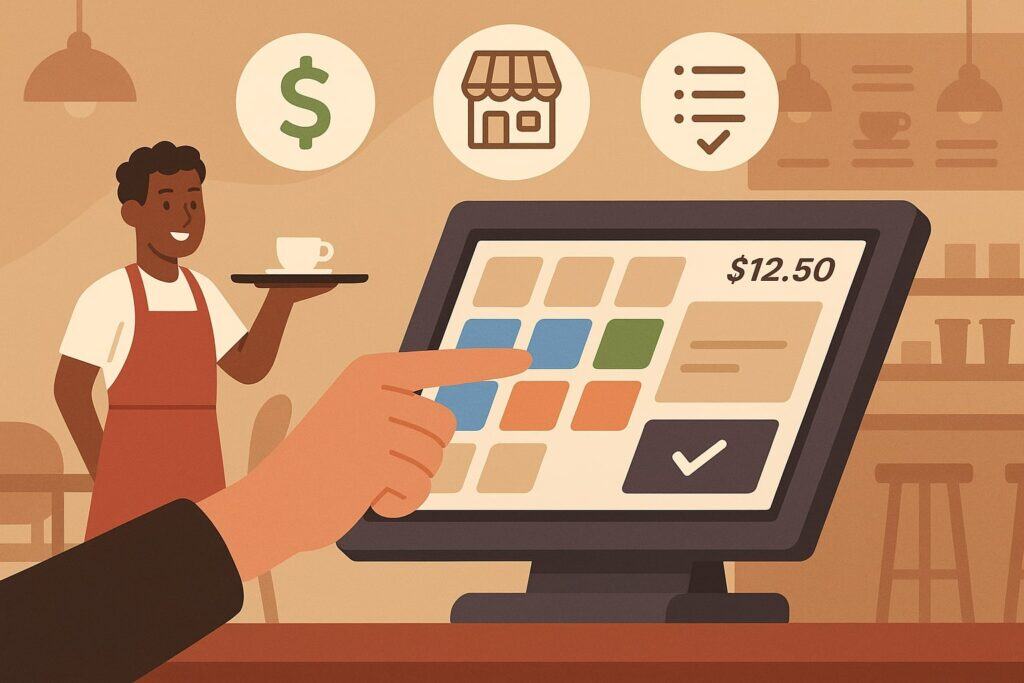
Foodservice in Pittsburgh can swing from sleepy weekday mornings to slammed game-day evenings. An affordable POS for cafés, food trucks, and casual restaurants should prioritize speed, clarity, and scale.
Start with the menu layout: categories on the left, items in the center, and modifiers that appear contextually. The fewer taps to ring a common order, the better. If a cappuccino with oat milk and a breakfast sandwich is your most frequent combo, build a quick button or modifier preset.
Look for “smart modifiers” that surface most-used options at the top and allow extra/less customizations in one tap. This isn’t just convenience: shaving two seconds per ticket adds up to dozens of saved minutes across a morning rush.
Next, insist on reliable offline mode with automatic sync. Many cafés operate in brick buildings with iffy Wi-Fi or share bandwidth with residential tenants. Your POS should accept tap, chip, and swipe even when the connection blips, then queue and sync once you’re back online.
If you’re a food truck or do events at Point State Park, consider a cellular hotspot or a terminal with built-in LTE as cheap insurance. Battery life matters; a system that dies mid-line is the opposite of affordable.
Also evaluate receipt printers and KDS placements so they’re protected from steam and splashes. Simple things—like kitchen chits that print the customer name and key modifiers in bold—cut remake costs and keep lines moving.
Tipping and customer experience can make or break your margins. Configurable tip prompts with reasonable defaults boost staff earnings without pressuring customers. Tableside payments reduce walk-aways and increase table turns.
If you do counter service, consider name-based or SMS order notifications over shouting names into a crowded room. Online ordering can be a revenue multiplier for cafés and quick-serve; choose a system that syncs menus in real time and lets you throttle orders during peaks so the kitchen doesn’t get buried.
For catering or bulk orders, ensure invoicing and scheduled payments are supported. Affordable doesn’t mean minimal—prioritize features that raise throughput, reduce waste, and create repeat customers through a painless experience.
Finally, watch taxes and reporting. Menu items should have correct tax categories from day one, and tips/gratuities must export cleanly to payroll. Your POS should provide end-of-day cash reconciliation that even a new hire can follow.
The right reports—sales by menu category, item profitability, voids/comps, and labor versus sales—help you spot issues before they snowball. When a vendor bundles these features into a modest monthly plan and competitive processing, you’ve found a truly affordable option that’s built for the realities of Pittsburgh’s food scene.
Budget-Friendly Retail POS: Inventory Without the Headache
For small retailers, affordability hinges on inventory accuracy and ease of receiving. A budget POS that skimps on stock tools forces manual counts and guesswork that cost you real money. Prioritize CSV import for your initial SKU list, barcode printing for clean shelf labels, and quick receiving that updates on-hand and cost.
If you sell apparel, matrix variants (size/color/style) are essential; if you’re a hobby shop or electronics store, consider serialized tracking to prevent shrink and simplify returns. Low-stock alerts, reorder points, and vendor catalogs shorten the cycle from “we’re out” to “it’s back on the shelf.”
Customer experience matters, too. A seamless return workflow, gift receipts, store credit, and loyalty points keep shoppers comfortable buying gifts or trying new brands. Discounts should be easy to apply at the item or cart level, with clear logging to prevent abuse.
For pop-ups or markets, mobile POS connected to your same catalog avoids double-selling and ensures you’re not guessing on prices under pressure. If you sell online, native eCommerce or tight integrations are key; products, inventory, and prices should sync without manual updates.
Affordable retail POS doesn’t mean fragile. It means “good enough” hardware with barcodes that scan fast, labels that don’t smear, and a clean interface your weekend staff can learn in 20 minutes.
Reporting is where small retailers often unlock hidden cash. Identify dead stock and run promotions to move it. Track margin by vendor to renegotiate or replace underperformers. Watch attachment rates (e.g., socks with shoes, filters with espresso machines) to coach staff.
If your POS can schedule and email you a weekly “Top Movers” and “At Risk” report, you’ll stay proactive without camping in the back office. Tie this to your accounting so the cost of goods sold (COGS) and sales tax map correctly.
When a POS gets inventory and reporting right at a reasonable monthly fee—and doesn’t force you into a high processing rate—you’ll feel the affordability in your bank account, not just on a price sheet.
Hardware & Connectivity: Getting Set Up for Pittsburgh Conditions
Pittsburgh buildings can be quirky. Thick walls, mixed tenants, and older electrical work sometimes collide with modern tech. Your affordable POS plan should include a practical hardware layout and connectivity backup.
Start with a site walk-through. Where will the main terminal live? Is there a clear cable path to the receipt printer and cash drawer? Will a kitchen printer sit beside a hot line or a steamy espresso machine?
If so, choose printers rated for higher temps and protect them with simple shields. Mount tablets securely to deter grab-and-go theft, and consider a locking cash drawer. For retailers, place barcode scanners ergonomically—staff should not twist repeatedly to scan.
Connectivity deserves its own mini-plan. Use a business-grade router, split a guest Wi-Fi network, and prioritize your POS devices on a dedicated SSID. In older buildings or long narrow shops, add a mesh access point near the register and one toward the back.
Configure automatic firmware updates at off hours. For food trucks and market stalls, test your hotspot speeds during the hours you plan to sell, not at midnight. Build an offline checklist: print it, tape it near the register.
It should include steps for switching to offline mode, running transactions, and reconciling once service returns. A $10 surge protector and a $50 backup battery for your modem can save a frantic Saturday.
As for devices, choose durable but budget-friendly gear. A well-known tablet with a protective case and a sturdy stand can be more affordable over time than a cheap, no-name terminal that fails twice a year.
Receipt printers should be thermal for speed and simplicity; keep spare paper and a backup printer cable. If you use a KDS, ensure screens are bright and readable at a glance, with hoods or mounts that cut glare.
For mobile line-busting, lightweight handhelds with tap-to-pay reduce bottlenecks. If you’re in a high-tip environment, consider terminals that let customers review the bill and tip privately; this small UX choice often lifts tip rates and satisfaction.
Plan for growth. Even if you start with one station, choose a POS that supports a second terminal or handheld without a major upgrade. If you expand to a second neighborhood, multi-location inventory and centralized reporting will save you hours.
Look for modular hardware: add a barcode scanner later, switch from printed to kitchen screens when you’re ready, or add a scale if you start selling items by weight. Affordability includes not replacing everything when your business evolves; it means adding only what you need when you need it.
DIY vs. Professional Installation: What’s Truly Cheaper?
It’s tempting to save money by unboxing everything yourself—and for many simple setups, you can. A single-terminal café with Wi-Fi and one printer is within reach for a handy owner. Vendors often provide good setup guides and short videos.
However, there’s a real opportunity cost to DIY when your configuration is more complex. Multi-printer kitchens, hardwired Ethernet drops through thick walls, label printers for retail, and tricky Wi-Fi topologies can burn days you don’t have.
A professional installer who does this weekly can complete the job in hours, optimize cable runs, label everything, and train your staff on best practices. They also spot issues you might miss: a flaky power strip, a congested Wi-Fi channel, or a printer too close to heat.
Consider a hybrid. Do the unboxing, inventory import, and menu build yourself, then bring in a pro for a two-hour on-site session to finalize wiring, test offline mode, and walk your team through their first closeout.
That balance is often the most affordable path: you avoid paying someone to do simple tasks while ensuring the tricky bits don’t derail you on opening weekend.
If you do hire a pro, ask for documentation at the end: Wi-Fi credentials, device names, cable labels, and a diagram. This “as-built” record saves future headaches and makes it easier if you ever change vendors.
Training is part of installation. Even the best hardware will feel expensive if your team struggles to use it. Schedule a dedicated staff training session—ideally during a quiet period—and cover the full workflow: clock-in, open a ticket, apply modifiers, split checks, apply discounts, process tips, close out, and run end-of-day reports.
For retail, practice receiving stock, printing labels, processing exchanges, and running cycle counts. Create a one-page cheat sheet and keep it at the register. The hour you invest here pays back immediately in faster lines, fewer mistakes, and less time you spend fixing avoidable errors.
Payment Processing Choices: Rates, Contracts, and Local Realities
Processing is the heartbeat of your POS cost structure. In Pittsburgh, as everywhere, you’ll encounter flat-rate, tiered, and interchange-plus pricing. Flat-rate is simple: one percentage and per-transaction fee for most cards, sometimes with a higher rate for keyed or online transactions.
It’s predictable and great for new or low-volume businesses, but it can be pricier as your volume grows. Tiered pricing groups transactions into “qualified,” “mid-qualified,” and “non-qualified”—be cautious, because many common cards end up in the higher-cost tiers.
Interchange-plus charges the underlying network fee (which varies by card type) plus a transparent markup; it often delivers the best effective rate at scale, but you must read the fine print.
The contract matters as much as the headline rate. Month-to-month with no early termination fee gives you leverage. If a provider wants a multi-year commitment, ask for concessions: lower markup, free extra terminals, reduced PCI fees, or a rate review clause at 6 or 12 months.
Scrutinize monthly fees (gateway, statement, PCI), minimums, batch fees, chargeback fees, and equipment leases. Avoid leasing hardware if you can; buying outright or using short-term financing is typically cheaper.
Ask how American Express is priced, what happens with international cards, and whether debit is routed for least cost (which can lower your effective rate on many transactions).
If you operate in tipping environments, configure tip prompts that reflect local norms and your service level. Make sure tips are clearly separated from service charges and that your reports export cleanly to payroll.
For bars and restaurants, consider pre-auths for tabs and EMV/contactless for speed and fraud reduction. If you accept online orders or invoices, understand card-not-present pricing and whether address verification (AVS) reduces risk or cost.
For retailers, ask about EBT support if relevant, and clarify return policies to minimize chargebacks. A good processor will help you reduce disputes with clear descriptor names and best-practice receipts.
Ultimately, the most affordable path is a processor who can analyze your statements, propose the right model for your volume and mix, and back it with responsive support. Negotiate respectfully but firmly.
Bring your numbers: average ticket, monthly volume, card-present vs. online, and seasonality. Ask for a target effective rate, not just a menu of fees, and track it monthly to ensure promises translate into reality. If you don’t measure it, it will creep.
How to Negotiate Processing Rates (Without Burning Bridges)
Start with data. Pull three recent months that reflect normal traffic—not an outlier event—and compute your current effective rate: total fees divided by total processed volume. Break out card-present versus card-not-present.
Note your average ticket and the mix of debit versus credit if you can. With those numbers, approach at least two vendors and ask for proposals in writing.
Don’t just ask “what’s your rate?” Ask for a modeled effective rate based on your volume and mix, including all monthly fees. When vendors know you’re comparing apples to apples, they sharpen their pencils.
Be clear on priorities. If you value month-to-month flexibility, say so. If you plan to open a second kiosk at Phipps or expand to a second neighborhood next year, mention it—growth can unlock better pricing now.
If you need a specific integration or hardware form factor, disclose that early so you don’t waste time negotiating a plan that requires different gear.
When a vendor offers a concession, ask for it to be baked into the agreement: a fixed markup over interchange, a waived monthly fee for the first year, or a rate review clause at a set volume threshold.
Stay professional and remember you’ll need the vendor’s support team later. Aggressive haggling can win a few basis points but sour the relationship. Instead, aim for transparency and partnership: “Here are my numbers and my must-haves.
I’m choosing between you and one other provider this week. If you can meet this effective rate and keep terms month-to-month, I’m ready to sign.”
After you go live, measure your actual effective rate for the first two months and circle back if it deviates materially from the proposal. The best processors welcome that discipline—it builds trust and ensures you stay a happy customer.
Security, Compliance, and Risk Basics (Made Simple)
Security doesn’t have to be scary or expensive. A modern POS should tokenize card data so sensitive numbers never touch your network or devices in plain text. Choose providers that are PCI-compliant and update software regularly.
On your side, adopt a few low-cost habits: unique staff logins (no shared pins for everyone), role-based permissions (cashiers shouldn’t change tax rates), and a quick lock when a terminal sits idle.
Keep devices physically secure, especially mobile readers. Use strong Wi-Fi passwords, and separate your POS network from guest Wi-Fi. If your location uses a shared building connection, a modest firewall/router upgrade is worth it.
For fraud and chargebacks, clear receipts and descriptors help customers recognize purchases, reducing “friendly fraud.” Train staff to match signatures only when required and to verify IDs for suspicious high-ticket purchases.
For card-not-present invoices, AVS and CVV checks add small speed bumps for fraudsters. In hospitality, handle tips correctly and export to payroll with consistent rules.
Keep your POS updated; scheduled updates overnight or before open are safer than surprise patches during lunch rush. Affordable security is about consistency: a few guardrails and a little training go a long way.
Implementation & Migration: Step-by-Step Without Downtime
A smooth rollout starts with data. Export your current menu or SKU list to CSV and clean it: tidy names, consistent modifiers, correct taxes, and accurate costs. For retailers, confirm vendor names and SKUs; for restaurants, decide on modifier groups and forced choices (e.g., select a side).
Import this into your new POS and test on a staging device. Ring a dozen typical orders or transactions, including discounts, refunds, and returns. Test offline mode and printer/KDS routing. If you integrate with accounting, run a “fake day” and ensure mappings look right.
Plan your go-live for a quieter time—midweek morning, not game day. Keep your old system around for a day as a safety net, but commit to the new one after a short overlap to avoid confusion.
Train staff with realistic scenarios and give them a cheat sheet. Assign a floor captain for the first few days: someone who can answer “how do I split this check?” without stopping the line. After day one, review reports: was tax correct, did tips export, were any items mis-categorized?
Fix quickly and communicate changes to the team. A measured rollout protects your sanity and your cash drawer.
A Practical, No-Fluff Evaluation Checklist
- Core Fit: Can it handle your busiest workflow in under 30 seconds from start to finish? Test your most common order or transaction live.
- Reliability: Does it have offline mode, and have you tested it? What’s the plan for power and Wi-Fi hiccups?
- Inventory/Modifiers: Are stock tools or menu modifiers intuitive? Can a new hire find them?
- Reporting: Do the daily, weekly, and product reports answer the questions you actually ask yourself?
- Integrations: Accounting, loyalty, online ordering/eCommerce—are they included or extra?
- Pricing Clarity: What’s the total monthly cost at your real device count? What’s the effective processing rate modeled on your volume?
- Contracts: Month-to-month? Early termination fees? Rate review clause?
- Support: Real humans, nights/weekends availability, and clear SLAs.
- Hardware: Durable enough for your environment, with a plan to add devices later without re-platforming.
- Security & Compliance: Tokenization, PCI posture, user permissions, and basic network hygiene.
Apply this checklist to two or three finalists, score each category 1–5, and pick the highest-scoring system that fits your budget and timeline. Simple beats are perfect.
Case-Style Scenarios from Around Pittsburgh
Consider a Lawrenceville café that started with a single tablet and printer. By prioritizing menu design, KDS, and order-ahead, they cut ticket times by 20% and increased morning throughput without extra staff. Their “affordable” choice wasn’t the cheapest plan—it was the plan that included KDS and loyalty, which paid back in two months.
A Shadyside boutique focused on inventory and customer groups; by printing shelf labels and tracking variants accurately, they reduced stockouts and negotiated better terms with a vendor when margin reports highlighted lagging lines.
Meanwhile, food truck working festivals invested in a rugged handheld with LTE and long battery life; a cheaper device would have died during prime hours, costing far more than the hardware savings.
These examples illustrate a theme: affordability is context-dependent. The system that pays for itself in a café might be overkill for a salon, and vice versa.
What unites the winners is a clear understanding of their workflows, a realistic TCO model, and a commitment to measuring results. When you focus on those fundamentals, the “best deal” becomes obvious.
FAQs
Q.1: What’s the difference between a cheap POS and an actually affordable POS?
Answer: A cheap POS looks good on day one because the upfront cost is low or the plan is free, but it can become expensive as you grow. Hidden costs hide in processing rates, feature add-ons, extra registers, and the time your team spends fighting clunky workflows.
An actually affordable POS is one that fits your business model, reduces waste, and helps you make more money with fewer headaches.
It may cost a modest monthly fee, but it saves you labor, prevents errors, and provides reports that let you buy smarter or schedule better. Over 12–36 months, that system costs less in total and supports growth without forcing a painful switch.
Think of it like buying a delivery van for a bakery. The cheapest van might get you across town once, but if it breaks down on a winter morning, the lost sales dwarf whatever you saved. A reasonable, reliable van with good mileage and low maintenance wins over time.
In POS terms, reliability (offline mode, durable hardware), essential features (inventory, modifiers, loyalty), and predictable processing fees are the “good mileage and low maintenance.” That’s where affordability lives—steady, compounding ROI instead of upfront gimmicks.
Q.2: How do I estimate my true processing cost before I sign anything?
Answer: Start with your sales profile: average ticket, monthly volume, share of card-present vs. online or keyed, and seasonality. Ask each vendor to model your effective rate—including per-transaction fees and monthly fees—using those numbers.
Don’t accept a generic “as low as 2.6%” headline; request a statement-style breakdown. If you have past statements, share them (redacted if you prefer) for a real analysis. Then compute total fees ÷ total volume for a single effective rate you can compare across proposals.
Run “what if” scenarios: what if your volume doubles during summer festivals? What if your average ticket drops when you add a grab-and-go case? What if you add online ordering, increasing card-not-present volume?
The right vendor will walk through these scenarios and propose pricing that remains fair. Keep the contract flexible—month-to-month or with a rate review clause—so you can adjust if the reality diverges from the model. Measuring monthly for the first quarter after go-live ensures you lock in affordability, not just promise it.
Q.3: Do I really need a kitchen display system (KDS) or barcode printer right away?
Answer: Not always—but waiting too long can be more expensive than buying early. If your café or quick-serve kitchen calls out orders and rewrites missed modifiers, the cost of remakes and slower lines is real. A KDS pays back when tickets stack up and accuracy matters.
For retailers, a barcode printer eliminates pricing confusion, speeds checkout, and reduces returns due to wrong rings. If you’re very small, you can start without them and add later—but set up your POS so adding KDS screens or printing labels is easy. Choose a vendor with modular hardware support and clear upgrade paths.
A good litmus test is to run a time-and-error audit for a week. How many tickets were remade? How often did staff ask, “what’s the price on this?” How long are your lines at peak?
If the weekly cost of errors and lost throughput is even close to the monthly cost of the hardware, it’s time to invest. Affordability is about reducing avoidable waste. The right accessory, added at the right time, is not a luxury—it’s operational leverage.
Q.4: How should I prepare my team so the switch doesn’t disrupt service?
Answer: Treat the rollout like a small event. Pick a slow morning for go-live. Create test orders that mirror real life: special modifiers, split payments, gift cards, returns.
Assign one team member as the “POS champion” who learns the system deeply and coaches others for the first week. Provide a one-page cheat sheet with screenshots for the most common tasks. Practice end-of-day close so your first real closeout is smooth. These steps cost almost nothing but drastically reduce stress and mistakes.
Communication is everything. Tell your team why you’re switching (“faster lines, better tips, fewer errors”), explain what’s changing (“tap-to-pay here, new tip screen there”), and set expectations (“we’ll move slower for a day or two; that’s okay”).
Celebrate small wins—“we shaved two minutes off the lunch rush”—so everyone buys into the new system. When your staff feels confident, your customers feel it too.
Q.5: Can I keep my existing payment processor and still upgrade my POS?
Answer: Sometimes. Some POS platforms are processor-agnostic and let you plug in a range of merchant accounts via gateway integrations. Others require you to use their in-house processing to unlock features or lower software pricing.
The trade-off is simple: using the POS’s native processing often simplifies support and reconciliation, while third-party processing can protect rate flexibility if you negotiate well.
If you have unusually good rates already—or contractual reasons to keep your current processor—look for a POS that supports it cleanly and without excessive gateway fees. Run the math both ways.
A slightly higher software fee with open processing might still be cheaper overall if it lets you retain a great interchange-plus deal. Conversely, an all-in POS + processing bundle could be more affordable if it eliminates separate gateway charges and gives you better integration (fewer sync issues, fewer support hand-offs).
The most affordable path is the one with the lowest verified TCO and the fewest finger-pointing moments when something breaks.
Q.6: What’s the smartest way to scale from one terminal to two (or add a second location)?
Answer: Plan for scale on day one. Pick a POS that can add terminals with a few clicks, share the same item catalog, and keep inventories in sync. For a second terminal in the same shop, think about roles: should the bar terminal handle drinks only? Does the line-buster handheld need restricted permissions?
For a second location, decide what’s shared (loyalty, gift cards, reports) and what’s unique (tax rates, menus, local stock). Affordable scaling means you don’t need to duplicate data or pay for a new platform; you build on what you already have.
The budget for a short training burst with each expansion. New terminals change flow; refine your floor plan and printer/KDS routing to avoid collisions. Review reports after the first week: is labor balanced? Are lines shorter? Did the average ticket rise because line-busting encouraged add-ons?
Small operational tweaks—prompting for bakery add-ons in the café line, or moving impulse items near the boutique register—compound the ROI of that second terminal. Scaling is affordable when it improves throughput and customer experience more than it increases fixed costs.
Conclusion
Choosing an affordable POS in Pittsburgh isn’t about finding the lowest monthly fee; it’s about selecting a dependable system that matches your workflow, keeps fees predictable, and pays for itself through efficiency and smarter decisions.
Start by mapping your real-world needs: café modifiers and KDS, retail inventory and barcodes, service bookings and memberships. Build a simple TCO model over three years that includes hardware, software, processing, and a realistic allowance for training and support.
Prioritize reliability—offline mode, sturdy hardware, and responsive support—because a few hours of downtime during a busy weekend can erase a year’s savings. Shortlist two or three vendors that meet your must-haves.
Test them against your busiest scenarios, not just a demo script. Ask for written pricing modeled on your numbers, including all fees, and compare effective rates. Negotiate respectfully for terms that protect your flexibility: month-to-month software, clear cancellation, and a rate review at defined milestones.
Plan your rollout for a calm window, train your team with real scenarios, and measure results in the first month. When you see faster lines, cleaner reports, and fewer errors, you’ll know affordability is no longer just a promise—it’s happening every day in your shop.
Pittsburgh is a city of resilient, inventive small businesses. With the right POS foundation—one that’s cost-smart, reliable, and tailored to your trade—you’ll spend less time fighting technology and more time serving customers, building loyalty, and growing profit.
Use the frameworks in this guide, trust your on-the-ground instincts, and make the choice that fits your neighborhood, your team, and your ambitions. That’s how an “affordable POS” becomes a competitive advantage you can feel in your daily flow and see in your numbers at the end of every month.