Pittsburgh’s restaurant scene is a glorious mash-up: legacy pierogi houses and Primanti-style sandwich shops rub shoulders with chef-driven concepts in Lawrenceville, sleek cocktail bars Downtown, and high-volume concessions at stadiums on the North Shore.
If you’re opening—or upgrading—a restaurant in the Steel City, your point-of-sale (POS) system has to handle more than tickets and tips. It needs to juggle Pennsylvania’s sales-tax rules, Allegheny County’s drink tax, Steelers game-day surges, happy-hour compliance, online orders, and finicky internet in century-old buildings.
This guide breaks down what matters in a Pittsburgh restaurant POS in 2025, compares leading platforms (Toast, Square for Restaurants, Lightspeed Restaurant, SpotOn, TouchBistro, Clover, and a couple of honorable mentions), and gives you a practical, step-by-step way to choose, implement, and get ROI—without overbuying or locking yourself into a bad contract.
I’ll also flag Pittsburgh-specific compliance gotchas (yes, the county drink tax is real) and include FAQs at the end.
Why “Best POS” in Pittsburgh Isn’t One-Size-Fits-All (What Matters Most Locally)
Choosing a “best” restaurant POS isn’t like ranking smartphones. In Pittsburgh, the right system depends on service style, venue location, labor model, and local compliance.
Fine-dining on Butler Street has different needs than a fast-casual kiosk queue near campus—or a bar program that relies on happy hour downtown. Start with the following Pittsburgh-specific priorities.
First, tax compliance. Pennsylvania’s base sales tax is 6%. Restaurants in Allegheny County (which includes Pittsburgh) pay an additional 1% local sales tax, effectively a 7% sales tax on taxable restaurant sales. Your POS must calculate it properly across eat-in, takeout, and catering, and maintain clean reporting.
Pennsylvania’s Department of Revenue explicitly notes the additional 1% for Allegheny County in its industry guidance for restaurants—so your tax mappings must be airtight to avoid under-collection or messy end-of-month remits.
Second, the Allegheny County Alcoholic Beverage Tax (often called the “drink tax”). It’s a separate 7% tax on retail sales of alcoholic beverages—applicable to mixed drinks, wine, and beer.
Your POS should support a dedicated “alcohol tax” itemization that applies only to eligible items, stacks correctly with sales tax when required by local rules, shows transparently on guest receipts, and exports to your accountant’s general ledger.
The Treasurer’s office provides guidance and registration—your system should make configuring and maintaining this trivial, not a spreadsheet fire drill.
Third, labor and tipping. Pennsylvania’s general minimum wage remains $7.25, with a tipped base of $2.83 (make-up via tip credit to meet minimums).
You need a POS with rock-solid tip workflows (especially for pooled houses), proper declaration, and overtime tracking—plus configurable service charges for banquets or large parties.
Fourth, alcohol discounting rules. If you run happy hour, your POS and promo engine should make it easy to set discount windows that comply with state law (e.g., duration caps and timing).
Even if your concept isn’t discount-heavy, you’ll want the ability to schedule and audit promotions—especially if your location depends on pre-game or post-game flow. (Pennsylvania’s “happy hour” framework places limits on duration and timing; ensure your POS can schedule and report these accurately.)
Fifth, hardware fit and reliability. Many Pittsburgh spaces are snug, brick-and-beam, and Wi-Fi-challenged. Prioritize systems with offline mode, mobile handhelds for tight tables, spill-resistant terminals, and well-supported kitchen display systems (KDS).
If you’re in venues that experience surges (game nights, festivals), mobile handhelds and QR pay can be the difference between 10-minute and 25-minute ticket times.
Finally, ecosystem and fees. Beyond monthly software, add processing, hardware, installation, menu builds, and third-party integrations. Budget ranges vary—from free-to-start plans to robust enterprise tiers.
A realistic ballpark for SMB restaurants is software $39–$89/month per device (or per location tiers) plus hardware that can run hundreds to a few thousand per station; payment fees for full-service restaurants often hover around ~2.6 – 2.9% + per-transaction unless you negotiate.
The Shortlist: 7 Restaurant POS Platforms Pittsburgh Operators Actually Use
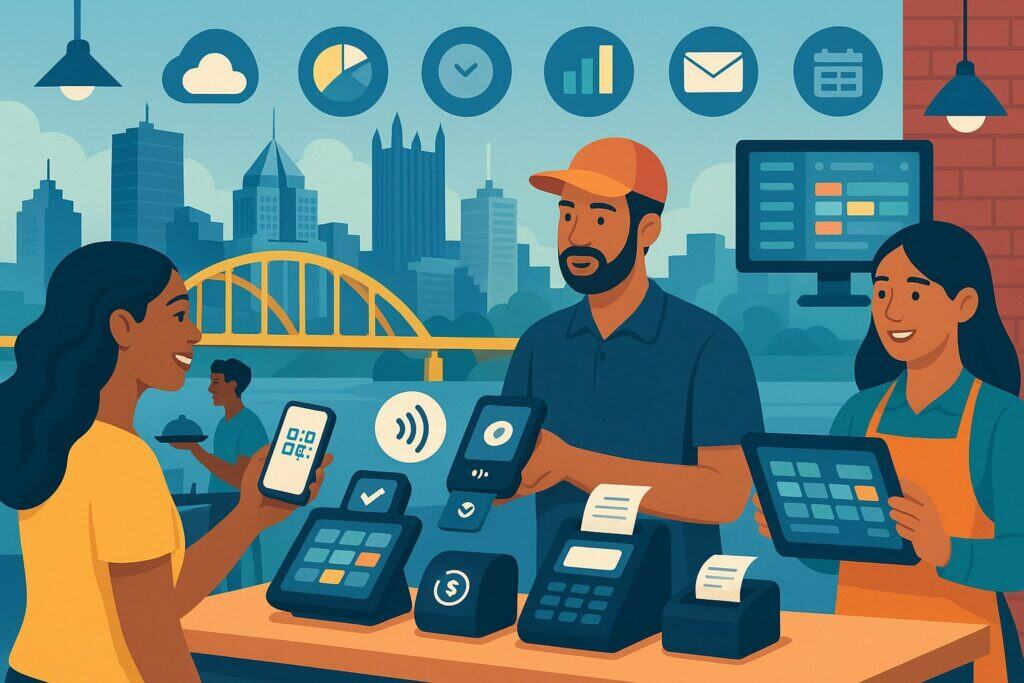
Here’s a curated look at leading options, with a Pittsburgh lens—what they’re best at and what to watch out for.
Toast
Why Pittsburgh likes it: Toast is purpose-built for restaurants and it shows—especially table service, KDS, coursing, handhelds (Toast Go®), and unified online ordering.
If you’re running a bustling dining room (think Lawrenceville or South Side), servers using handhelds to fire orders and checkout tables can shave minutes off each turn, which adds up on busy nights.
Toast’s suite also includes payroll, scheduling, and robust reporting, making it attractive for multi-unit operators who want one throat to choke.
Strengths: Deep restaurant feature set; durable, spill-resistant hardware; strong KDS; native online ordering and QR pay; ample integrations; scalable as you add locations.
Considerations: Typically requires using Toast’s payments (no third-party processors), and contracts can be multi-year—read terms carefully and model total cost, including hardware financing.
Square for Restaurants
Why Pittsburgh likes it: Fast to launch and intuitive. It’s a fit for quick-service, cafés, food halls, and pop-ups (think Strip District or market stalls).
The new Square Handheld adds an affordable, mobile all-in-one device suitable for table-side or patio service, which is great for bars and neighborhood spots that want mobility without a big hardware bill. Square’s pricing transparency helps small operators keep control as they grow.
Strengths: Easy onboarding; flexible hardware (from iPads to Square Handheld); solid KDS included on some plans; strong ecosystem (invoicing, marketing, loyalty).
Considerations: Advanced table service and inventory depth can lag dedicated restaurant leaders; processing rates are mostly standard unless you qualify for custom.
Lightspeed Restaurant (K-Series)
Why Pittsburgh likes it: Strong for multi-venue groups and concepts that need nuanced menu engineering, inventory, and mobile ordering across rooms or floors.
Lightspeed iterates quickly (monthly release cadence), with recent enhancements around mobile POS (splits, tipping), reporting, and hotel/fine-dining integrations—useful for downtown boutique hotels or high-end rooms.
Strengths: Robust back office; mobile-first table service; multi-location menu control; integrations. Considerations: Pricing and setup can be higher than entry-level options; make sure your team will use the advanced features you’re paying for.
SpotOn
Why Pittsburgh likes it: A well-rounded platform for busy bars and full-service operations that want in-person setup and training, handhelds, QR ordering, and marketing tools—without feeling “locked in” to an opaque plan.
SpotOn emphasizes transparent pricing and on-site deployment, which can be valuable if you need help building menus or mapping complex pricing (happy hours, game-day specials).
Strengths: Hands-on onboarding; marketing & loyalty; hardware breadth; frequent software updates. Considerations: Some plans start higher than entry competitors; confirm processing terms and any equipment leases before signing.
TouchBistro
Why Pittsburgh likes it: iPad-based, known for table service workflows and ease of use. It’s a favorite for chef-driven independents who want straightforward FOH/BOH tools without a giant IT footprint. TouchBistro also publishes an annual State of Restaurants report—useful for benchmarking.
Strengths: Polished front-of-house; menu management; bar/nightlife support; approachable for smaller teams. Considerations: Payments and hardware choices vary by package—model total cost including gateways and add-ons.
Clover (Honorable Mention)
Why Pittsburgh likes it: If you prefer a merchant-services-centric approach with decent restaurant capabilities (especially counter-service or simple table layouts), Clover can be cost-effective and widely supported by local ISOs and banks.
Be sure to map taxes precisely (alcohol vs. non-alcohol) and verify the specific restaurant app stack you’ll use. (General ranking lists often praise Clover’s value for money and hardware breadth.)
Revel Systems / Lavu (Situational)
Revel and Lavu can make sense for concepts with specific needs (enterprise kiosks, stadium concessions, or custom kitchen routing).
In Pittsburgh’s stadium and event context, their kiosk and offline strengths can be appealing—just ensure local support and integrator availability. (Industry roundups commonly list Lavu among restaurant-focused options to consider.)
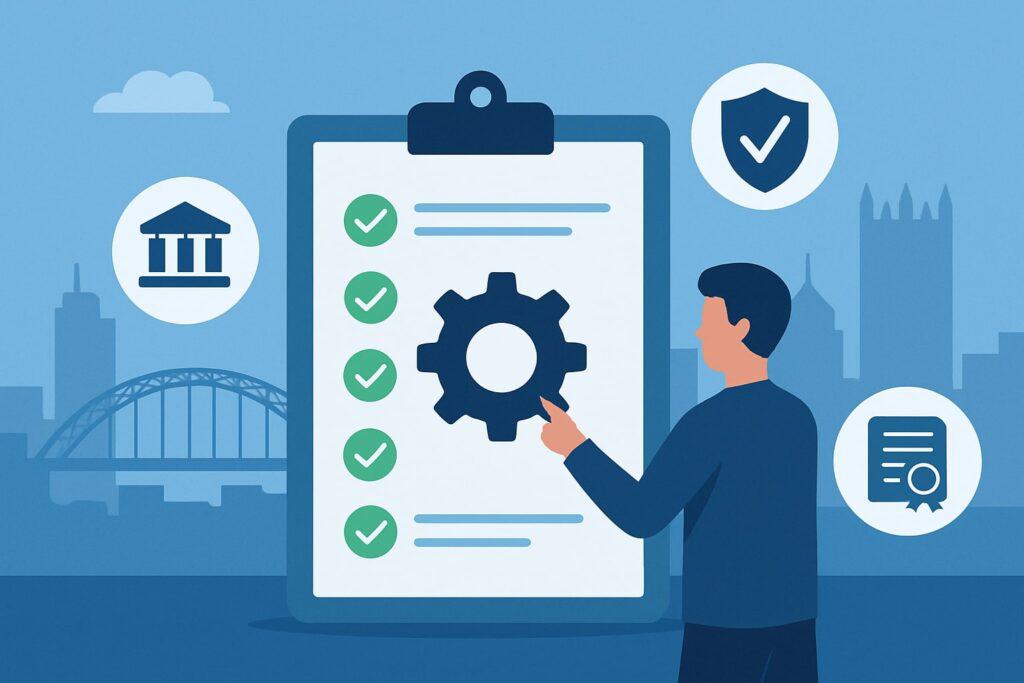
Pittsburgh Compliance & Configuration: How to Get Taxes, Tips, and Happy Hour Right (and Keep Audits Boring)
- Sales tax setup: In your POS back office, create tax groups reflecting 7% (state 6% + Allegheny 1%) on taxable restaurant sales.
Pennsylvania’s restaurant industry guide clarifies taxable categories, including non-alcoholic beverages; ensure takeout vs. dine-in consistency, and test catering scenarios if applicable. Label line items clearly on receipts so guests and auditors can see how tax applies. - Alcoholic Beverage Tax: Create a separate 7% Drink Tax that applies to SKUs flagged as alcohol (beer, wine, mixed drinks). The Allegheny County Treasurer’s guidance says “every retail sale” of alcoholic beverages is taxable—configure your buttons, PLUs, and modifiers so you never miss a pour.
Your POS should report daily summaries of alcohol sales, taxable base, and the exact drink-tax amount. Build end-of-month reports that reconcile register totals, credit card batches, and bank deposits for filing. - Tips and service charges: Configure tip prompts on customer-facing screens (for counter-service) and customizable tip percentages on printed receipts (for table service). If you add a service charge (banquets, large parties), label it explicitly and decide whether it is tip-eligible in payroll.
Pennsylvania’s tipped wage and federal FLSA rules require careful reporting—your POS should produce tip declaration reports for payroll and auto-alert managers when a server’s declared tips wouldn’t meet tip-credit requirements. - Happy hour rules: Pennsylvania places limits on discount duration and timing; you should schedule timed promotions in the POS (e.g., Mon–Thu 4–6 PM, not exceeding weekly limits) and lock discount buttons to those windows.
Advanced systems let you pre-price happy-hour menus, avoiding manual overrides (which create audit noise). Train staff: no selective discounts by group (e.g., not “ladies free”), and stop promotions by midnight. (Reference both PLCB discounting guidance and commonly cited summaries of the happy-hour rules.)
Deep Dives: Matching POS to Pittsburgh Restaurant Types
Full-Service & Chef-Driven (Butler St., Shadyside, Downtown rooms)
For seated dining with coursing, wine service, and checks that split like a calculus problem, prioritize table maps, seat-level ordering, coursing/KDS, handhelds, and modifiers that don’t make servers cry.
Toast shines here with dedicated restaurant hardware and a mature KDS; Lightspeed K-Series offers mobile table service and centralized menu control for multi-room spaces; TouchBistro nails the FOH ergonomics many independents love.
For wine and cocktails, your POS should allow item-level tax mapping so drink tax calculation is automatic. If you do tasting menus or chef’s counters, look for fire pacing and prep station summaries. Consider a payments setup with table-side pay to turn tables faster and minimize walkouts.
Pro tip (Pittsburgh events): On game days, your dining room may become a pre-game crush. Use QR order-and-pay for bar areas and patios so walk-ins can order rounds without flagging a server. Systems like Toast, Square, and SpotOn can switch modes quickly—think “bar mode” for speed, then “table mode” for service.
Fast-Casual, Counter-Service, Food Halls
If you’re serving bowls, pizza, or sandwiches with line-busting throughput, look for self-serve kiosks, QR ordering, smart prep routing, and kitchen expo screens that prioritize speed. Square for Restaurants is great for quick launch and low friction, bolstered by the new Square Handheld for line-busting and patio checkout.
Toast and SpotOn bring stronger kitchen routing options if your menu is complex (multiple stations), and Lightspeed provides a good balance if you plan on rolling out additional locations or ghost kitchens.
Pro tip (takeout heavy): Integrate online ordering directly (Toast, Square Online, SpotOn Order, Lightspeed Order Anywhere) to avoid double entry, and use KDS to separate delivery, pickup, and dine-in rails. Keep tax on to-go beverages consistent with PA rules and mark alcohol items for drink-tax logic if your license allows to-go.
Bars, Breweries, Nightlife
You need tabs, age verification flows, quick item modifiers, and happy-hour scheduling. SpotOn and Toast handle high-volume bars with handhelds and fast KDS; TouchBistro is a popular bar pick for intuitive tab management; Square is compelling if you want low-friction setup and the new handheld devices at affordable price points for roaming bartenders or patio staff. Make sure your POS can isolate alcohol sales for the 7% drink tax and provide audit-ready reports.
Pro tip (happy hours): Use scheduled price lists rather than manual discounts to ensure you comply with Pennsylvania’s timing/duration rules and to keep reporting accurate for drink-tax filings.
Pricing Reality Check (2025)
Expect software plans that scale from “starter/free” to premium/enterprise tiers. A small Pittsburgh concept might start with a free or low-cost plan (Square) and a couple of devices, then step up as complexity grows.
Systems like Toast often package software by modules (KDS, online ordering, payroll), while others bundle features at the location level.
Hardware costs range widely: handhelds from a few hundred dollars to specialized restaurant-grade devices, counter stations from sub-$1,000 to several thousand with printers, cash drawers, and KDS screens.
Processing rates often sit around the 2.6%–2.9% + per-transaction mark for SMBs unless you negotiate based on volume; large groups can secure custom rates. Factor installation, training, menu builds, and integrations (e.g., accounting, labor) into total cost of ownership, not just the monthly sticker.
How to Choose: A 10-Step Pittsburgh POS Selection Checklist
- Define service workflows (table service vs. counter vs. hybrid on game days).
- List must-have features (KDS, handhelds, QR, online ordering, loyalty, gift cards, inventory, reservations).
- Map taxes: 7% sales (state + Allegheny) and 7% drink tax on alcohol. Configure a test menu and simulate tickets.
- Model payments: Estimate card mix, average ticket, and monthly volume; ask for all-in effective rate and contract terms.
- Audit integrations: Accounting (QuickBooks), scheduling/payroll, delivery aggregators, hotel PMS if applicable.
- Check offline mode and network resilience for older buildings and crowded event nights.
- Pilot hardware: Try a handheld during a busy service; verify scanner/camera performance in dim bars (Square’s handheld and Toast Go-style devices are built for this).
- Request Pittsburgh references: Talk to operators in similar neighborhoods and volumes.
- Plan training & go-live: Insist on menu-build sign-off, staff training, soft launch, and support escalation contacts (SpotOn advertises in-person setup; Toast and others provide robust onboarding).
- Measure ROI: After 30/60/90 days, compare ticket times, labor efficiency, voids/comp %s, and tip averages.
Platform-by-Platform Highlights (with Pittsburgh Use Cases)
Toast: Deep FOH/BOH, KDS, and Handhelds for Busy Rooms
Toast’s stack is end-to-end: FOH, KDS, online ordering, loyalty, gift cards, and workforce. The hardware is restaurant-tough (spill-resistant), which matters in high-volume bars and tight dining rooms where a handheld might meet a pilsner.
KDS rules, prep station routing, and coursing reduce misfires. For multi-unit operators, centralized menu/version control minimizes chaos. Confirm contract length and processing exclusivity before you sign, and model the value of faster turns and fewer comps.
Square for Restaurants: Fast Setup, Flexible Hardware, and Budget Control
Square’s new handheld brings all-in-one mobility at a friendly price—which is perfect for Pittsburgh’s patios and neighborhood bars. Square KDS helps counter-service speed; Square Online integrates tightly for pickup/delivery, and the ecosystem (marketing, loyalty, invoices) is deep for the price.
If you need super-granular fine-dining tools, Square may require add-ons or creative workflows; for many concepts, the balance of cost, simplicity, and mobility is a win.
Lightspeed Restaurant (K-Series): Multi-Location Control and Mobile Table Service
Lightspeed is strong for operators who want structured back office and agile menu control (think concepts that tweak menus weekly). Recent updates improved mobile POS splits, tipping, and reporting.
If you’re building a group of bistros across neighborhoods (e.g., Downtown, East Liberty, Mt. Washington), K-Series centralization helps maintain consistency while letting each room run its vibe. Price your package thoughtfully so you use the advanced tools you’re paying for.
SpotOn: Hands-On Deployment, Strong Bar/Restaurant Performance
SpotOn leans into in-person setup & training and transparent pricing, which is ideal if you want a team to handle menus, tax mapping, and stations on-site. It’s a sturdy choice for bars and high-volume restaurants, with handhelds, QR, and a growing marketing/loyalty suite.
Clarify plan tiers and processing rates up front; the value proposition is strongest when you leverage both the POS and the customer-engagement tools.
TouchBistro: iPad-Friendly, Server-Centric, Great for Indie Dining Rooms
TouchBistro’s FOH experience is polished, with intuitive seat management and modifiers that servers adopt quickly. It’s particularly attractive for independent restaurants that want a refined table-service feel without heavy IT. Confirm payments and gateway details for Pittsburgh so you have clear end-to-end pricing.
Clover (Honorable Mention): Keep It Simple (and Supported) with Local Merchant Service Options
Clover’s value shows when you want simple counter-service or light table service with widely available local support. Many Pittsburgh merchants get Clover via their bank/ISO.
Confirm the restaurant-specific apps you’ll rely on (for KDS, modifiers, and scheduling), and ensure your taxes (sales + drink) are mapped at the item level. General guides often credit Clover with strong value and hardware variety.
Implementation Game Plan (From Contract to First Busy Weekend)
- Contract & planning: Before you sign, freeze your feature list, hardware counts, and processing terms. Set a go-live date at least two weeks after hardware arrives. Assign an internal “menu owner” and a “reports owner.”
- Menu build & taxes: Provide your final menu with tax flags: alcohol vs. non-alcohol (for drink tax), and any packaged goods. Configure drink tax (7%) as a separate mapping on eligible SKUs.
Test combos (e.g., a boilermaker vs. beer + shot rung separately). Validate sales tax at 7% for Allegheny County on taxable items using test tickets. - Payments & tips: Decide tip prompts and pooling rules. Run a mock service to test splits, voids, comps, service charges, and cash-tip declaration end-of-shift.
- KDS & expo: Build routing rules by station (grill, fry, pantry, bar). Create “late fire” buttons for coursing so the kitchen can pace without FOH chaos.
- Training: Do a two-phase rollout—classroom walkthrough, then shadow shifts. Use laminated “cheat sheets” for: (1) reopen/transfer checks, (2) split/merge, (3) reprint receipts, (4) unsent items vs. voids, (5) 86’ing and forced mods.
- Soft open: Run invite-only services for two nights. Set a dedicated “help desk” station (a manager with a laptop and back-office login). Log every hiccup and fix it before opening night.
- Post-go-live: On day 1, collect staff feedback at close. On day 7, review reporting: comps %, voids %, average prep time by station, and tip averages by server and by payment flow (table-side vs. counter).
Avoid These 8 Buyer Mistakes
- Ignoring drink-tax configuration. If you lump all beverages under one tax group, you’ll under- or over-collect. Set a separate alcohol tax mapping and test it.
- Overbuying hardware. Start with essentials; add handhelds and KDS after a week of real-world service data.
- Not verifying offline mode. Older buildings and thick brick can zombify Wi-Fi. Simulate an outage before opening.
- Manual happy-hour discounts. Schedule them; don’t rely on bartenders to toggle prices—and keep within Pennsylvania’s time limits.
- Skipping staff tip training. Tip prompts and pooling rules need practice; don’t surprise the team on a Friday double.
- Forgetting integrations. Accounting and payroll exports should be tested with real data (voids, comps, service charges).
- Ignoring total cost of ownership. Add processing, add-ons, menu builds, and support fees to the monthly headline price.
- No 30/60/90 review. Without a scorecard, you’ll never know if handhelds or KDS are actually paying for themselves.
Quick “Best For” Picks (Pittsburgh 2025)
- Best for busy full-service with coursing & handhelds: Toast.
- Best for fast-casual/cafés and quick setup with affordable mobility: Square for Restaurants (+ Square Handheld).
- Best for multi-location groups needing centralized control: Lightspeed Restaurant (K-Series).
- Best for bars that want on-site setup & transparent plans: SpotOn.
- Best for indie, server-centric dining rooms on iPads: TouchBistro.
FAQs
Q.1: What taxes should my Pittsburgh restaurant POS calculate on drinks and food?
Answer: You’ll configure two separate tax logics. First is general sales tax at 7% for Allegheny County restaurants (state 6% + county 1%) on taxable food and non-alcoholic beverage sales. Your POS should apply this automatically based on item tax flags and display it as a single “sales tax” on the receipt for clarity.
Pennsylvania’s own restaurant industry guidance calls out the extra 1% for Allegheny County, so any POS you consider should let you define tax jurisdictions and groups—not just a flat rate per ticket. In practice, you’ll map most food and soft drinks as taxable at 7%, with clearly documented exceptions per the state guide.
Second is the Allegheny County Alcoholic Beverage Tax at 7%, which you’ll apply only to alcoholic beverages (beer, wine, mixed drinks). Good POS systems let you tag items as “alcohol” so the drink tax adds automatically and shows up line-by-line or as a separate tax on the guest receipt.
From a back-office perspective, set up end-of-day and end-of-month reports that summarize alcohol sales and drink-tax collected, so filing is a matter of exporting and reconciling—not hand math. If you change recipes (e.g., a spiked slushy), remember to keep item tax tags current.
Q.2: I run happy hour—how do I keep Pennsylvania-compliant?
Answer: Pennsylvania allows happy hours but limits the daily duration and weekly total, and prohibits happy hours from extending past midnight.
The safest approach is to use scheduled price lists or automatic time-boxed promotions in your POS rather than manual discounts; that way, prices flip on/off at the right time without relying on staff. Save the schedule and promo definitions in your back office so you can produce documentation if asked.
Train staff that “everyone gets the deal” (no selective discounting by group), and build a habit of reviewing your weekly happy-hour hours so you don’t creep past the weekly cap during special events or seasonal hours. If you run promos on game days, track the hours and ensure they’re counted against your weekly total.
Q.3: What will a modern POS cost me in 2025?
Budget in three parts: software, hardware, and payments. For small to medium restaurants, software commonly ranges $39–$89 per month (per device or per location, depending on vendor), with add-ons (KDS, loyalty, online ordering) potentially increasing the monthly.
Hardware spans from sub-$500 handhelds to multi-terminal setups in the thousands; the new generation of handhelds (like Square’s) delivers table-side ordering and pay at a lower upfront cost, which helps patio bars and tight dining rooms.
Finally, card processing will be a major recurring cost—expect ~2.6%–2.9% + per-transaction unless you negotiate a custom rate with volume. Always model the effective rate (all fees divided by total card volume) and include setup, training, and integrations in TCO.
Q.4: Which POS is best for a bar in the South Side with heavy tabs and happy hour?
Answer: Look for fast tab workflows, scheduled promotions, reliable handhelds (for patio and standing-room areas), and airtight alcohol tax reporting. SpotOn is attractive if you want on-site setup and training to get drink-tax and happy-hour logic right from day one.
Toast is a strong bar performer with rugged handhelds and KDS. Square for Restaurants, with the Square Handheld, is compelling for mobility on a budget—just confirm that its promo scheduling covers your happy-hour constraints.
Any of these can work; pick the one whose deployment model and reporting you find easiest to live with.
Q.5: We host pre-game rushes—how can the POS help us survive the surge?
Answer: Adopt a hybrid service pattern on event days: QR order-and-pay for bar areas, handhelds for roaming servers, and a KDS tuned for speed (e.g., bar tickets prioritized separately from kitchen tickets).
Pre-build limited “rush menus” with high-margin, fast-fire items and lock them to event times so staff can toggle in one tap. Systems like Toast, Square, Lightspeed, and SpotOn support these workflows—table-side payments reduce walkouts and keep tabs accurate when seats turn over rapidly.
After the rush, review KDS metrics (prep times, chokepoints) and refine station routing for the next home game.
Conclusion
For most Pittsburgh operators in 2025, the smart shortlist is Toast (full-service powerhouse), Square for Restaurants (speed, simplicity, great handheld value), Lightspeed Restaurant (K-Series) (multi-location control and mobile table service), SpotOn (hands-on rollout for bar/restaurant hybrids), and TouchBistro (polished FOH for indie dining rooms).
Whichever you choose, the difference between “fine” and “fantastic” is setup discipline: sales-tax and drink-tax mappings, scheduled happy-hour pricing, staff training, and a 30/60/90-day ROI review.
Do that, and your POS becomes more than a cash register—it becomes the heartbeat that keeps your prep cooks, bartenders, servers, and managers moving in sync through patio season, snow days, and every single game day.
If you’d like, tell me your concept, seat count, anticipated check average, service style, and bar program, and I’ll map these picks to a concrete hardware list, menu build, and cost model tailored to your neighborhood.