Mobile payment processing has moved from “nice-to-have” to “must-have” for retailers across the U.S., and Pittsburgh is no exception. From boutique storefronts in Shadyside and Lawrenceville to pop-up vendors along the North Shore on game days, merchants are meeting customers where they are: on their phones.
That shift isn’t just about taking Apple Pay or tapping a contactless card. It’s about using flexible, secure, and insight-rich payment tools that make checkout faster, reduce abandoned sales, streamline bookkeeping, and help you market smarter.
In a city with diverse retail ecosystems—university corridors in Oakland, destination shopping in the Strip District, and neighborhood main streets in Squirrel Hill—mobile payments let you tailor your checkout to each setting without dragging a cash register along for the ride.
If you sell at arts festivals in Point State Park, farmers markets in Bloomfield, or winter pop-ups in Market Square, a mobile point-of-sale (mPOS) system lets you take payments reliably even when Wi-Fi is spotty.
If you run a brick-and-mortar shop near Downtown or on the South Side and also do curbside pickup, mobile terminals let staff meet customers at the door and close the sale quickly.
And if you’re a specialty retailer—think sneaker boutiques, comics, antiques, or consignment—mobile payment processing can connect inventory, customer profiles, loyalty, and buy-online-pickup-in-store (BOPIS) in one workflow.
This guide gives Pittsburgh retailers a practical, end-to-end playbook. You’ll learn how mobile payment processing works, what hardware you actually need, how to compare rates, and how to protect your business from fraud and chargebacks.
We’ll also walk through an implementation plan you can finish in about 30 days, real-world use cases beyond the checkout counter, and a vendor checklist designed to prevent “gotchas.”
Whether you take payments in a tiny storefront on Butler Street or run multi-location operations across Allegheny County, you’ll be able to choose, deploy, and optimize mobile payments with confidence.
Why Mobile Payments Matter in Pittsburgh’s Retail Landscape
Pittsburgh retail is uniquely blended: legacy neighborhoods with loyal regulars, a steady stream of students and faculty, plus waves of visitors during sports seasons and festivals. Mobile payment processing aligns with all three.
For locals, it removes friction—tap to pay is faster than chip dip, and digital receipts are easier to track. For students and visitors, it ensures you can accept the wallets they already use, even if they forgot their physical cards.
That inclusivity can be the difference between “Sure, I’ll take it” and “I’ll come back later”—a promise that often turns into a missed sale.
Speed is another local advantage. Pittsburgh foot traffic fluctuates with weather, events, and even tunnel traffic. When a burst of customers comes through after a Penguins game or during a holiday market, you need short lines and predictable throughput.
Mobile terminals let staff “line bust,” stepping into the queue to pre-total carts and accept contactless payments. Faster lines mean more completed transactions and happier customers, which translates into better online reviews and repeat visits.
Mobile also unlocks new sales channels. Pop-ups, trunk shows, and collaborations are popular across the city, from small galleries to brewery taprooms. With an mPOS, you can spin up a register anywhere, sync inventory back to your main system, and accept the same promos and gift cards you do in-store.
That consistent experience builds brand trust. And for retailers piloting new neighborhoods—say testing a concept on Carson Street before opening permanently—mobile helps you validate demand without committing to a lease.
On the back end, mobile payment processing can reduce administrative overhead. Today’s systems integrate with accounting, inventory, and customer relationship tools.
Instead of reconciling spreadsheets and shoebox receipts, you can push item-level sales data into your books, track sell-through by location, and segment customers by purchase behavior.
Those insights guide merchandising (what to stock for Pitt move-in weekend vs. holiday gift season), staffing (when to add a register), and marketing (who to invite to a VIP drop).
Finally, mobile is a resilience strategy. Power or internet hiccups, construction detours, or an unexpected rush can break a fixed checkout. A mobile backup terminal with cellular failover keeps money flowing.
When you consider the cost of an outage—even an hour during a busy Saturday—the ROI on a reliable mobile setup becomes obvious.
Understanding the Building Blocks: How Mobile Payment Processing Works
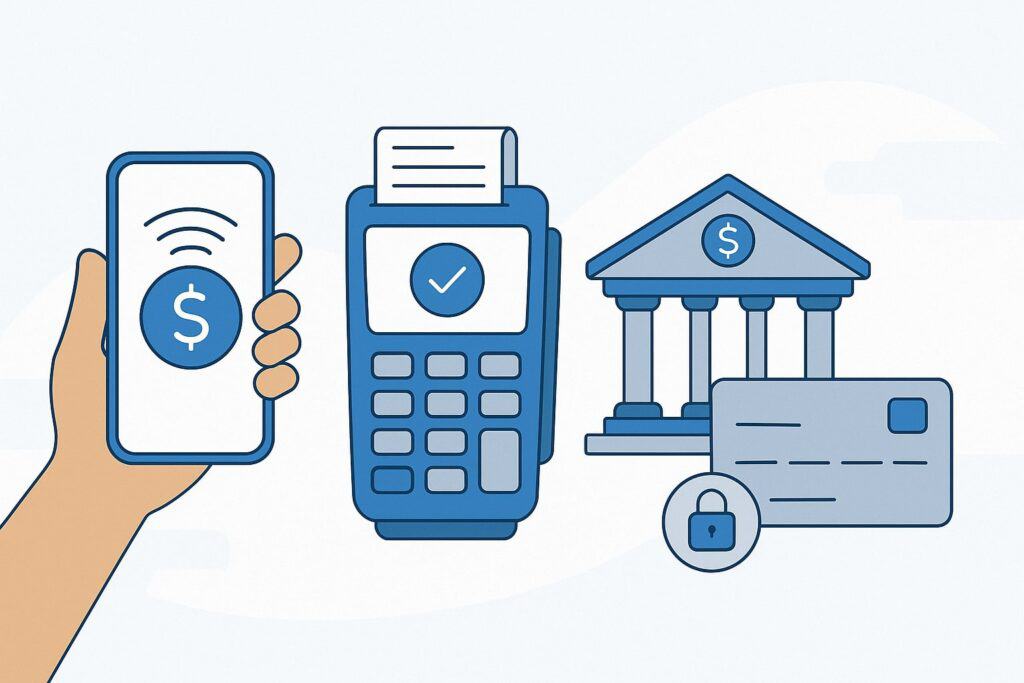
At a high level, mobile payment processing involves five moving parts: the acceptance device, the payment method, the gateway, the processor/acquirer, and the card networks.
When a customer taps a phone or card on your mobile reader, the device captures encrypted payment credentials and sends a transaction request through your payment gateway to the processor. The processor passes it to the card network (e.g., Visa, Mastercard) and then to the issuing bank for authorization.
The response returns along the same path in seconds. If approved, you get an authorization code, the transaction posts to your batch, and funds are deposited according to your settlement schedule.
The “mobile” part is not just the hardware; it’s the communications stack. Your mPOS may connect over Wi-Fi, Ethernet (via a dock), or cellular data. Many Pittsburgh retailers rely on a hybrid: Wi-Fi in-store, LTE when doing curbside or off-site events.
If connectivity drops mid-sale, some systems support “offline mode,” which stores encrypted authorizations and submits them later. Use offline cautiously—set sensible limits on ticket size and count to mitigate risk if a card later declines.
Security is built into each hop. Modern readers use end-to-end encryption (E2EE) so sensitive cardholder data never touches your device in the clear.
Tokenization replaces raw card numbers with single-use tokens, which is what you store for receipts, refunds, or subscriptions. This reduces your compliance scope and liability: if a token leaks, it’s useless to attackers.
On the software side, your mPOS app handles items, tax calculation, discounts, and reporting. Cloud sync keeps catalogs and customer profiles consistent across devices and locations. Many systems expose APIs and app marketplaces for loyalty, email marketing, invoicing, and accounting.
For a Pittsburgh retailer, that means you can automatically send a post-purchase coupon to first-time buyers, enroll them in a local loyalty program, and see real-time margin by product—even if you sold it at a craft fair.
Deposits (funding) are another pillar. Most processors settle card transactions in one to two business days, though options like same-day or next-day funding exist for a fee.
If cash flow is tight—common for seasonal retailers—choose a settlement schedule that matches your needs, and understand cutoff times for batching. A mismatch—like missing a late-evening cutoff after a night market—can push funds by an extra day.
Finally, think about ownership of data and portability. If you ever switch providers, can you export items and customer data? Can you keep your terminals? Picking a provider with open, portable data reduces switching costs and prevents lock-in—critical as your business grows and Pittsburgh’s retail scene evolves.
Payment Methods Pittsburgh Shoppers Actually Use
Payment preferences vary by neighborhood and demographic, and Pittsburgh has plenty of both. College students around Oakland and South Oakland tend to be heavy adopters of contactless wallets and P2P-branded cards.
Professionals Downtown and in tech corridors increasingly use mobile wallets tied to rewards programs. Suburban shoppers in the South Hills or North Hills often mix EMV chip cards with mobile wallets, and some still prefer magstripe in a pinch (your reader should support it as a fallback, though you’ll pay a higher risk profile).
The must-haves: EMV chip, NFC contactless (Apple Pay, Google Pay), and contactless cards. Loyalty-linked wallets—where a customer taps and automatically earns/redeems points—are rising.
If you sell higher-ticket items (premium apparel, electronics, furniture boutiques), ensure your mobile setup supports PIN for debit and signature capture when required.
For appointment-style retail (custom fittings, repair services), consider payment links or QR-based pay-by-phone to secure deposits before a visit; that reduces no-shows and improves cash flow.
Gift cards and store credit deserve attention. Locals love giving Pittsburgh-themed gifts; if your mPOS integrates branded gift cards, make sure they’re redeemable at pop-ups as well as in-store. For returns, store credit issued to a mobile wallet or a scannable code keeps money in your ecosystem without friction.
Don’t forget alternative methods that fit your clientele. If you sell at farmers markets or artisan fairs, contactless is king, but some shoppers will ask about EBT or local benefits programs—you’ll need specific hardware/software for that, and not all mobile stacks support it.
If your audience includes business buyers (e.g., office managers purchasing decor or supplies), B2B cards and corporate expense wallets may require Level 2/3 data for better interchange—ask your provider whether your mPOS can pass the extra fields.
Ultimately, the mix you accept should reflect the real traffic hitting your door. Start by reviewing a month of transactions across all channels. What percentage is contactless vs. chip? What’s your average ticket by location?
If contactless is under 30% at a student-heavy location, that’s a signal to reposition your reader, train staff to prompt “you can just tap,” and add signage. Small nudges can lift tap-to-pay adoption and shorten queues without changing your hardware at all.
Choosing the Right Mobile POS Hardware for Steel City Shops
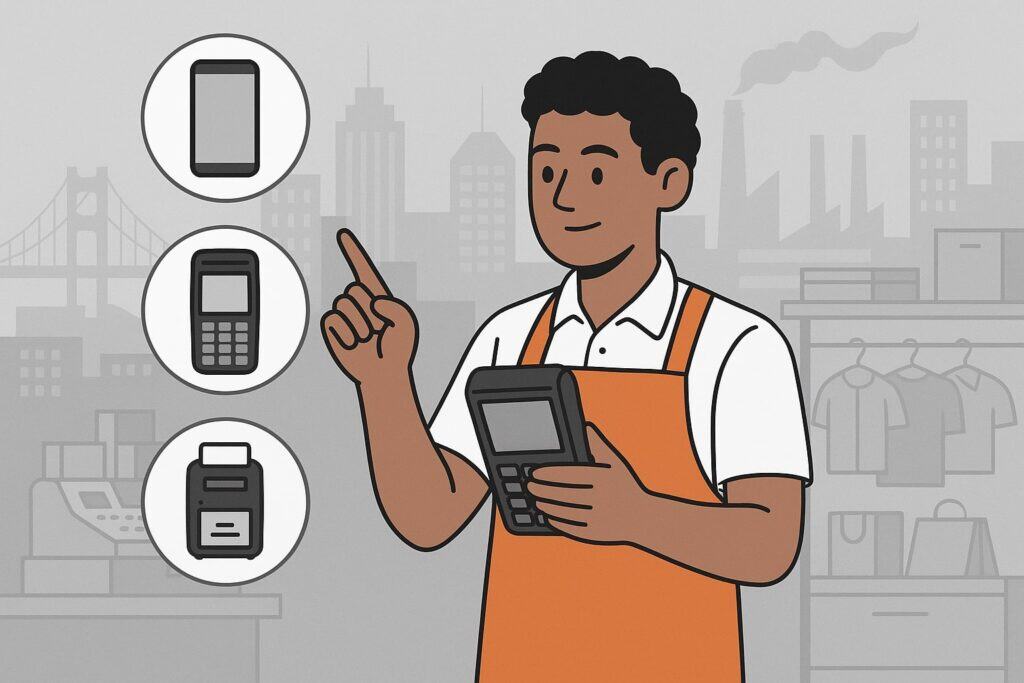
Hardware is where the rubber meets the road. In Pittsburgh, you’ll likely operate in tight spaces (cozy storefronts), outdoors (markets, street fairs), and sometimes in cold weather (holiday events). That means you need rugged, reliable gear with battery life that survives a full shift.
Core components include a mobile card reader (NFC + EMV + magstripe fallback), a smartphone or tablet (iOS or Android), and optional accessories: a handheld terminal (all-in-one device), a portable receipt printer, a barcode scanner (often built into the camera), and a charging dock.
For multi-register shops, you may prefer full-screen tablets on stands paired with compact NFC readers, plus one or two handheld terminals for line busting or curbside.
When evaluating, stress-test battery life and connectivity. Outdoor markets near the rivers can be Wi-Fi dead zones, so cellular backup is smart. Handheld terminals with built-in LTE reduce dependence on your phone’s hotspot.
If you sell in winter festivals, look for devices rated for low-temperature operation and gloves-friendly touchscreens. Also validate that your readers wake quickly from sleep—every second matters when a line forms.
Durability matters. If you’re moving gear daily, choose drop-resistant casings and protective sleeves. Consider weather covers for light rain or snow. Your team will appreciate ergonomic grips and lightweight units for long shifts.
For security, select readers with tamper-evident seals and cables that can be tethered when used near doors or at pop-ups.
Printer strategy is often overlooked. Many customers are fine with email or SMS receipts, but some still want paper—especially for gift purchases or expense reimbursement. A small Bluetooth printer you can clip to a belt or keep on a counter solves this without anchoring you to one spot.
If you go paperless, train staff to offer digital receipts proactively and reassure privacy-minded customers that only minimal data is retained.
Finally, plan your charging and spares. Keep a charging bank or dock near the exit so staff can grab a fully powered device on break. Maintain one spare reader per active lane and at least one spare handheld terminal.
Label everything with a simple ID so you can track issues (“Terminal H3 has a weak battery”) and rotate devices evenly.
Compliance, Security, and Risk: What PA Retailers Must Get Right
While payment security rules are largely national or network-level, local retailers still need a pragmatic checklist. First, ensure your system is PCI-compliant.
Using validated, encrypted readers and a provider that takes your environment out of PCI scope as much as possible reduces your burden. You’ll still complete an annual self-assessment questionnaire (SAQ), but it’s far easier if card data never touches your devices unencrypted.
Next, implement strong device hygiene. Require passcodes/biometrics on phones or tablets that run your POS. Restrict app installs to a managed list.
Use separate staff logins with role-based permissions—cashiers shouldn’t be able to issue large refunds, and seasonal staff shouldn’t export reports. Log staff actions to create an audit trail and deter misuse.
For receipts and customer data, default to tokenization. If you store cards on file for special orders or subscriptions, make sure your provider vaults the card and gives you a token—never store raw card numbers.
For digital receipts, capture only necessary contact info, provide opt-in for marketing, and honor opt-outs consistently.
Connectivity security matters in mobile environments. Avoid public Wi-Fi for POS unless you’re using a secure hotspot or a VPN tunnel from the device to your provider. If you operate multiple locations, segment payment traffic from guest Wi-Fi and internal networks. Cellular is often the simplest secure path for mobile terminals, especially at events.
Chargeback and fraud policies must be clear. Mobile environments can increase friendly fraud (“I don’t recognize this charge”), especially when you sell off-site.
Use itemized receipts with location/time stamps and staff names, capture signatures or PIN where appropriate, and attach photos for large custom orders. Clear refund policies printed on receipts and displayed at the point of sale strengthen your defense.
Accessibility and inclusivity also play a role in compliance. Make sure your mobile checkout can be presented at an appropriate height, supports large-text and high-contrast display modes where possible, and allows contactless for customers who prefer not to hand over cards. Train staff to ask “Would you like to tap, insert, or use your phone?” rather than assuming a method.
Finally, keep an incident runbook. If a device is lost or stolen, you should be able to revoke its access remotely, rotate API keys, and review logs within minutes. Store your provider’s emergency support number and your bank’s contact info in an easy-to-find place. Run a brief drill quarterly so new staff know what to do.
Fighting Fraud and Chargebacks on the Go
Fraudsters exploit chaos. Mobile retail—busy crowds, multiple devices, rotating staff—can create the chaos they seek. Beat them with layered controls. Start by locking down who can do what.
Limit manual key-entry because keyed transactions carry higher risk and cost; require a manager PIN to key in cards. If you must key (e.g., damaged chip), add extra verification steps like checking ID, capturing a phone number, and validating billing ZIP code.
Leverage your provider’s risk tools. Many mPOS platforms offer velocity controls (e.g., max refunds per hour per user), amount thresholds that require supervisor approval, and geofencing to block transactions initiated outside your usual area.
Enable alerts for unusual patterns—multiple failed attempts, rapid small transactions, or sudden high-ticket sales from a new device.
Train staff to spot red flags: customers rushing them through the process, insisting on splitting a purchase across multiple cards, or refusing EMV insert. Encourage a culture where it’s okay to slow down or decline a suspicious sale.
Provide a quick script: “For your protection and ours, we need to insert the chip or use tap. If that doesn’t work, we’ll be happy to hold the item while we verify payment another way.”
For card-present chargebacks, documentation wins cases. Make sure your receipts include item details, not just totals. Add notes for custom work or deposits. If you deliver later, tie the payment receipt to delivery confirmation or pickup signatures.
For pop-ups, geotagged photos of the booth and signage on the sale day can help demonstrate card-present context.
Digital wallets can actually reduce fraud because they use device-level authentication (biometrics, passcodes) and tokenized card numbers. Promote tap-to-pay for that reason.
If you take payment links for deposits, use links generated inside your POS (not manual invoices) so transactions are tied to order records, and set them to expire. Encourage customers to pay through wallets in the link flow when available.
Lastly, monitor your chargeback ratio monthly. If it creeps up, analyze by product, staff member, location, and channel. You might find that a certain event, time of day, or product category drives issues. Small policy tweaks—e.g., requiring ID for purchases above a threshold at outdoor events—can quickly turn the tide.
Cost Breakdown and Negotiation Tips for Small Retailers
Payment costs are often opaque, but you can bring clarity by separating the components: interchange (set by card networks), assessments (also network-set), and processor markup (the piece you can negotiate).
Pricing models include flat-rate (simple, predictable), interchange-plus (transparent, variable), and membership/subscription (low markup with a monthly fee). For low-ticket, high-volume mobile sales (e.g., markets), flat-rate can be competitive; for higher-ticket specialty retail, interchange-plus often wins.
Ask providers for a written pricing schedule that covers card-present, card-not-present (for payment links), and digital wallets. Confirm fees for key-entered transactions, chargebacks, retrievals, and monthly software.
If you need same-day funding, get that fee in writing. Hardware costs can be bundled or leased; run the math—leasing often costs more over time, but bundled discounts can make sense if you were buying software anyway.
Negotiate using your data. Bring average ticket size, monthly volume, card-present percentage, and seasonal peaks. If you operate multi-site or plan to add locations, note the growth potential.
Providers value stability and volume; even a modest commitment can earn better rates or free hardware. Don’t ignore non-price terms: month-to-month contracts, no early termination fees, and data portability can be worth a slightly higher basis point.
Watch for “blended” rates that hide downgrades. If you accept a lot of rewards cards (common in affluent shopper bases) or keyed transactions (for deposits), you may see higher effective costs.
With interchange-plus, ask for separate tiers for card-present vs. not-present. With flat-rate, ask whether digital wallet card-present rates match contactless card rates.
Finally, measure total cost of ownership (TCO). A system that saves 5 minutes per transaction with line-busting and better inventory accuracy could fund itself.
Add the operational value: fewer manual reconciliations, reduced shrink through better controls, and increased repeat business via loyalty. If you can attach even rough dollar values to those benefits, you’ll negotiate from strength and pick the platform that maximizes margin—not just the one with the lowest headline rate.
Implementation Playbook: From Pilot to Rollout in 30 Days
- Days 1–5: Define requirements: List the scenarios you must support: in-store line busting, curbside, pop-ups, markets, off-site events. Identify integrations you need (accounting, inventory, ecommerce, loyalty).
Specify connectivity (Wi-Fi, LTE), hardware count, and receipt preferences. Choose must-have security controls (E2EE, role-based access, offline limits). - Days 6–10: Shortlist and demo: Narrow to two or three providers. Demand a live demo with your actual use cases: create a cart, apply a discount, take a tap, process a return, print/sms a receipt, go offline and recover, and push the sale into your accounting sandbox. Bring a checklist and score each flow.
- Days 11–15: Pilot setup: Order two to three devices: at least one handheld terminal with cellular and one NFC reader for a tablet. Build your item catalog and tax rules, import customers, configure roles, and set risk controls (refund limits, keyed entry rules). Train a small team and process test transactions.
- Days 16–20: Field pilot: Run the pilot during a busy period and at a pop-up if possible. Measure line time, transaction success rate, and staff satisfaction. Capture customer feedback on checkout speed. Note any device issues—battery, connectivity, screen readability outdoors. Adjust workflows and fix catalog/discount gaps.
- Days 21–25: Documentation and training: Write a one-page SOP for common tasks: start-of-day checks, pairing readers, taking payments, issuing refunds, shifting to offline mode, and end-of-day reconciliation. Record short screen-capture videos. Create a lost/stolen device protocol and a support escalation path.
- Days 26–30: Rollout and optimize: Deploy to all lanes and locations. Set up dashboards to track tap-to-pay adoption, decline rates, and average handle time.
Hold a 30-minute daily stand-up for the first week to surface issues. After 30 days, review metrics and renegotiate anything that missed the mark—rates, hardware, support SLAs.
Advanced Use Cases: Beyond the Checkout Counter
Mobile payment processing is more than a smaller register. Use it to modernize the entire retail journey:
- Clienteling: Equip associates with handhelds to look up purchase history, recommend complementary items, and apply targeted promos. In neighborhoods with loyal regulars, personal recognition plus a fast tap-to-pay can significantly lift average order value.
- Appointments and deposits: For custom orders or repairs, send payment links to secure deposits. When customers arrive, convert the deposit into the final sale with a single tap. This reduces cancellations and improves planning.
- Pop-up partnerships: Team up with local makers or bakeries for in-store events. Your mobile terminals can split out items by vendor category for easy revenue-share reporting. The same tokens can later power retargeting campaigns (“Thanks for visiting—here’s 10% off your next visit to our Shadyside store.”)
- BOPIS/curbside: Staff meet customers at the curb with a terminal, apply loyalty, and close the sale on the spot. During bad weather, this convenience can be a differentiator.
- Endless aisle: If an item is out of stock at the Strip District store, let customers pay on a handheld and ship from inventory in the North Hills location. The customer leaves satisfied without visiting another store.
- Events and sponsorships: At sports-adjacent pop-ups or charity galas, take donations and merchandise payments quickly, capture donor info consensually, and issue tax-appropriate receipts from the same mobile stack.
Each of these use cases ties payment to richer data: who bought, where, when, and why. Use those insights to tune inventory (what sells at festivals vs. in-store), staff scheduling, and marketing campaigns, ensuring every tap contributes to smarter decisions.
Local Optimization: Serving Pittsburgh’s Neighborhoods and Events
Pittsburgh’s hills, rivers, and bridges shape retail reality. Plan mobile payments with that geography in mind. For outdoor events near the rivers, test cellular coverage—some carriers perform better in certain pockets.
For venues near stadiums, expect network congestion on game days; prioritize terminals with multiple carrier options or external antennas. In winter, make sure your readers and printers function in the cold and consider heated tents or indoor backup for electronics.
Neighborhood characters should guide your UX. In family-heavy areas, highlight support for contactless debit and mobile wallets—parents juggling kids and bags love fast tap-to-pay.
Near universities, advertise student discounts via QR codes that apply automatically at checkout. In tourist corridors, enable multi-language receipts and ensure your staff can handle international cards gracefully.
Operationally, reconcile by location and event. Tag every sale with the site (Shadyside store, Holiday Market, North Shore pop-up). This helps you understand profitability after factoring in booth fees, temp labor, and travel.
It also informs staffing decisions: if Saturday afternoons at the Strip District consistently spike, schedule a dedicated line-busting associate with a handheld terminal.
Partnerships can amplify reach. Coordinate with local business districts to run sidewalk sales supported by your mobile setup. Offer joint promotions where a purchase at a neighboring shop unlocks a discount at yours—with barcode/QR validation at checkout to prevent misuse.
Finally, communicate payments proactively. Signage that says “Tap to pay (Apple Pay • Google Pay • Contactless cards)” sets expectations and accelerates adoption.
Place readers where customers naturally hold their phones—front and top, not hidden behind a tablet. The more visible and intuitive your setup, the faster your lines move and the more sales you capture during those precious surges.
Vendor and Provider Checklist
Choosing a mobile payment partner is easier with a structured checklist. Use the list below to compare two or three finalists:
Core acceptance
- NFC contactless (wallets + contactless cards), EMV chip, magstripe fallback
- Offline mode with configurable per-transaction and per-device limits
- PIN debit support where applicable; signature capture options
- Gift cards and store credit work seamlessly across mobile and in-store
Security & compliance
- Validated E2EE readers; tokenization; PCI scope reduction
- Role-based access, audit logs, SSO/MFA for manager accounts
- Lost/stolen device kill switch; remote logout; geofencing
- Data retention controls; clear policies for receipts and marketing consent
Connectivity & reliability
- Wi-Fi + LTE options; automatic failover; multi-carrier SIM support
- Battery life rated for a full shift; hot-swappable or fast charging
- Field-proven performance in cold weather and outdoor environments
- Transparent uptime history and incident communications
Software & features
- Item catalog, variants, taxes, discounts, and bundles
- Customer profiles, loyalty integration, gift cards, and marketing tools
- Refund/exchange workflows; partial refunds; advanced receipts
- Invoices and payment links for deposits and special orders
Reporting & integrations
- Real-time dashboards; exportable reports by location, device, and staff
- Native integrations for accounting, ecommerce, inventory, and CRM
- Open APIs; data portability on request; sandbox environment for testing
Pricing & terms
- Written rate card for card-present, CNP, and digital wallets
- Fees for chargebacks, retrievals, batch, funding options
- Hardware purchase vs. lease; warranty; replacement SLAs
- Contract length, termination rights, and no-penalty trial period
Support & onboarding
- 24/7 support with phone + chat; priority escalation path
- Pittsburgh-friendly deployment guidance (cellular recommendations by venue type)
- Training materials, SOP templates, and role-based quick guides
- Local references or case studies in similar retail verticals
Score each area 1–5 and add notes from your pilot. The winner should be obvious not just on price but on reliability, usability, and long-term flexibility.
FAQs
Q.1: How do I handle payments at outdoor events when connectivity is unreliable?
Answer: At outdoor events, plan for multiple connectivity options. If venue Wi-Fi is available, treat it as a bonus, not a dependency. Configure your handheld terminals with built-in cellular and test coverage from at least two carriers if possible; network quality can vary block to block in Pittsburgh’s riverfront and hillside areas.
Set up automatic failover so the device switches paths without interrupting checkout. Also enable offline mode with strict limits—cap the number and value of offline transactions per device and require a manager PIN to exceed those caps. This lets you keep lines moving if connectivity dips while limiting risk if a card later declines.
Operationally, build a pre-event checklist. Fully charge devices and printers, bring spare batteries or a power bank, and pre-load your item catalog with event-specific SKUs and pricing. Place signage that encourages tap-to-pay—wallet transactions tend to authorize faster when networks are congested.
After the event, reconcile promptly. Review any offline transactions as they upload, monitor declines, and reach out to customers quickly if you need another payment method. With a tight loop, you’ll maintain cash flow and protect your chargeback ratio.
Q.2: What’s the best way to reduce chargebacks for mobile transactions?
Answer: Documentation and clarity win most disputes. Always issue itemized receipts with product names, quantities, and policies—return windows, special-order terms, and deposit rules.
For higher-value or custom items, add notes to the receipt or order record and attach photos if possible. When selling off-site, include the event name and location on the receipt so the cardholder recognizes the charge.
If your POS allows, capture the customer’s email or phone and opt-in to send order updates—messages that confirm a pickup or delivery date create a paper trail that’s invaluable in a dispute.
Process discipline is your next defense. Train staff to insert chip or accept tap—avoid magstripe unless absolutely necessary. Limit manual key-entry and require manager approval for large refunds or multiple split tenders.
If something feels off, it’s okay to slow down: ask for ID, verify billing ZIP, or suggest an alternate method like contactless debit. Finally, monitor your dispute dashboard monthly.
If you see patterns—certain events, time windows, or SKUs—tighten controls for those scenarios. Small adjustments, like raising ID checks for items over a threshold at pop-ups, can reduce chargebacks without hurting conversion.
Q.3: How should I compare pricing between providers without getting overwhelmed?
Answer: Start by requesting a standardized quote. Ask each provider for: (1) card-present rate schedule, (2) card-not-present/payment link rates, (3) digital wallet rates, (4) monthly software fees, (5) chargeback/retrieval fees, and (6) hardware costs and warranties. Put these side by side in a simple spreadsheet.
Then plug in your actual business data—average ticket, monthly volume, share of card-present vs. links—to estimate your effective blended rate. You’ll often find that a slightly lower headline rate matters less than how your real mix is priced.
Don’t ignore non-price terms. Month-to-month contracts, data portability, and robust support can be worth paying a bit more. Calculate total cost of ownership by adding operational savings: fewer reconciling hours, faster lines (more sales per hour), and higher loyalty redemption.
If a platform helps you sell an extra 5–10% on busy weekends by enabling line-busting and mobile checkout, that upside dwarfs a few basis points. Negotiate using your growth plan—multi-location expansion, seasonal volume spikes—and ask for performance reviews at 90 days to revisit rates once you’re fully ramped.
Q.4: Do I really need both handheld terminals and mobile readers with tablets?
Answer: Not always, but a mixed fleet often delivers the best coverage. Handheld all-in-one terminals shine for line busting, curbside, and off-site events because they’re compact, have built-in cellular, and print or text receipts on the spot.
Tablet + NFC reader setups excel at a main counter where screen space helps with item search, discounts, and customer profiles. Many Pittsburgh retailers deploy one to two handhelds for mobility and keep tablets on stands for primary lanes.
This dual approach lets you scale up during rushes—grab a handheld and jump into the line—without sacrificing the richer features and ergonomics of a tablet at base.
If the budget is tight, start with handhelds. You’ll cover the most scenarios quickly and can add a tablet station later. Whatever you choose, standardize on one platform so items, taxes, and customer data stay in sync.
And keep at least one spare reader or terminal as insurance—on a busy Steelers Sunday, the device that saves your line once will pay for itself.
Q.5: How can I use mobile payments to improve marketing and loyalty, not just checkout?
Answer: Treat payments as a data engine. With customer consent, link each purchase to a profile: first-time vs. repeat, items bought, location, and time of day. Segment those customers for targeted offers—students in Oakland receive back-to-school bundles, while North Hills families see weekend flash sales.
Use digital receipts as a quiet marketing channel: add a “Save 10% on your next visit—tap to join” CTA that enrolls the customer in loyalty with one click. When you run pop-ups, tag those purchases to retarget attendees with a “Find us in Shadyside” message and a code that auto-applies in your POS.
You can also use payment-driven insights to optimize operations. If tap-to-pay rates are low in one location, coach associates to prompt it and reposition the reader. If certain items sell best at riverside events, adjust your mobile inventory and merchandising.
Tie loyalty tiers to experiential perks—early access to limited drops, VIP checkout at events—so customers feel the benefit beyond points. The payoff is a virtuous cycle: faster checkout feeds better data, better data powers more relevant marketing, and more relevant marketing brings customers back to tap again.
Conclusion
Mobile payment processing lets Pittsburgh retailers sell anywhere without sacrificing security, speed, or insight. It’s more than accepting Apple Pay; it’s a toolkit that shortens lines, unlocks pop-up sales, powers curbside, and turns each tap into useful data.
With a thoughtful blend of handheld terminals and tablet stations, strong connectivity (Wi-Fi plus cellular), and a provider that delivers end-to-end encryption and role-based controls, you can run leaner and sell smarter—whether you’re bustling on Walnut Street, greeting a game-day crowd on the North Shore, or braving a chilly holiday market in Market Square.
Success comes from planning and iteration. Define your must-have scenarios, pilot with real traffic, and document simple SOPs so seasonal staff can thrive. Use risk controls to curb friendly fraud, and keep a clean paper trail to win disputes.
Compare providers with your actual data, negotiate for terms that match your growth, and watch the right metrics—tap adoption, average handle time, decline and dispute rates—to keep improving.
Most importantly, meet customers where they are. Make paying effortless and trustworthy, invite them into loyalty with clear value, and use insights to stock and staff for the moments that matter.
In a city that blends neighborhood loyalty with event-driven surges, mobile payments give you the agility to capture demand today and the intelligence to create more of it tomorrow.