Pittsburgh’s small-business scene is a mix of old-school grit and new-era innovation. From long-standing neighborhood shops in Bloomfield and Lawrenceville to weekend pop-ups on the North Shore, local retailers succeed when they make buying fast, secure, and seamless.
That’s exactly what modern merchant services deliver. “Merchant services” is a catch-all term for the tools and infrastructure that allow you to accept and manage payments—everything from point-of-sale (POS) systems and card processing to invoicing, eCommerce gateways, fraud tools, and next-day funding.
For Pittsburgh retailers, adopting the right stack isn’t just about keeping up with national chains; it’s a strategic way to differentiate on speed, trust, and customer experience while keeping operating costs predictable.
Think about the last time a customer asked, “Do you take Tap to Pay?” or “Can I pay online and pick up in the store?” In the Steel City—where foot traffic can surge during Penguins game nights, art crawls, or campus move-in weeks at Pitt and CMU—those moments are make-or-break.
Merchant services help you meet customers where they are: at a countertop, curbside, online checkout, Instagram DM, or invoice link. They streamline reconciliation so your books stay clean, automate sales-tax calculation so you’re not buried at month end, and secure transactions to protect your brand’s reputation.
The best solutions go further by digesting transaction data into useful insights: top-selling SKUs, peak hours by neighborhood, and cohort behavior for loyalty. That means you can schedule staff more intelligently, know when to restock, and design promotions that actually move product.
Cost matters, too. Many retailers worry that card acceptance fees will nibble away already-thin margins. The truth is: the structure you choose—interchange-plus vs. flat-rate, surcharge or cash-discount programs (where permitted), or specialized rates for certain categories—can change your net profitability without changing your prices.
And because Pittsburgh has a healthy base of repeat, local shoppers, loyalty and stored-value programs can further offset fees by raising average order value (AOV) and lifetime value (LTV). In other words, merchant services aren’t an expense; they’re an engine.
When configured carefully, they reduce friction, increase conversion, and give you back time to focus on merchandising and community building.
Below, we’ll walk through how Pittsburgh retailers can choose the right POS and processor, enable omnichannel selling without complexity, keep data safe, and turn payments data into strategy.
We’ll also tackle cash flow, chargebacks, tipping, receipts, and the special needs of seasonal or mobile vendors at markets and events. Finally, you’ll find a detailed FAQ to help you pressure-test your plan before you switch providers or upgrade your hardware.
The Business Case: Why Merchant Services Matter for Pittsburgh Retailers
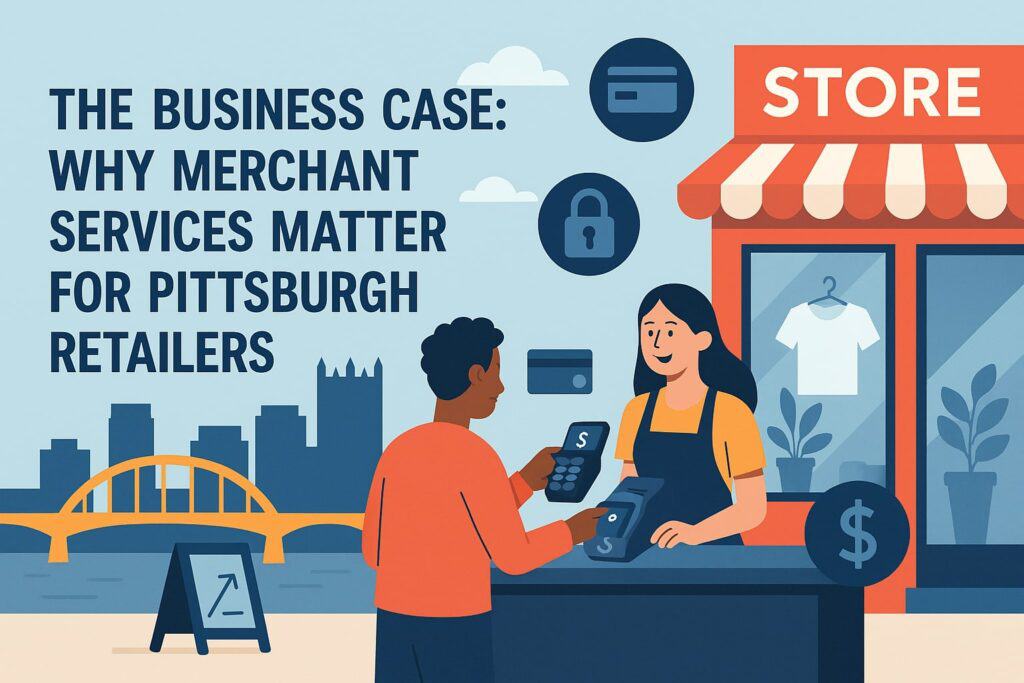
For a neighborhood retailer, every minute saved and every dollar recovered counts. Merchant services are uniquely positioned to deliver quick wins across three pillars: revenue, cost, and risk.
On the revenue side, modern POS systems shorten lines with contactless and QR-based checkout; they add new channels like online order-ahead and local delivery; and they improve conversion by offering digital wallets (Apple Pay, Google Pay), “buy now, pay later” options, and secure card-on-file for repeat purchases.
When a customer browsing on Walnut Street can reserve a product on their phone and pick it up after lunch, you’ve kept the sale local. That omnichannel continuity is critical in a city where weather swings and event calendars can whip weekend traffic from quiet to packed in hours.
Costs are next. Interchange is the wholesale fee set by the card brands, but your markup and fee structure are negotiable. Many small retailers were onboarded years ago to simple, flat-rate pricing—great for predictability, less great for margins as volume scales.
An interchange-plus model often lowers effective rates, and specialized setups like Level II/III data or PIN debit routing may further optimize costs depending on your average ticket and category. Meanwhile, intelligent batching and next-day funding reduce reliance on high-interest credit lines.
In operations, integrated POS + accounting eliminates duplicate entry; automated receipts cut paper waste; and accurate, real-time inventory decreases dead stock. All of that is cost avoidance driven by the right merchant stack.
Risk rounds out the picture: fraud, chargebacks, and compliance. Even a single compromised terminal or a string of card-not-present disputes can hurt a neighborhood brand.
Modern gateways detect anomalies in real time, require 3-D Secure where it fits, and maintain tokenized card data to minimize exposure. Good merchant providers also offer chargeback assistance, from reason-code analysis to templated responses with supporting evidence pulled automatically from your POS.
That matters in Pittsburgh, where local word-of-mouth travels fast; a clean, secure checkout preserves trust in tight-knit communities. Put simply: the right merchant services make it easier to sell more, keep more, and sleep better.
Choosing the Right POS and Payments Stack for Pittsburgh Shops
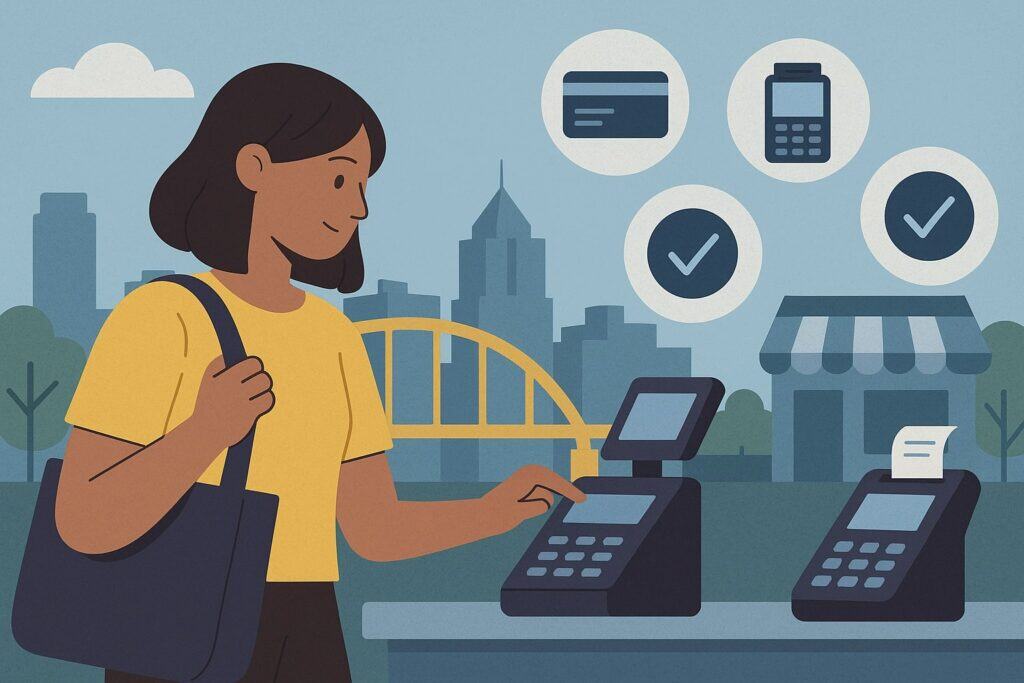
Selecting a POS is like choosing a new operating system for your store. The ideal setup marries elegant hardware with software that matches your workflows—without forcing you into a one-size-fits-all box.
Start by mapping your customer journey: browsing, checkout, pickup, returns, and loyalty. If you run a boutique in Shadyside, you might prioritize an iPad-based POS with mobile readers for sidewalk sales and curbside pickup.
If you’re a specialty grocer in Squirrel Hill, you’ll need fast barcode scanning, weight scales, and integrated EBT where applicable. Pop-up vendors at Strip District markets may prefer SIM-enabled handhelds with offline mode for spotty connectivity. These operational realities should drive your shortlist, not glossy spec sheets.
From a payments perspective, insist on support for EMV chip, NFC tap, and digital wallets at minimum. Your POS should accept contactless without dongles, generate scannable QR codes for pay-by-phone, and allow keyed entry when needed with fraud safeguards.
Ask how tips are handled (prompt configuration, pooled vs. individual), how surcharges or cash-discount programs are implemented (and whether they are configured to follow applicable rules), and how refunds and partial captures flow back to your accounting.
A small but crucial detail: ensure the system supports item-level receipts (useful for exchanges) and tax-exempt logic for qualifying customers or products—this can be a lifesaver during busy weekends.
Integration is the next gate. A Pittsburgh retailer rarely runs just one tool; you may use Square or Clover hardware, Shopify or WooCommerce online, QuickBooks or Xero for accounting, and Mailchimp or Klaviyo for marketing. Look for pre-built connectors and, ideally, an open API.
Data should sync daily without manual exports: SKUs, stock counts, online orders, offline orders, gift cards, and loyalty balances. If your provider offers its own eCommerce, verify that it supports local pickup windows, shipping rules, and curbside flows.
For retailers who do custom orders (say, framing or specialty apparel), make sure you can accept deposits and schedule progress payments. Finally, test the admin UI. If it takes 12 clicks to change a product price or add a new variant, you’ll feel the pain when you’re trying to prepare for a Steelers Sunday rush.
Pricing and contract terms matter. Avoid long, auto-renewing leases on hardware when you can purchase outright or finance at reasonable terms. Review early termination clauses, PCI and statement fees, and batch or AVS fees for keyed/online transactions.
Ask for a cost comparison on your actual statements, not hypothetical volume. And consider service: can you get local or same-day replacement hardware? Do you have a direct support line who understands small-business retail hours (evenings, weekends, event days)?
The “best” POS is the one that works the way you work, keeps costs transparent, and won’t strand you during a Saturday night event in the Strip.
Omnichannel Without the Headache: In-Store, Online, and On-the-Go

Pittsburgh shoppers want a choice: browse online, pay in store; discover on Instagram, pick up curbside; order a gift from out of town, ship locally with a hand-written note. Your merchant stack should erase the lines between channels.
Start with inventory as the single source of truth. Whether a product sells in person at your Butler Street storefront or through your Shopify site, stock should decrement in one place. That avoids dreaded “Sorry, we’re out” calls that can sour a first impression.
Next, unify customer profiles: when a regular buys a candle in store and a diffuser online, the system should tie purchases to the same customer record, building a 360º view for loyalty and outreach.
Payment experiences should mirror each other. If you accept Apple Pay at the counter, offer Apple Pay in your online checkout. If you use buy-now-pay-later (BNPL) for higher-ticket items, make it available both on the web and at POS.
Offer invoicing for custom or special orders with branded, mobile-friendly links that let customers pay in two taps. For events, farmers’ markets, and pop-ups, deploy handheld readers with offline mode and automatic catch-up when connectivity returns.
Set up “save the sale” tools: call-in orders keyed securely by staff, or emailed payment links that expire if not paid by a set time, protecting you from stale invoices.
Fulfillment and returns are where omnichannel shines. Support in-store pickup windows with automatic SMS or email notifications when orders are ready; use scannable pick tickets to minimize mistakes.
For returns, allow cross-channel exchanges—online purchases returned in store, with instant restocking and refund to the original payment method. Gift cards should be universal: buy online, redeem in store; buy at the counter, redeem online. And don’t neglect local delivery.
If you partner with a courier or use staff runners for nearby neighborhoods, set delivery zones and fees in your eCommerce, and capture tips for drivers when appropriate. Clear policies and automated workflows mean smoother operations when the weather shifts or game-day traffic throws a curveball.
Finally, make it brand-forward. Your receipt emails, checkout pages, and invoice links should carry your logo, colors, and tone. Customers shouldn’t feel like they’ve been handed off to a faceless processor.
Consistent branding across channels builds trust—especially important in a city where supporting locals is a point of pride. The right merchant services provider helps you turn a patchwork of tools into a coherent, customer-friendly experience that keeps Pittsburgh dollars in Pittsburgh businesses.
Security, Compliance, and Trust: Protecting Your Store and Customers
Security is not optional—it’s foundational. Even the warmest storefront vibe evaporates if customers suspect their card data isn’t safe. Start with PCI DSS (Payment Card Industry Data Security Standard) responsibilities.
Many modern solutions include PCI scope reduction through tokenization (storing a surrogate value instead of the raw card) and point-to-point encryption (P2PE), which encrypts data from the moment the card is read.
Ask your provider how they handle PCI: do they offer guided SAQ (Self-Assessment Questionnaire) completion, breach assistance, and quarterly scans if you accept keyed entries from a computer? If your POS is cloud-based, confirm that sensitive data never touches your local network in plaintext.
Fraud prevention differs by channel. In-store fraud is often physical (lost/stolen cards, quick-change scams), so chip-and-NFC acceptance plus clear refund policies help. Online or invoice fraud depends on your gateway’s tools: AVS (address verification), CVV checks, velocity limits, IP reputation scoring, and step-up authentication like 3-D Secure.
For special orders or high-ticket items, require partial prepayment and ID verification at pickup. Document evidence: signed receipts, pickup photos, and delivery confirmations. Good merchant services make this easy—attaching artifacts to the order record so if a dispute lands, your response is well-organized.
Chargebacks are part of retail life, but they don’t have to be a constant drain. Build a standard operating procedure: respond within windows, include itemized receipts, shipping/tracking proof, and messages showing customer acknowledgment.
Analyze reason codes quarterly to spot patterns (e.g., a SKU with quality complaints, a staff shift with a spike in “fraudulent” claims). Tighten descriptors so your bank statement name is recognizable—nothing triggers “I don’t recognize this charge” like a cryptic descriptor.
And train your staff: clear return windows, printed policies, and friendly escalation can defuse issues before they become disputes.
Privacy matters, too. If you collect emails or phone numbers for receipts and loyalty, be explicit about how you’ll use that data and offer opt-outs. Keep staff logins unique, require strong passwords on POS devices, and set permissions carefully so cashiers can’t access reports or export customer lists.
Maintain patching: keep tablets and POS terminals updated, and segment your Wi-Fi (guest vs. POS) to reduce risk. In a city of strong neighborhood ties, trust is a currency. Treat data like inventory—count it, protect it, and only keep what you need.
Cash Flow, Fees, and Funding: Turning Payments Into Predictable Money
Healthy cash flow is the lifeblood of a small retailer. Merchant services impact it more than almost any other system you use. First, funding timelines: many processors offer next-day funding if you batch by a certain time; some offer same-day or even instant access for a small fee.
Know your cutoff and set your POS to auto-batch to avoid missed windows. If your sales are spiky (farmers’ markets, game-day surges), faster funding can bridge inventory reorders or payroll without resorting to costly credit.
Next, understand your fee structure. Interchange-plus pricing itemizes wholesale card costs and your markup; flat-rate bundles them into a single percent. For some businesses with small average tickets and lots of debit usage, optimizing for PIN debit and regulated debit can lower your effective rate.
Consider how you accept cards: contactless and chip typically have stronger protections than keyed entries, which can carry higher rates and risk. If your provider supports compliant surcharge or cash-discount programs and your business model allows, evaluate them carefully—making sure signage, receipt treatment, and card-brand rules are followed.
The goal isn’t to nickel-and-dime customers; it’s to keep your doors open and your staff paid while staying transparent.
Reconciliation should be boring—in the best way. Your merchant portal ought to match batched totals to bank deposits automatically, with fees clearly broken out. Integrations to QuickBooks or Xero should post daily summaries or individual transactions based on your preference.
If you use gift cards and loyalty, ensure liabilities are recorded properly. For multi-location retailers, roll-up reporting should show store-level P&L and enterprise-wide trends. Discrepancies will happen; the difference between a headache and a hiccup is whether your provider’s reports make exceptions obvious and traceable.
Finally, use your payment data to make money. Identify top hours and staff accordingly to avoid lost sales from long lines. Track attachment rates (e.g., how often a customer buying a jacket also buys a scarf) and train staff to suggest relevant add-ons.
Segment customers by frequency and AOV for targeted campaigns—double-points weeks during slower periods, or early access to new arrivals for VIPs. If you sell seasonal goods, watch year-over-year comps to fine-tune pre-orders. Cash flow isn’t only about speeding deposits and trimming fees; it’s about turning insights into action.
A Practical Blueprint: Implementing Merchant Services in a Pittsburgh Retail Store (Step-by-Step)
Start with discovery. Document your current pain points: long lines on Friday evenings, manual stock counts, clunky returns, or mystery fees on statements. Rank them by impact. Then gather three months of payment statements and POS reports.
Note average ticket, card mix (debit vs. credit), and peak hours. With this snapshot, approach providers for a tailored proposal—not a generic rate card. Ask each to model your effective rate on your real mix, explain their funding timelines, and demonstrate how inventory, loyalty, and eCommerce connect.
Pilot before you commit. If possible, run your new POS in parallel on a quiet weekday to test scanning, price changes, discounts, and receipt flows. Simulate common edge cases: split tenders, returns without receipt, gift card purchase and redemption, curbside pickup with SMS notification, and a pop-up sale using a handheld reader on cellular.
Confirm the accounting sync posts cleanly and that your team can pull the reports you need (daily sales, category performance, staff tips, open invoices). Don’t underestimate staff training: role-play a busy Saturday checkout and a tricky return. The best technology fails if your team struggles to use it under pressure.
Plan the cutover. Choose a low-risk day, back up your product and customer data, and have a rollback plan. Stage hardware with full battery and spares, label cables, and test your Wi-Fi. Set up branded receipts and emails so day-one feels polished.
Announce new capabilities to customers: “Now accepting Tap to Pay,” “Buy online, pick up in store,” or “Digital gift cards available.” Use the moment to refresh your loyalty program or launch a welcome offer to drive immediate adoption.
Measure and iterate. In the first month, watch three metrics: checkout speed (line length and average transaction time), payment mix (tap vs. chip vs. keyed), and exception rate (voids, refunds, disputes). Tweak prompts to encourage contactless.
Adjust store hours if you see consistent micro-spikes tied to neighborhood events. Review your first full statement to validate that the quoted effective rate matches reality.
Then set quarterly reviews to revisit fees, features you haven’t turned on (invoice links, BNPL, local delivery), and security posture. Merchant services aren’t a set-it-and-forget-it tool; they’re a living system that should evolve with your store and your city.
Case in Point: A Boutique’s Journey From Long Lines to Loyal Fans (A Pittsburgh Scenario)
Consider a fictional but representative boutique in Lawrenceville—let’s call it “Three Rivers Threads.” Before upgrading, the shop ran a basic countertop terminal, a separate iPad catalog, and manual stock counts.
On busy Saturdays, lines snaked toward the door; staff had to key prices, and returns took forever because no item-level receipts existed.
Online orders lived in a different universe, which meant inventory oversells were common—often discovered only when a frustrated customer arrived for pickup. The owner dreaded month end, stitching together spreadsheets to reconcile deposits and fees.
The boutique switched to a modern, cloud POS with integrated payments and inventory. They added an NFC-enabled reader at the counter and a handheld on cellular for sidewalk sales during neighborhood events.
Online and in-store catalogs merged; curbside pickup and local delivery were enabled with time windows. Staff were trained to save the sale by sending secure payment links for custom orders and to encourage tap-to-pay, which sped the line and cut down on chip errors.
Branded digital receipts offered a one-tap opt-in for loyalty. The POS posted a daily sales summary into QuickBooks, eliminating manual journal entries.
Within six weeks, the average checkout time dropped significantly because tap-to-pay became the norm. Inventory mismatches fell thanks to a single source of truth across channels. The boutique turned on automated back-in-stock alerts and saw online conversion rise without discounting.
A quarterly review of statements showed an improved effective rate after moving from flat to interchange-plus pricing; optimizing debit routing shaved basis points off common transactions. Chargebacks declined as itemized receipts and pickup confirmations were attached automatically to orders.
Most importantly, the shop’s team felt in control—the merchant stack stopped being a source of stress and became an amplifier for the customer experience. That’s the transformation accessible to many Pittsburgh retailers when they align tools with the way the city shops and celebrates.
FAQs
Q.1: How do I compare processing quotes fairly without getting lost in jargon?
Answer: Start by gathering two to three months of recent statements so any proposal can be modeled on your real mix of cards, average ticket, and volume. Insist on an “effective rate” calculation that includes every cost—interchange, assessments, processor markup, monthly fees, PCI, batch fees, and any hardware financing.
Ask for the proposal in both flat-rate and interchange-plus forms; depending on your ticket size and debit share, one may be clearly better. To compare apples to apples, request a side-by-side “statement analysis” where the provider rerates each of your past transactions at their pricing.
This exposes hidden fees and avoids the trap of comparing headline percentages that exclude per-transaction fees or gateway costs. Finally, understand contract terms: length, auto-renewal, early termination, and hardware ownership. The cleanest quote is the one you can map directly into your bank deposits and accounting without surprises.
Beyond numbers, evaluate service and capability. Can the provider support omnichannel out of the box—eCommerce, invoicing, gift cards, and loyalty—with your current tools? Do they offer next-day funding by a sensible cutoff? What’s their dispute support like—do they help assemble evidence packets or provide templates?
If your shop lives on weekend sales cycles, you’ll want responsive support during those hours and fast hardware replacement options. The “cheapest” provider on paper can become the most expensive if downtime, slow funding, or chargeback chaos erodes your margins and reputation. So weight total cost of ownership and operating friction, not just the point estimate on fees.
Q.2:What can I do to reduce chargebacks and fraud without scaring away customers?
Answer: Think layered defenses that feel natural to shoppers. In store, promote tap-to-pay—it’s quick, secure, and has strong fraud protections. Configure clear prompts at checkout for tips and email receipts, and train staff to verify IDs for large returns or high-ticket pickups.
For online and invoice payments, turn on AVS and CVV checks and consider 3-D Secure for orders above a certain threshold or for shipping to addresses that differ from billing. Use order notes and capture customer acknowledgments for custom or pre-order items.
Keep your descriptor recognizable so customers don’t dispute charges they don’t recognize. When disputes happen, respond quickly with itemized receipts, pickup or delivery confirmations, and communications—all pulled from your POS or gateway so your response is comprehensive without a fire drill.
Balance friction with friendliness. Too many hurdles will depress conversion, but smart thresholds maintain trust while keeping checkout smooth for good customers.
Monitor reason codes quarterly: if “merchandise not as described” spikes, it’s a merchandising or expectation issue, not a payment problem. Tighten product descriptions, set clear ETAs for special orders, and offer easy exchanges to defuse issues before they become disputes.
A transparent, customer-first approach—paired with quietly strong risk tools—keeps your brand’s reputation intact while reducing the costly, time-consuming back-and-forth of chargebacks.
Q.3: How can a small retailer go omnichannel without taking on a tech project that never ends?
Answer: Start small and sequence the work. Phase 1: unify payments and inventory so every sale—counter, handheld, web—hits one catalog and one ledger. Choose a POS that either includes eCommerce or has a proven, well-documented integration to your chosen platform.
Phase 2: turn on core conveniences that customers notice immediately—contactless payments, branded digital receipts, buy online/pick up in store, and gift cards redeemable anywhere.
Phase 3: add niceties like local delivery zones, back-in-stock alerts, and loyalty automation. You don’t need to launch everything at once; each phase should be measurable (shorter lines, fewer stockouts, higher email capture) and operationally digestible for your team.
Keep your stack lean. Avoid duplicative tools that halfway overlap and cause data drift. If your POS does loyalty well enough, skip a separate loyalty platform until you’ve outgrown it. If Instagram drives meaningful traffic, enable shoppable posts that tie back to your inventory rather than building a custom catalog.
Document processes—who fulfills pickup orders, how curbside handoff works, what to do if cellular drops at a pop-up—so the system scales beyond the owner’s hands. A good merchant services partner provides templates, playbooks, and support to make each phase feel like a tidy project, not a rewrite of your business.
Conclusion
Local retail thrives when it feels personal, efficient, and trustworthy. In Pittsburgh, that means meeting customers with steel-strong reliability and neighborly warmth—whether they’re tapping a phone at a Bloomfield counter or paying an invoice from across the river.
Merchant services are your lever to make that happen at scale. The right POS and payment stack compress lines, open new channels, minimize risk, and translate raw transactions into actionable insights.
They make cash flow more predictable, reporting cleaner, and staff training simpler. Most of all, they help you deliver the modern convenience shoppers expect while keeping the distinct character that makes your store part of the city’s fabric.
If you’re evaluating options, focus on how well each solution fits your specific workflows and community: your average ticket, your peak hours, your sales mix, and your brand voice. Pilot thoughtfully, train your team, and measure relentlessly.
You’ll find that payments aren’t just the final step in a sale—they’re the infrastructure that powers everything else. Done right, merchant services turn everyday checkout moments into repeat business, five-star reviews, and steady growth. That’s the Pittsburgh advantage: practical tools, put to work with pride, to keep local retail strong.